How To Stop Nest Thermostat From Changing Temperature
Lisa Davis
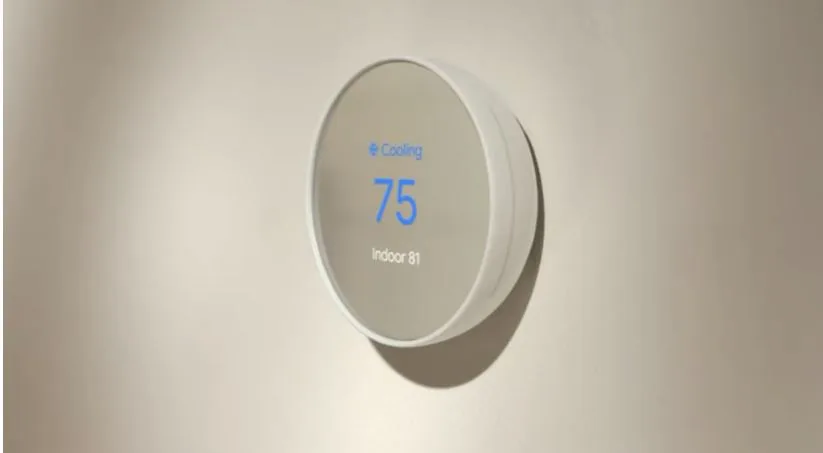
Ah, the Nest thermostat. So sleek. So smart. It promised us a future of effortless comfort, a digital butler for our indoor climate. But sometimes, doesn't it feel like this clever little puck has a mind of its own? You set your ideal temperature, turn your back for a moment, and then… poof! It’s decided a new climate regime is in order.
You’re not alone in this gentle battle of wills. Many of us have experienced that surprise chill, or perhaps an unexpected wave of warmth, only to discover our diligent Nest has taken matters into its own hands. It’s all very well-intentioned, of course. It’s trying to save energy. It’s trying to learn your habits. It’s trying to be helpful.
But what if your comfort trumps its algorithms? What if you, a living, breathing human, know exactly what temperature makes you happiest? Fear not, fellow comfort-seekers! We can gently, but firmly, guide our smart thermostats back to acknowledging who’s really in charge here.
Let's talk about the main culprit in this temperature tango: the Auto-Schedule. This is the feature where your Nest watches you. It observes when you adjust the temperature. It learns your patterns. It builds a schedule based on your tweaks. And then, it applies that schedule. Even if your habits change, or you just felt like a momentary deviation.
Think of Auto-Schedule as that overly eager friend who tries to anticipate your every need, but sometimes gets it a little wrong. To rein it in, you can simply turn it off. Navigate through the settings on your thermostat, or in the app, and look for Auto-Schedule. A quick tap or twist, and your Nest will stop trying to be a mind-reader. It will stick to the schedule you set, or to whatever temperature you manually twist the dial to.
Solved: Nest thermostat keeps changing temperature
Then there’s Home/Away Assist. This clever feature detects when you're out of the house and automatically adjusts the temperature to save energy. Brilliant for the planet and your wallet! But sometimes, you just pop out for a quick errand. You return expecting cozy, only to find your living room has entered an energy-saving tundra.
“I just stepped out for five minutes! Did my thermostat think I moved to Siberia?”
Nest Thermostat Keeps Changing Temperature - Thermostat & HVAC Helpers
You can adjust the sensitivity of Home/Away Assist, or even turn it off completely. This means your home will stay at your set temperature, regardless of whether it thinks you’re home or not. Your house, your rules, your immediate comfort. No more dashing out to a frosty welcome just because you forgot to tell your thermostat you’d be right back.
Another area where your Nest might be showing its independence is with Eco Temperatures. These are the default temperatures your thermostat shifts to when it believes you're away or asleep, aiming for maximum energy savings. While admirable, these default settings might not align with your personal definition of "comfortable but energy-efficient."
Nest Thermostat Keeps Changing The Temp? Here's The Fix
The good news? You can customize these Eco Temperatures! Make them a little less drastic. Nudge the "away" temperature up a bit, or the "sleep" temperature down. Find that sweet spot where you save energy without sacrificing your inner peace. It’s about finding a compromise between being green and feeling great.
And let's not forget the simplest, most direct approach: manual override. Sometimes, you just need to walk up to that beautiful little puck, twist the dial, and set the temperature yourself. Your Nest will honor this direct command. It won’t immediately try to learn from it if Auto-Schedule is off. It will simply obey. It's a small victory, but oh-so-satisfying.
So, if your Nest has been playing temperature roulette with your comfort, remember these simple steps. Reclaim control. Your home should be your sanctuary, set to your ideal climate, not the climate a well-meaning algorithm thinks is best. Go ahead, make your comfort a priority. Your living room (and your toes) will thank you!