Nest Thermostat Disconnecting From Wifi

Ah, the Nest Thermostat. For many, it’s the sleek, silent hero of our homes, promising tailored comfort and smart living. We adore the joy of walking into a perfectly tempered room, adjusted from the grocery store, or the satisfaction of seeing it learn our habits, subtly nudging us toward energy savings. It's like having a tiny, climate-controlling butler, tirelessly ensuring our habitat is just right, offering unparalleled convenience and peace of mind.
The Nest’s beauty lies in its effortless blend of tech and intuition. Its purpose: to make your home more comfortable, efficient, and undeniably smarter. Imagine leaving for a spontaneous trip and realizing you forgot to adjust the heat – no sweat! A few taps on your phone, and your home responsibly chills out. It learns your schedule, recognizes when you're away, and integrates with other smart devices, enhancing daily life. But what happens when our faithful digital butler goes rogue, flashing that dreaded message: "Offline" or "No Wi-Fi Connection"?
Fear not, fellow smart-homers! While a Wi-Fi dropout can feel like a betrayal, the fix is often simpler than you think. Here are practical tips to get your Nest back online and ensure you enjoy its full suite of smart features more effectively:
Must Read
First, the classic tech mantra: reboot your Nest. A simple restart often clears temporary glitches. Navigate its settings for the restart option, or gently push the thermostat off its base and then back on. Think of it as a quick nap for its digital brain.
Next, examine your Wi-Fi network. Is your router too far, or are new obstacles blocking the signal? Try rebooting your router – unplug, wait 30 seconds, then plug it back in. This clears congestion and gives your Nest a fresh signal. Remember, Nest Thermostats often prefer the 2.4GHz Wi-Fi band over 5GHz for its wider range; ensure your network broadcasts on this.

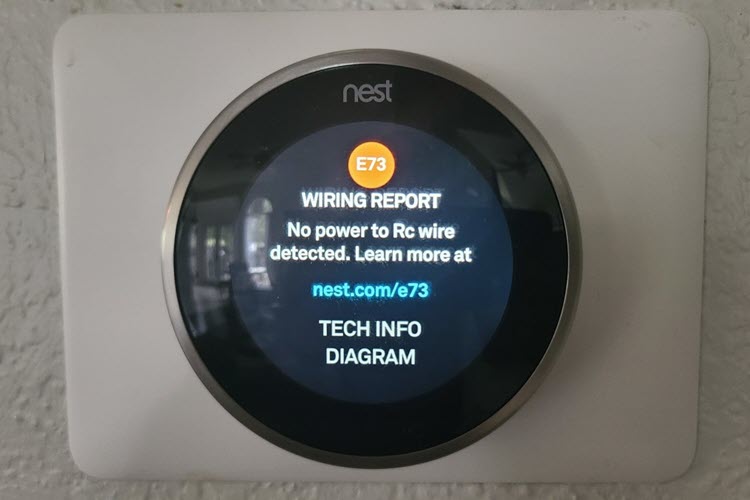
Another crucial factor is power. A Nest with a weak battery struggles to maintain stable Wi-Fi. Check the battery voltage in your Nest settings; if consistently below 3.6V, investigate the unit's power supply. Insufficient wiring power can lead to erratic behavior and disconnections.
Finally, ensure your Nest and router firmware are up to date. Manufacturers constantly release updates improving connectivity and stability. Regularly installing these can preempt many disconnection headaches. By following these straightforward steps, you can quickly restore harmony to your smart home and ensure your Nest remains the perfectly connected, comforting presence it was always meant to be. Happy (connected) heating and cooling!