
How To Reset Hard Wired Smoke Detectors
Picture this: It's 3 AM. You're deep in the land of nod, probably dreaming of winning the lottery or finally figuring out how to fold a fitted sheet. Suddenly, a high-pitched, insistent chirp slices through the silence. Not a full-blown alarm, mind you, just a single, ear-piercing "BEEP!" Every 30 seconds. You bolt upright, heart pounding, convinced something is on fire. You scramble out of bed, fumbling for your phone to use as a flashlight, only to find... absolutely nothing. No smoke, no fire, just that relentless, soul-sucking chirp. Sound familiar? We've all been there, haven't we?
Or perhaps you’ve experienced the equally delightful situation where you lightly toast some bread, and suddenly, your entire house thinks it’s an inferno, blasting out alarms from every single detector. And then, once the "danger" has passed, one or two of them just... keep going. A solo concert of ear-splitting shrieks. You try pressing the button, waving a towel, even pleading, but it just won't shut up. You stare up at that plastic saucer on the ceiling, silently cursing its existence, wondering, "How do I make it stop?"
This, my friends, is often the moment you realize you’re dealing with a hard-wired smoke detector. Not just a simple battery-operated one you can pluck off the ceiling and toss in a drawer (though don't actually do that, please!). These bad boys are wired directly into your home's electrical system, and usually, they're all interconnected. So, when one goes rogue, it often takes its buddies down with it, or at least causes a mass panic. Trying to reset them can feel like cracking a secret code. But fear not, intrepid homeowner! We're about to demystify the process.
Must Read
Why the heck do they even need a reset?
Good question! There are a few culprits. Sometimes it’s a low battery chirp – even hard-wired detectors often have a backup battery, and they're very vocal when it’s running low. Other times, it’s a power surge or a brief flicker that confuses their sensitive little electronic brains. Dust, steam, or even a spider setting up shop inside can trigger a false alarm. And once triggered or confused, they sometimes get stuck in a loop, needing a proper reboot to get back to normal. Think of it like your computer freezing – sometimes, you just need to pull the plug, right?
The Grand Reset Mission: A Step-by-Step Guide (Without Losing Your Mind)
Before we dive in, a quick disclaimer: We're talking about resetting here, not fixing a fundamental problem. If your alarms are constantly going off for no reason, or if they're super old (most manufacturers recommend replacing them every 7-10 years), it might be time for an upgrade. But for a temporary blip, a reset is your best friend.
Step 1: Silence the Alarm (If It’s Currently Screaming)
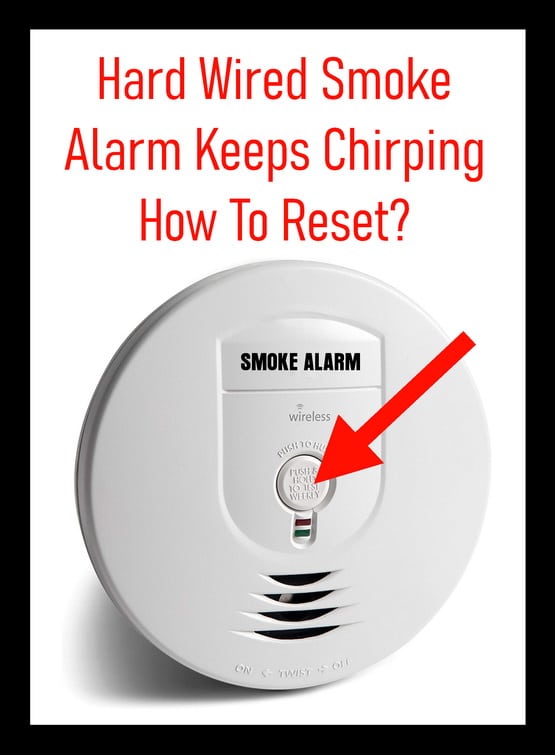
If you're in the midst of a full-blown alarm, hit that "Hush" or "Test/Silence" button on the offending unit. It usually gives you a temporary reprieve, buying you some precious quiet time before the next step.
Step 2: Identify the Culprit (and its Friends)
If you have interconnected alarms, try to figure out which one is the primary troublemaker. Sometimes it's obvious, other times it’s a guessing game. You might have to reset all of them to be safe, especially if they're all beeping intermittently.

Step 3: Power Down at the Breaker
This is the big one. Go to your electrical panel (usually in the basement, garage, or utility closet). You're looking for the breaker switch that controls your smoke detectors. It might be labeled "Smoke Detectors," "Alarms," or perhaps just "Lighting" if they're on the same circuit. When in doubt, it’s safer to turn off the main power for a few minutes, or flip off breakers one by one until the detectors go silent. Safety first, folks! You're messing with electricity, so be careful.
Once you flip the correct breaker, all the hard-wired detectors should go quiet. If any are still chirping, they might be running solely on battery backup, which brings us to...
Step 4: Detach the Detector and Disconnect Backup Battery
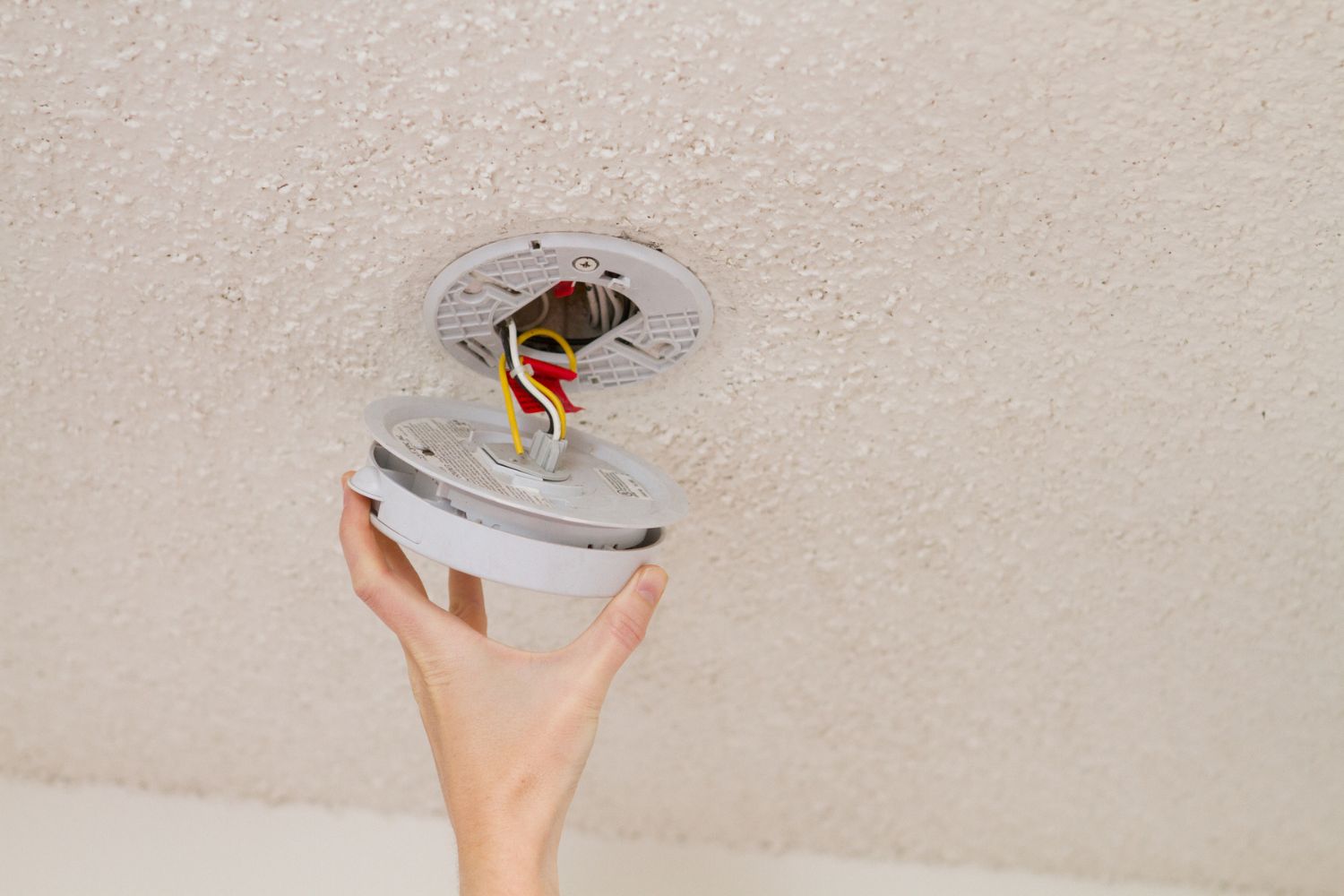
Carefully twist the detector counter-clockwise to remove it from its mounting bracket. You'll see wires connected to the back. There's also usually a 9-volt or AA battery tucked inside. Disconnect the wiring harness first, then pop out the backup battery. If you suspect the battery is the cause, this is a great time to replace it with a brand new one.
Step 5: The All-Important WAIT
Here’s the trickiest part, and often the one people skip. You need to wait for at least 15-20 minutes. Seriously. This allows any residual power (capacitors, you clever little things) to fully discharge. It's like a complete brain drain for your detector. Go grab a coffee, check your social media, or wonder why you decided to make toast at 3 AM.
Step 6: Reassemble and Reconnect
After your waiting period, reconnect the wires to the detector. If you replaced the battery, insert the new battery now. Twist the detector back onto its mounting bracket, making sure it clicks securely into place.

Step 7: Restore Power and Test
Head back to your electrical panel and flip that breaker switch back on. All your hard-wired smoke detectors should power up. Give them a moment. If the problem unit (or any of its friends) starts beeping again, go back to Step 3 and try the full process again, perhaps extending the wait time.
Once everything seems quiet, press the test button on each detector. You should hear a loud, clear alarm, confirming they're working correctly. If one doesn't alarm, check its battery and connections again, or consider it might be time for a replacement.
There you have it! The somewhat dramatic, but ultimately satisfying, process of resetting a hard-wired smoke detector. Hopefully, this little adventure will grant you some peace and quiet, at least until the next time you burn the popcorn. Happy resetting!