
How Much Does A Photocopy Machine Cost
Okay, picture this: It's 11 PM, the night before your kid's science fair project is due (or, let's be real, your important presentation). You've just realized you need three identical copies of a critical diagram, and your ancient home printer is giving you the death stare, absolutely refusing to cooperate. You frantically search for "24-hour print shop near me," only to find one that charges an eye-watering dollar a page. A dollar! For a photocopy! In that moment of pure desperation, a thought might just pop into your head: "How much does a photocopy machine even cost? Maybe I should just buy my own!"
Sound familiar? Because trust me, I've been there. And that very thought, my friends, is what spiraled me down the rabbit hole of trying to figure out the true price tag of these ubiquitous office workhorses. Spoiler alert: It's not as simple as "X dollars."
You see, a photocopy machine isn't just one thing. It's a whole spectrum of possibilities, from the humble all-in-one sitting on your desk to the behemoth humming away in a corporate mailroom. So, let's peel back the layers, shall we?
Must Read
The "Home Sweet Home" Machine (The All-in-One Hero)
Let's start small. If your main goal is occasional personal use, scanning old photos, printing concert tickets, and, yes, making a few copies of that vital document, you're probably looking at what's commonly called an "all-in-one printer." These beauties typically combine a printer, scanner, and copier into one compact unit. And guess what? They're surprisingly affordable upfront.
You can snag a decent one for anywhere from $100 to $500. Brands like HP, Brother, Canon, and Epson dominate this space. They're perfect for light-duty tasks, come with Wi-Fi connectivity, and won't break the bank initially. But here's the catch, and it's a big one: the ink. Oh, the glorious, expensive ink! It's often where they get ya. So, while the machine itself is cheap, those running costs can add up faster than you can say "jammed paper tray."

The "Small Business Boss" Machine (Mid-Range Marvels)
Now, let's step it up a notch. If you run a small office, a bustling home-based business, or just have a slightly heavier copying habit, you might need something more robust than an inkjet all-in-one. We're talking about dedicated laser multifunction printers (MFPs) or smaller, more serious copiers.
These machines are built for higher volumes, faster speeds, and often come with features like automatic document feeders (ADF), duplex printing (printing on both sides), and better network integration. They typically use toner, which, while still not cheap, usually offers a lower cost per page than inkjet cartridges.

For a good quality, new mid-range machine, you're looking at spending anywhere from $500 to $3,000. Brands like Ricoh, Xerox, Konica Minolta, and larger Canon or HP models play in this league. These are workhorses designed to handle more daily grind without constant tantrums.
The "Corporate Commander" Machine (Heavy-Duty Titans)
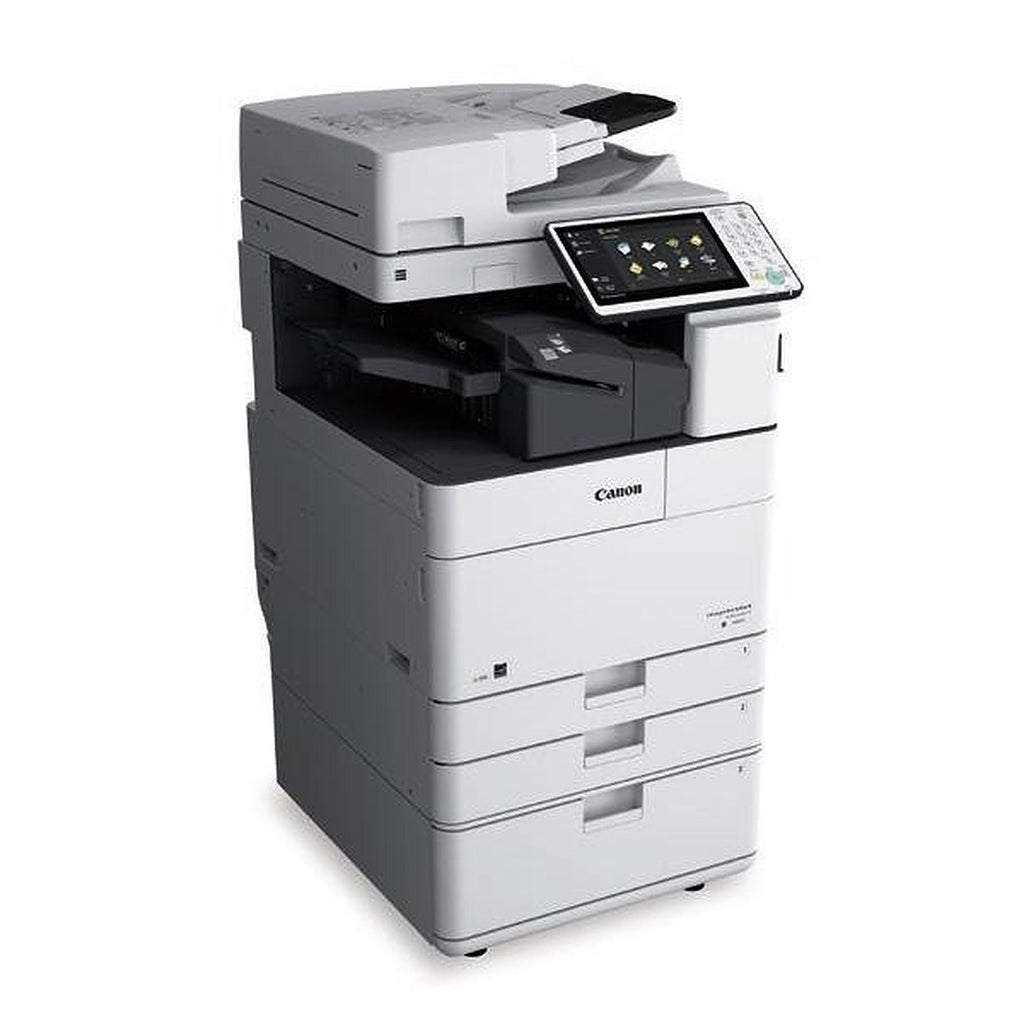
Alright, now we're entering the big leagues. Think schools, large corporate offices, print shops, or any place that needs to churn out thousands upon thousands of copies a day. These aren't just "photocopy machines"; they're often referred to as multifunction devices (MFDs) or production printers.

These monsters are designed for speed, durability, and a vast array of features: advanced finishing options (stapling, hole-punching, booklet making), robust security features, sophisticated color calibration, and incredibly high print speeds. They can handle various paper sizes and weights, and they're built to run, and run, and run.
The price tag? Brace yourself. For a brand new, high-volume commercial-grade copier, you could be looking at anywhere from $3,000 to $20,000 or even upwards of $50,000 for specialized production models. And often, businesses choose to lease these machines rather than buy them outright, rolling maintenance and supplies into a monthly contract.
The Hidden Costs (Because There Always Are)
Regardless of the upfront price, remember this critical truth: the initial cost is often just the beginning. You also need to factor in:
- Toner/Ink: As mentioned, this can be a significant ongoing expense.
- Maintenance & Repairs: Especially for larger machines, service contracts are common and can be costly.
- Paper: Gotta feed the beast!
- Power Consumption: Those big machines use a surprising amount of juice.
- Software/Network Integration: Sometimes there are additional fees for advanced features or integrating with existing systems.
So, back to that desperate 11 PM thought: "Should I buy my own?" Well, it depends. If your copying needs are truly infrequent and minimal, a $150 all-in-one is probably your best bet, just be mindful of ink costs. If you're running a small office and need reliability and speed, that $1,500 mid-range MFP might be a wise investment.
The bottom line? There's no single answer to "How much does a photocopy machine cost?" It's like asking "How much does a car cost?" You need to consider what you need it for, how often you'll use it, and be prepared for the ongoing costs that come with it. Do your homework, my friend, and maybe next time, that 11 PM copy crisis won't feel quite so terrifying.