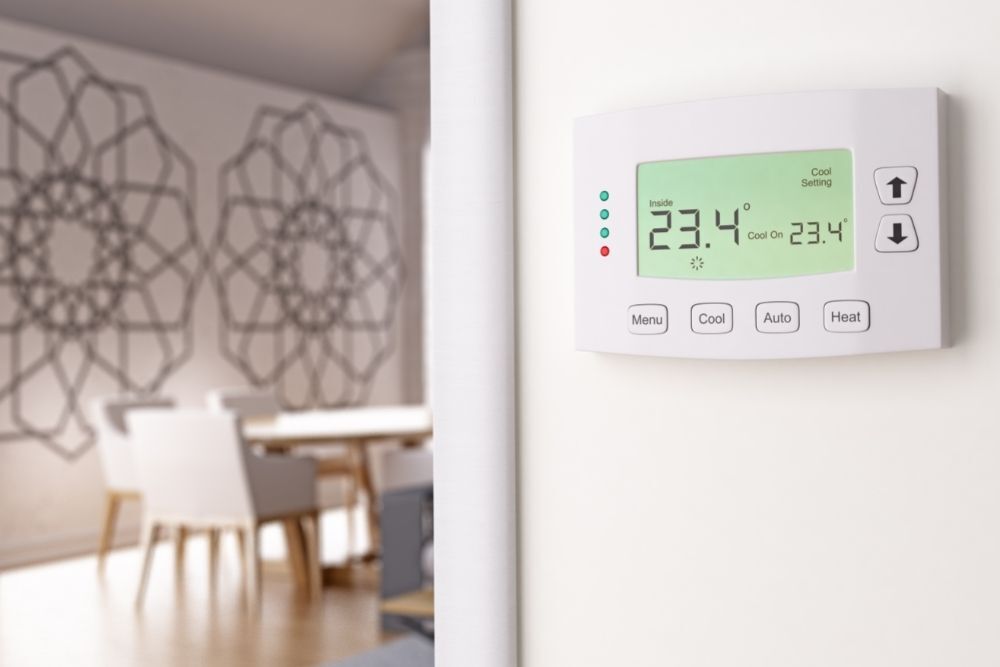
Honeywell Thermostat Flashing Cool On But Not Running

Ah, the humble thermostat! It might not be the flashiest gadget in your home, but isn't it the true unsung hero of comfort? We all love walking into a perfectly tempered living space, whether it's a cozy haven on a frosty morning or a cool oasis during a sweltering heatwave. Our thermostats are the silent guardians of that bliss, allowing us to dial in our ideal environment with a simple tap or swipe. They transform our houses into homes, making them feel just right, no matter what the weather outside throws our way.
The benefit? Beyond mere comfort, these intelligent little devices serve a crucial purpose in our everyday lives. They help us maintain optimal temperatures, ensuring our families are healthy and happy. They're also champions of energy efficiency, preventing us from running our heating or cooling systems unnecessarily, which in turn saves us money and reduces our carbon footprint. From smart thermostats that learn our habits and can be controlled from our phones, to the reliable manual dial on the wall, they provide convenience, peace of mind, and ultimately, a better quality of life. They're applied everywhere, from our cozy living rooms to bustling office buildings and quiet schools, all striving for that perfect indoor climate.
But what happens when your trusty Honeywell thermostat throws a curveball, specifically flashing "Cool On" but your AC unit isn't actually running? It's a common head-scratcher that can quickly turn your cool oasis into a warm frustration. Don't panic! Here are some practical tips to help you diagnose and potentially resolve the issue, getting your home back to its comfortable best.
Must Read
- Patience is a Virtue (and a Safety Feature): Many AC units, especially when just turned on or after a power interruption, have a built-in safety delay, often around 5 minutes. This protects the compressor from rapid cycling, which can damage the unit. If you just adjusted the temperature or power was restored, give it a good 5-10 minutes before you assume something is wrong. The "Cool On" might just be a polite heads-up that it's waiting for its cue.
- Check the Breakers! This is often the culprit. Head to your electrical panel and look for tripped breakers. There might be one specifically for your outdoor AC unit and another for your furnace (which often powers the indoor blower and the thermostat itself). Flip them completely off, wait a few seconds, and then firmly flip them back on. Sometimes, a breaker can trip subtly and not look fully off.
- The Outdoor Disconnect Switch: Near your outdoor AC unit, there's usually a small electrical box with a pull-out or flip switch. Ensure this disconnect switch is firmly in the "ON" position. It's a safety measure for technicians, but sometimes it can be accidentally nudged off.
- Look for Overflows (Indoor Unit): Your indoor furnace or air handler has a condensate drain line that removes water produced during the cooling process. If this line gets clogged, the drain pan can overflow. Many systems have a safety float switch in this pan that will shut down the AC to prevent water damage. Check if your drain pan is full or if there's a safety switch tripped (sometimes a small red light or a lever). Clearing a clog (often with a shop-vac) might resolve it, but if you're unsure, it's best to call a professional.
- Air Filter Check: While not always directly causing the "flashing cool" symptom, a severely clogged air filter can restrict airflow, causing your system to work harder and potentially trip safety limits or reduce efficiency. It’s always good practice to ensure your filter is clean.
- Thermostat Batteries: If your Honeywell thermostat uses batteries, low power can cause all sorts of erratic behavior. Try replacing them with fresh ones, even if the indicator doesn't explicitly say they're low.
If you've tried all these steps and your Honeywell thermostat is still flashing "Cool On" without the AC running, it might be time to call in the cavalry – a qualified HVAC technician. There could be issues with the capacitor, compressor, refrigerant levels, or other electrical components that are best left to the pros. But hopefully, with these tips, you can get your system back in action and enjoy that perfectly cool home once again!