
Honeywell Home Thermostat Flashing Heat On

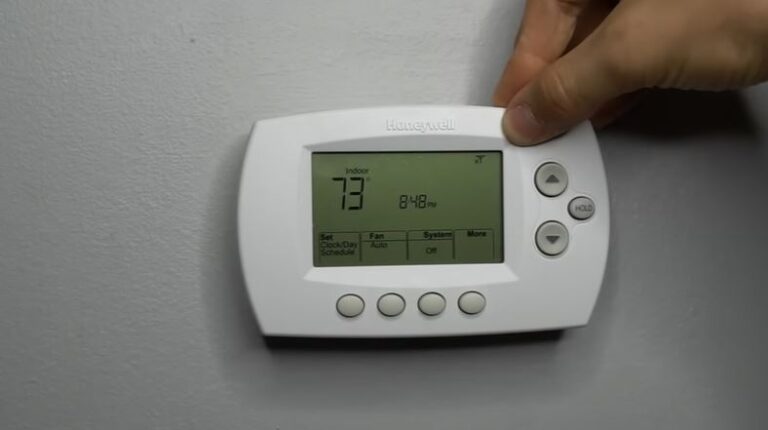
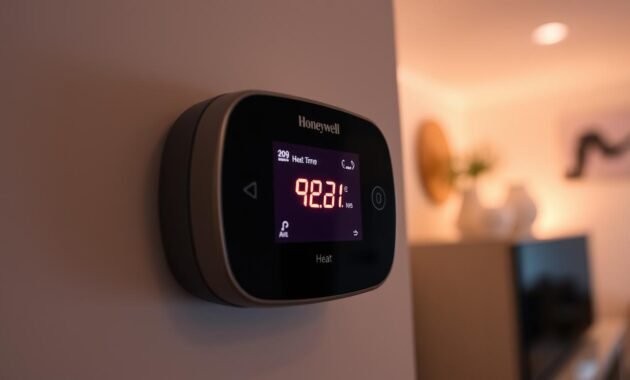
Alright, picture this. It's a crisp Tuesday morning. You've just rolled out of bed, still half-asleep, and the first thing you notice? A chill in the air. Not just a "oh, I should grab a sweater" chill, but a "my breath is visible, and I think I saw a polar bear outside my window" kind of chill. You stumble over to your trusty Honeywell thermostat, rub the sleep from your eyes, and there it is: "Heat On," flashing ominously. But here’s the kicker – nothing is happening. No warm embrace of forced air, just… silence. And the creeping dread that your coffee might freeze before it reaches your lips.
Sound familiar? If you've got a Honeywell Home thermostat, chances are you've probably encountered this little digital dance. It's like your thermostat is trying to tell you something super important, but it's just stuck on repeat, flashing that message without delivering the goods. And trust me, you're not alone in wondering, "What in the actual smart home is going on?!"
So, What's the Deal with "Heat On" Flashing?
Let's cut to the chase, shall we? That flashing "Heat On" (or "Cool On," depending on the season, but today we're focusing on keeping warm) isn't usually a sign of impending doom or that your thermostat has decided to go on strike. Instead, it's often your system's way of saying, "Hold your horses, cowboy, I'm just taking a breather."
Must Read
Most of the time, this flashing indicates a delay. It’s a built-in safety feature designed to protect your heating (or cooling) equipment, especially the compressor. Think of it like your car needing a moment to warm up before you floor it, or your phone taking a sec to boot up after a restart. It's perfectly normal, if a little inconvenient when you're shivering.
Why Does My Thermostat Need a Time-Out?
Good question! There are a few common culprits behind this digital blinking game. Let's dig into them:
1. The Mighty Compressor Protection Delay
This is the big one. Your heating system's compressor (especially if you have a heat pump, which handles both heating and cooling) doesn't like to be turned on and off rapidly. This is called "short cycling," and it can seriously wear down your unit, leading to costly repairs. So, your Honeywell thermostat has a protective delay, usually around 5 minutes, to prevent this.

If you've just switched from "Off" to "Heat," or from "Cool" to "Heat," or even just turned the temperature up significantly, the thermostat might impose this delay. It's basically saying, "I'm going to wait a bit to make sure the pressure in the system has equalized before I kick things back into gear." Smart, right?
2. Recent Power Outage or System Reset
Ever had a power flicker or a full-blown blackout? When the power comes back on, your thermostat might undergo a soft reset. During this reboot process, it might re-engage that compressor protection delay. It's like starting fresh, making sure everything is stable before it commands your furnace to fire up. A simple, yet sometimes frustrating, consequence of modern convenience.
3. Learning & Calibration
Some of the fancier Honeywell models are pretty clever. They learn your home's heating and cooling patterns. Sometimes, after an installation, a reset, or a significant change in settings, the thermostat might be calibrating or trying to "learn" the optimal way to run. This might involve short delays while it figures things out. It's basically a little digital brain trying to get its bearings!
4. Minor Glitch or Firmware Hiccup
Let's be real, tech isn't always perfect. Sometimes, a flashing "Heat On" can just be a temporary software glitch or a minor communication hiccup between the thermostat and your HVAC system. It's rare to be the primary cause, but it happens. Think of it as your thermostat clearing its throat.
Okay, So What Do I Do When It's Flashing?
Fear not, shivering friend! Here's your quick troubleshooting guide:
1. Wait it Out! (Seriously, this is 90% of the time the solution)
Patience, young grasshopper. Most often, the flashing will stop, and your heat will kick on within 5-10 minutes. Go grab that coffee, scroll through some cat videos, or do a quick sun salutation. Distract yourself. It’ll probably resolve itself.
2. Check Your Power
Make sure your furnace/AC unit has power. Check the circuit breaker for your HVAC system – sometimes it gets tripped. Also, if your Honeywell uses batteries, make sure they're fresh. Low batteries can cause all sorts of funky behavior.
3. A Gentle Reset (If Waiting Doesn't Work)
If it's been more than 10-15 minutes and nothing, you can try a soft reset. For most Honeywell thermostats, you can either:
- Turn off the power to your HVAC system at the breaker for 30 seconds, then turn it back on.
- Remove the thermostat from its wall plate for 30 seconds (if it's a battery-powered model) and then reattach it.
This can often clear minor glitches.
4. Double-Check Your Settings
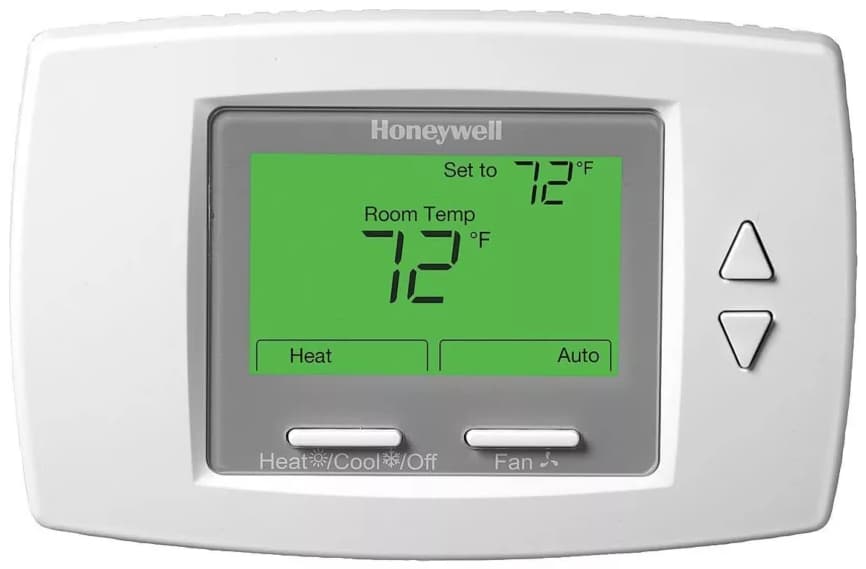
Ensure your system mode is set to "Heat" and not "Cool" or "Off." Also, make sure your desired temperature is set above the current room temperature. (Sounds basic, but hey, we all have those mornings!)
5. Still Nothing? Time for a Pro
If you've waited, reset, checked everything, and your home is still a tundra (or a sauna, if it's the "Cool On" version), it might be time to call in the cavalry. An HVAC technician can diagnose if there's a deeper issue with your furnace, a wiring problem, or a faulty thermostat. Don't hesitate if you're truly stuck!
So, the next time your Honeywell Home thermostat decides to put on its blinking "Heat On" light show, take a deep breath. It's usually just doing its job, protecting your system, and giving itself a little moment of zen before it gets down to the business of making your home toasty warm again. You got this!