Surface Pro Vs Ipad Pro For Medical School
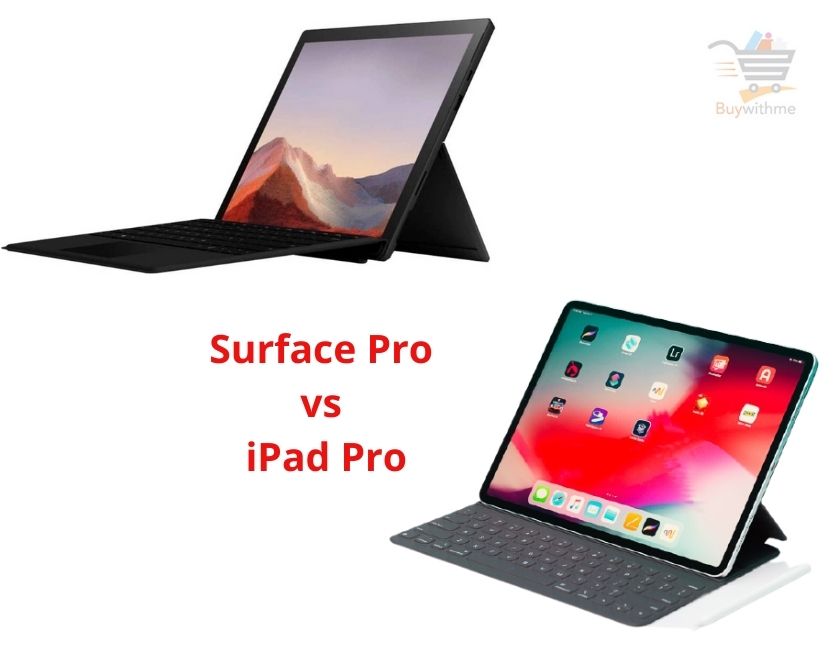
So, you're heading to medical school? Congratulations! Prepare for a wild ride of information overload, late-night study sessions, and the occasional existential crisis over the Krebs cycle. But fear not, future doctor! Modern technology is here to help, and one of the biggest decisions you'll face early on is: what tablet should I get? Specifically, the Surface Pro versus the iPad Pro. It's a classic showdown, and choosing the right device can seriously impact your workflow, your note-taking efficiency, and even your sanity.
Why is this such a big deal? Well, think about it. You're going to be carrying this thing everywhere. Lectures, labs, coffee shops, maybe even the occasional anatomy lab rendezvous (hopefully not!). It's going to be your digital notebook, your textbook reader, your research assistant, and sometimes, your lifeline. The Surface Pro and iPad Pro both offer similar functionalities: they're portable, powerful, and designed for input using a stylus. The benefits are clear: no more lugging around stacks of heavy textbooks, instant access to a wealth of information, and the ability to annotate diagrams and take notes directly on your screen.
In a medical school context, imagine this: you're in a histology lecture, and the professor is zooming in on a complex slide of kidney tissue. Instead of frantically sketching in your notebook, you can take a screenshot on your tablet, import it into your note-taking app, and annotate directly onto the image, highlighting key features and adding your own observations. Or picture yourself studying for anatomy. Instead of flipping through pages of Gray's Anatomy, you can use a 3D anatomy app on your tablet, rotating and dissecting virtual models of the human body. These tools are a game changer, turning passive learning into an active and engaging experience.
Must Read
The Surface Pro, essentially a tablet that's trying really hard to be a laptop, runs full Windows. This means you can run all the software you're already familiar with, like Microsoft Office, statistical analysis programs (SPSS, R), and even some medical imaging software, depending on the specs. Think of it as a more versatile option, especially if you need access to desktop applications. The iPad Pro, on the other hand, runs iPadOS. While iPadOS is powerful and intuitive, it's still a mobile operating system. It excels at creative tasks, note-taking, and content consumption. The Apple Pencil is widely regarded as the best stylus on the market, and apps like GoodNotes and Notability are incredibly popular among medical students for their robust note-taking features.
So, how do you decide? A good starting point is to consider your personal workflow and the specific software requirements of your medical school. Do you rely heavily on Windows-specific programs? The Surface Pro might be the better choice. Are you primarily focused on note-taking, reading, and multimedia consumption? The iPad Pro could be a better fit. Don't be afraid to try before you buy! Visit an electronics store and spend some time with both devices. Play around with the stylus, test out some note-taking apps, and see which one feels more comfortable and intuitive to you. Also, ask upperclassmen at your medical school what they use and what they recommend. Their experiences can provide valuable insights. Finally, remember that this is an investment, but it's an investment in your education and your future success. Choose wisely, and get ready to conquer medical school!