
How To Know If Your Smoke Detector Has A Camera

In our always-on, smart-home era, it's easy to feel like our devices are watching us. From smart speakers that "always listen" to doorbell cameras that catch every squirrelly delivery driver, privacy is a hot topic. And sometimes, our imaginations (fueled by a few too many spy movies or true-crime podcasts) wander to the more unexpected places – like the humble smoke detector.
Now, let's be clear: genuine, certified smoke detectors are designed for one thing only: to keep you safe by alerting you to smoke. They are not secret surveillance devices! However, in a world where tiny tech is king, and unfortunate incidents occasionally make headlines (hello, Airbnb hidden camera horror stories!), it’s natural to wonder. So, how do you know if your smoke detector has gone rogue and become a camouflaged camera? Let's dive into some easy-going detective work.
The Visual Clues: What Your Eyes Can Tell You
First up, a good old-fashioned look-see. Get up close and personal with your smoke detector – maybe even grab a step stool.
Must Read
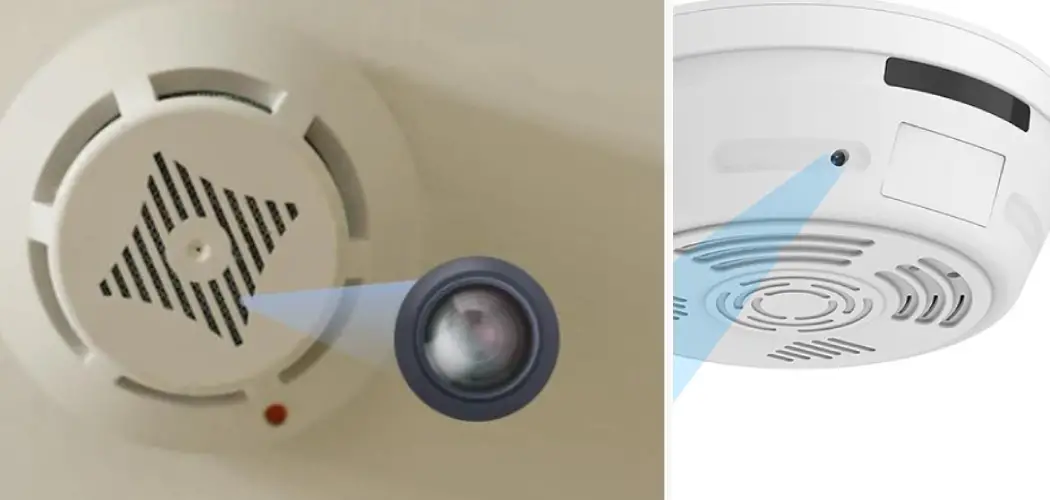
Look for a Lens. This is the big one. A camera, no matter how tiny, needs a lens. Hidden cameras often use a "pinhole" lens, which looks like a tiny, almost imperceptible hole, sometimes with a slight reflective glint. Think of a small black dot, or a minute piece of dark glass, often disguised within the existing design, like a ventilation slot or a light indicator. A genuine smoke detector won't have anything that looks like a camera lens.
Unusual Lights. Does it have any peculiar blinking LEDs that don't seem to correspond to power, battery life, or test functions? Some spy cams might have a small, discrete light indicating activity or power, especially if they’re cheap models.
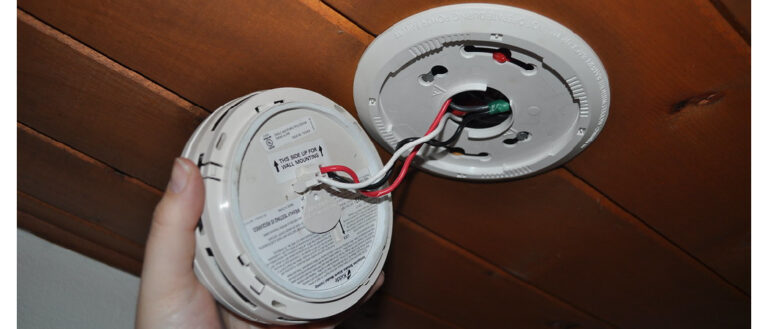
Wires, Wires Everywhere? A standard smoke detector typically runs on batteries or is hardwired into your home's electrical system, often with just a couple of wires. If you notice extra, loose, or oddly routed wires that don't seem to belong, that's a red flag.
Odd Placement. Smoke detectors are usually placed on ceilings or high on walls, away from air vents, to best detect smoke. If you find one in a particularly "strategic" low-angle spot (like eye-level or pointing directly at a bed or shower), it might raise an eyebrow.
The Hands-On Approach: Feel It Out
Sometimes, you just gotta touch it. Gently, of course!
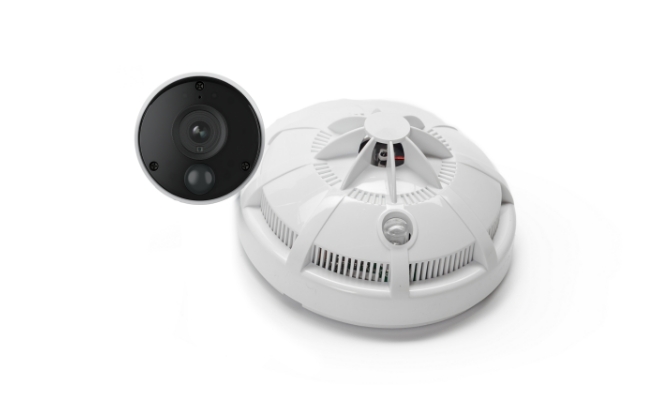
Weight and Feel. A regular battery-powered smoke detector is usually pretty lightweight. If it feels unusually heavy or bulky for its size, it could be housing extra components, like a camera, battery pack, or recording device. Similarly, if it feels cheap, flimsy, or like a generic plastic casing rather than a branded safety device, proceed with caution.
Is it Flush? Take a moment to see if the device is properly attached and flush with the ceiling or wall. If it seems loose, or if there are unexplained gaps or signs of tampering around the edges, it's worth investigating further.
The Techy Tricks: Bringing in the Gadgets
Time to unleash your inner tech guru.
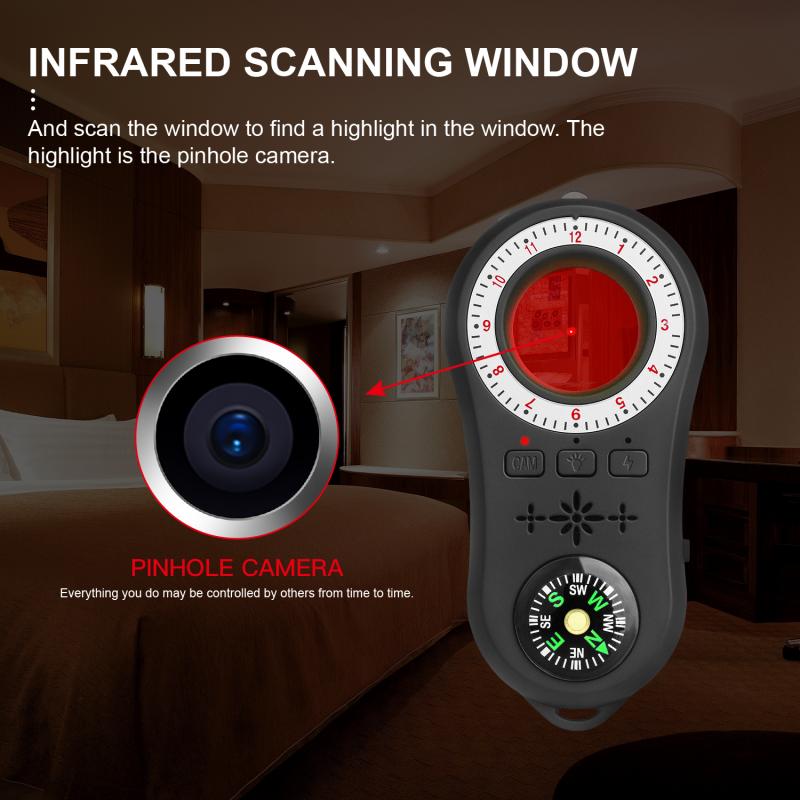
The Flashlight Test. Turn off the room lights, grab a bright flashlight (your phone's light will do!), and sweep it across the smoke detector's surface. A camera lens, even a pinhole, might reflect the light back with a small, bluish or purplish glint. It's a bit like looking for cat eyes in the dark!
Your Phone Camera. Some hidden cameras use infrared (IR) light to see in the dark. While not all IR is visible to the naked eye, your phone's camera can sometimes pick it up. In a darkened room, point your phone's camera at the suspect device. If you see any small, pulsating dots of light that aren't visible normally, it could be an IR emitter for a camera.
Wi-Fi Scanners. If you're feeling extra vigilant, you can use a Wi-Fi analyzer app (available for both Android and iOS) to scan for hidden networks. Many IP cameras operate by creating their own Wi-Fi hotspot or connecting to an existing network. If you find an unrecognized device or network name in your immediate vicinity, it's worth checking out. Remember, though, this is less likely if it's an offline recording camera.
When to Be Extra Vigilant
While it's highly unlikely in your own home, certain situations warrant extra caution:
- Rental Properties: Airbnbs, VRBOs, hotels, or any temporary lodging. This is where most hidden camera stories originate.
- New-to-You Spaces: Moving into a new apartment or house? A quick scan for peace of mind never hurts.
- Feeling Uneasy: Sometimes, your gut just knows. Trust your instincts.
So, What's the Verdict?
Most of the time, your smoke detector is just doing its job, blissfully unaware of your secret snack stash. This isn't about fostering paranoia, but rather about being an informed and empowered individual in an increasingly tech-driven world. Knowledge is power, and knowing what to look for can give you immense peace of mind.
In the end, it's about feeling secure in your own space. A quick visual check, a little tap, and maybe a flashlight beam are small prices to pay for the comfort of knowing your private moments truly remain private. So, go forth, be observant, and enjoy your beautifully un-monitored life!