
How Can I Increase Wifi Signal Strength
Hey there, fellow internet adventurer! Ever found yourself staring daggers at a buffering circle, or doing a strange "Wi-Fi dance" with your laptop just to get a signal? Trust me, we’ve all been there. It’s like your internet is playing hide-and-seek, and it’s really good at hiding. But don’t worry, you don’t need a tech degree to give your Wi-Fi a little boost! Think of this as our casual chat over coffee about making your internet less grumpy and more glorious.
Give Your Router Some Love (Placement is Key!)
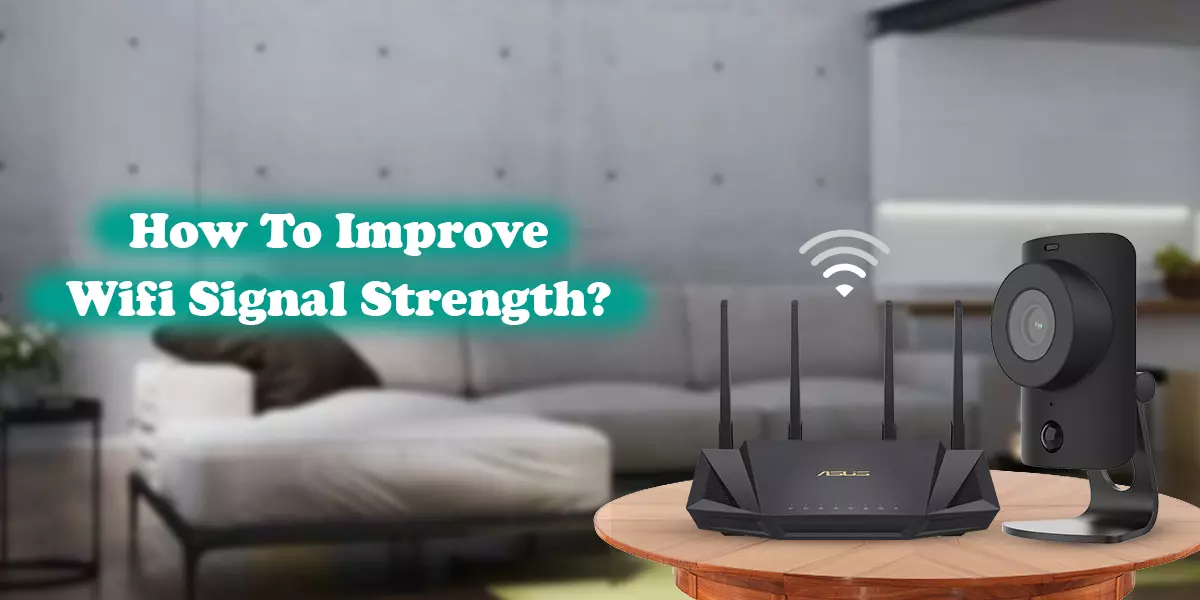
Your Wi-Fi router isn't a shy wallflower; it wants to be the star of the show! Where you put it makes a huge difference. Imagine your router is like a tiny, omnidirectional DJ, blasting out Wi-Fi tunes. You want it in a place where its music can reach every corner of your house without muffled sounds.
So, find a central location in your home, and get it up high – not on the floor, but maybe on a shelf or a tall piece of furniture. Higher is generally better! Think of it as giving your signal an elevated launchpad. And definitely keep it away from walls, especially exterior ones, because signals hate going through concrete more than I hate slow internet.
Must Read
Little joke break: Treat your router like a tiny king on a throne. You wouldn’t put a king in a dusty corner, would you? (Unless it's a very humble, dust-loving king.)
Clear the Air (and the Clutter!)
Did you know that many common household items are secretly signal-blockers? Things like microwaves, cordless phones, baby monitors, and even large metal objects (like your fridge or a huge mirror) can interfere with your Wi-Fi signal. Water is also a big absorber, so if you have a massive fish tank right next to your router, you might be accidentally giving your signal a swim lesson it didn't ask for!
Try to create a clear line of sight between your router and the devices you use most often. Even moving your router a few feet can make a noticeable difference. It's like removing the invisible obstacles that are tripping up your signal.
Playful aside: Your microwave might be warming up your leftovers, but it's also microwaving your signal! Give them some space!
Update Your Tech (It's Not Just for Phones!)
This sounds boring, but trust me, it’s like giving your devices a secret superpower! Make sure your router's firmware is up-to-date. Router manufacturers frequently release updates that improve performance and security. Check your router's manual or the manufacturer's website for instructions – it's usually a pretty straightforward process.
Also, don't forget to update the drivers for your device's Wi-Fi adapter (your laptop, tablet, etc.). Sometimes the problem isn't the router, but the device trying to talk to it!
Pro-tip: Think of it as giving your gadgets a fresh brain scan and a power-up potion. Seriously, it's like a free performance boost! Who doesn't love freebies?
Kick Out the Bandwidth Hogs!
Are there a gazillion devices all streaming 4K cat videos simultaneously? Every device connected to your Wi-Fi eats a piece of the pie. If your neighbor's kids are secretly connected, or if someone in your house is downloading massive files, it can slow things down for everyone else.
Most modern routers have a setting called Quality of Service (QoS). This lets you prioritize certain types of traffic (like streaming or gaming) over others. It's like being the traffic controller for your own internet highway!
Funny thought: Is someone in your house secretly running a 4K cat video marathon? Maybe have a chat about sharing the digital treats!
Consider an Upgrade (Sometimes You Just Need More Power!)
If your router is older than dirt (or at least 5+ years old), it might be time for an upgrade. Technology moves fast, and newer routers are simply better at handling multiple devices, offering stronger signals, and covering larger areas. Look for routers that support Wi-Fi 6 (802.11ax) for the latest and greatest performance.
If replacing your router isn't an option or enough, consider a Wi-Fi range extender or, even better, a mesh Wi-Fi system. Extenders literally "extend" your signal, while mesh systems create a whole network of interconnected access points that cover your home seamlessly. It's like having multiple mini-routers working together!
Friendly nudge: Sometimes, your trusty old router is just... tired. It's done its best, but it's time for retirement and a shiny new replacement to take over the Wi-Fi kingdom!

Try a Different Channel (Like Changing the TV Station!)
Just like radio stations, Wi-Fi operates on different channels. If you and all your neighbors are using the same Wi-Fi channel, it's like everyone trying to talk at once – things get crowded and slow. Your router broadcasts on either the 2.4 GHz or 5 GHz band, and each of those has multiple channels.
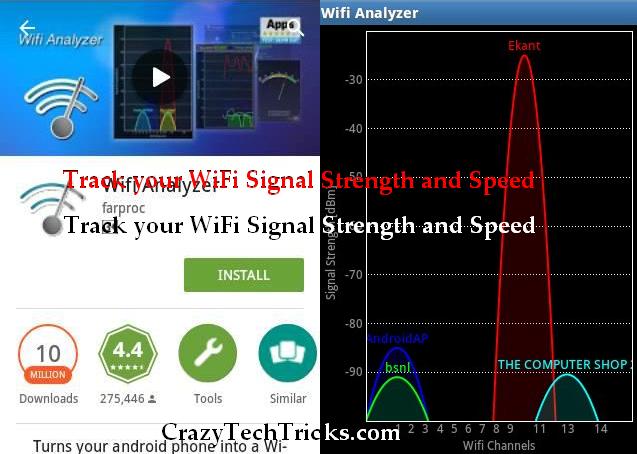
You can use a Wi-Fi analyzer app on your phone (there are many free ones!) to scan your area and see which channels are least congested. Then, you can log into your router's settings and manually switch to a quieter channel. It's like finding a less crowded lane on the digital highway!
Quick tip: The 5 GHz band is generally faster but has less range and struggles more with obstacles. The 2.4 GHz band has better range and penetrates walls better, but it's often more crowded. Try experimenting with both!
See? You've got this! Increasing your Wi-Fi signal strength doesn't have to be a tech nightmare. With a few simple tweaks and a little bit of experimentation, you can turn your home into a Wi-Fi wonderland. So go forth, adjust those antennas, clear those blockages, and enjoy a smoother, happier internet experience. No more buffering dances for you! Happy streaming, gaming, and surfing!