How Can I Create My Own Vpn

Ever feel like you're constantly being watched online? Like every click, every search, every shopping spree is being tracked and analyzed? You're not entirely wrong! That's where the wonderful world of VPNs comes in. People love them because they offer a sense of control and privacy in an increasingly surveilled digital landscape. Imagine wearing an invisibility cloak online – that's essentially what a VPN does.
But what exactly is a VPN, and why should you even bother creating your own? Simply put, a VPN, or Virtual Private Network, creates a secure, encrypted connection between your device and the internet. Think of it as a private tunnel through the public internet highway. All your data travels through this tunnel, shielded from prying eyes. This serves several important purposes in everyday life. First and foremost, it enhances your online security, especially when using public Wi-Fi at cafes or airports. These networks are notoriously vulnerable to hackers, but a VPN adds a crucial layer of protection. Second, it helps protect your privacy by masking your IP address, making it much harder for websites and advertisers to track your location and browsing habits. This can also circumvent censorship and access geographically restricted content, like streaming services only available in certain countries.
You might already be familiar with commercial VPN services like NordVPN, ExpressVPN, or Surfshark. These are easy to use and offer a wide range of server locations. However, creating your own VPN gives you ultimate control and transparency. You know exactly where your data is going and who has access to it. One common application is for remote access to your home network. Imagine being able to access files, printers, and other resources on your home network securely from anywhere in the world.
Must Read
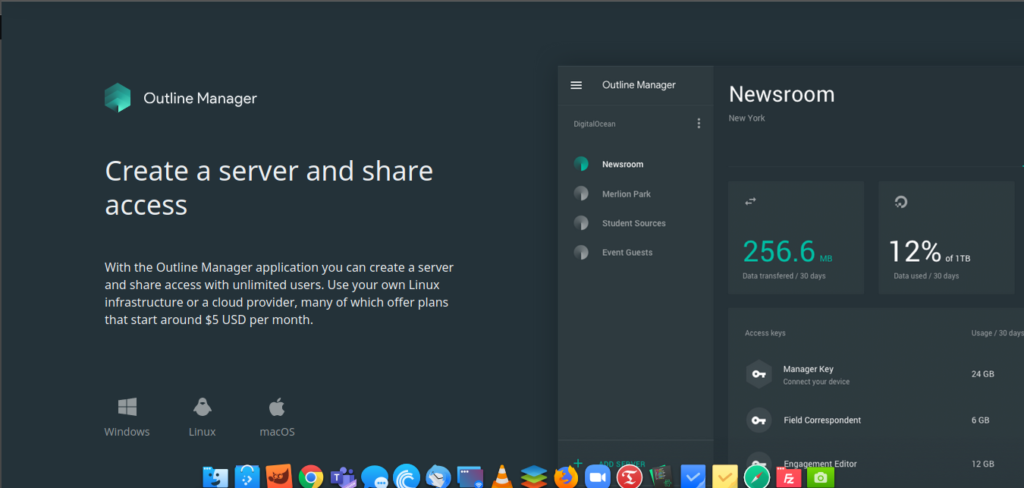
So, how can you create your own VPN? The most common methods involve using a Raspberry Pi or a cloud server. For a Raspberry Pi, you'll need the device itself, an SD card, and some basic Linux knowledge. Popular software options include PiVPN and OpenVPN. These tools automate much of the setup process. The benefits are that you have a physical device under your control and the cost is relatively low after the initial investment. Alternatively, you can rent a virtual private server (VPS) from providers like DigitalOcean, AWS, or Vultr. These offer more power and scalability but require a monthly subscription fee. Once you have a server, you can install OpenVPN or WireGuard, both robust and widely used VPN protocols. WireGuard is often praised for its speed and security.
Here are some practical tips to enjoy your self-made VPN more effectively:
- Strong Password: Use a strong, unique password for your VPN server and client configurations.
- Keep Software Updated: Regularly update your VPN software and operating system to patch security vulnerabilities.
- Choose a Reliable Hosting Provider (if using a VPS): Research different VPS providers and choose one with a good reputation for security and uptime.
- Regularly Monitor Logs: Check your VPN server logs periodically to identify any suspicious activity.
- Understand the Limits: While a VPN enhances security and privacy, it's not a silver bullet. Don't engage in illegal activities online, even with a VPN.
Creating your own VPN might seem daunting at first, but with a little effort and some technical know-how, you can achieve greater control over your online security and privacy. It’s an empowering experience to take charge of your digital footprint and browse the internet with a newfound sense of confidence and peace of mind. Happy tunneling!