
Replace Battery On Note 5
Okay, so picture this: I'm in the middle of replying to an important message, literally typing out the words, and BAM! My trusty Samsung Galaxy Note 5 just... dies. Not a graceful shutdown, not a "low battery warning," just a sudden, unceremonious blackout. I plug it in, and lo and behold, it shows 37% charge. Thirty-seven percent! This wasn't a one-off, mind you. This was my daily life with the Note 5 for months. It would die at 50%, sometimes 60%, and then magically "recover" to 20% once plugged in. It was less a smartphone and more a digital prankster, constantly keeping me on my toes, or rather, tethered to a wall socket.
I loved that phone, truly. The S Pen, the still-gorgeous display, the fact that it just felt right in my hand. But its battery, bless its aged silicon heart, was clearly on its last legs. I considered upgrading, of course. Browsed all the shiny new flagships, drooled a little. But then the little voice in my head, the one that hates throwing out perfectly good tech, whispered, "Why not just replace the battery?"
Why Even Bother with an Old Note 5?
You might be thinking, "A Note 5? Really? That thing's practically a dinosaur!" And you wouldn't be entirely wrong. It's an older phone, no doubt. But here's the thing: for a lot of us, it still does 90% of what we need. It takes decent photos, runs most apps without a hitch, and frankly, the build quality still feels premium. Plus, let's be real, new phones are expensive. Like, "two arms and a leg" expensive.
Must Read
Replacing the battery isn't just about saving money, though. It's about giving a perfectly capable device a second lease on life. It's a tiny nod to sustainability in a world obsessed with constant upgrades. And, let's be honest, there's a certain satisfaction in fixing something yourself, isn't there? It’s like, "Take that, planned obsolescence!"
The Quest Begins: Research and Reality Check
My initial thought was, "How hard can it be?" Famous last words, right? A quick YouTube search and a visit to iFixit quickly clarified things. Unlike older Samsung phones, the Note 5 isn't exactly built for user-friendly battery swaps. Nope, this bad boy has a glued-on glass back and a whole bunch of tiny screws. This wasn't going to be a simple pop-and-swap. This was going to require some heat, some finesse, and probably a little bit of prayer.

But the videos, bless their detailed hearts, made it seem doable. A bit nerve-wracking, yes, but not impossible. The key seemed to be patience and the right tools. So, I took a deep breath, and decided to dive in.
Tools of the Trade (and a bit of courage)
Before you even think about prying anything open, you're going to need a few things. First, and most importantly, a new battery. Don't skimp here! Get one from a reputable seller, read reviews, and make sure it's specifically for the Note 5. An unreliable battery is just asking for trouble, and you've already had enough of that, haven't you?
Then, the actual tools:

- A heat gun or hair dryer (for loosening that stubborn adhesive on the back).
- A suction cup (to help lift the back glass).
- Some thin, non-metallic pry tools (guitar picks or plastic spudgers work wonders).
- A small Phillips head screwdriver (for all those tiny screws).
- Possibly some tweezers (for fiddly bits).
- New adhesive strips (for resealing the back, unless you enjoy dust bunnies in your camera lens).
Mentally, you also need a good dose of patience and a willingness to accept that you might scratch something. It’s part of the adventure!
The Operation: A Glimpse Behind the Glass
I won't bore you with a step-by-step tutorial – there are far better guides out there than my anecdotal ramblings. But here's the gist:

First, you apply heat to the edges of the back glass. This loosens the adhesive. Then, using the suction cup and your pry tools, you carefully, ever so carefully, work your way around, separating the glass from the frame. This is the part where your heart rate definitely goes up a notch. The fear of cracking that beautiful back glass is real, folks.
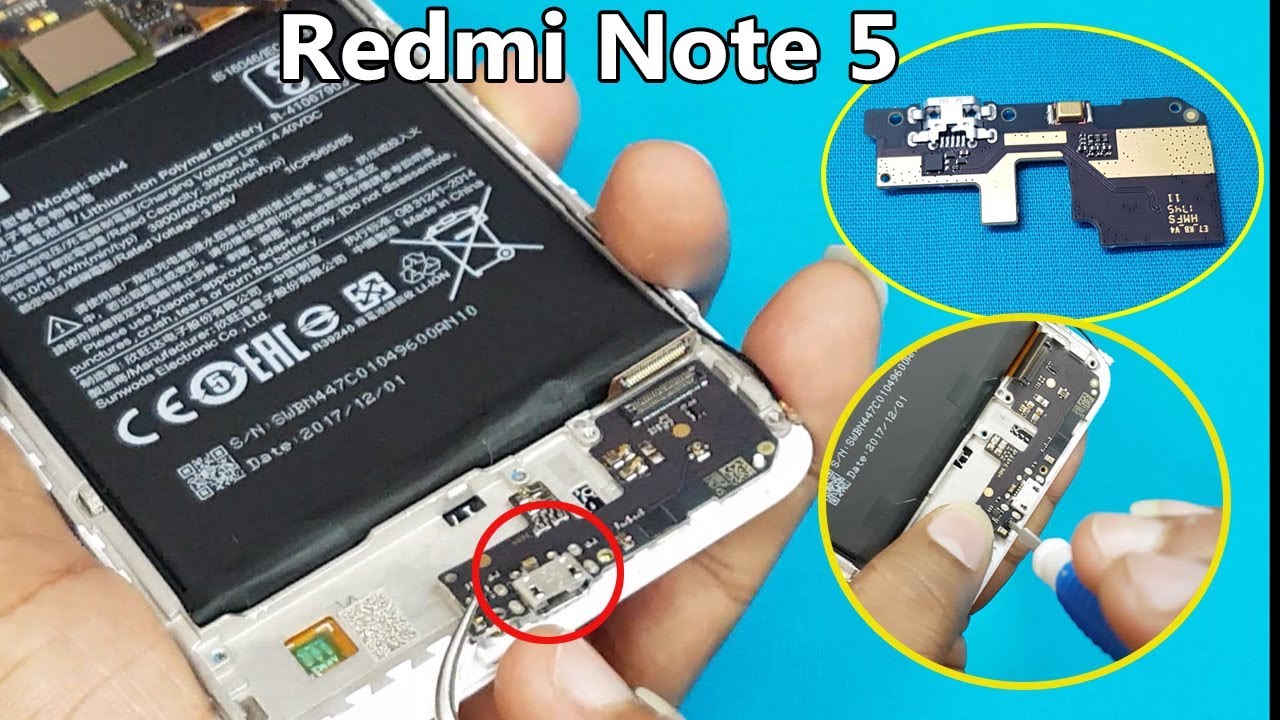
Once the back is off, you'll see a whole bunch of tiny screws holding down a mid-frame. Unscrew them all, keep them organized (a magnetic mat helps immensely here, trust me). Lift that frame off, and there it is: the old battery, usually secured with more adhesive and a connector. Disconnect, pry the old one out (again, carefully!), pop the new one in, connect it, and then reverse the entire process.
The reassembly felt like a victory lap. Screwing everything back into place, reapplying new adhesive, and pressing the back glass firmly into place. It felt... professional. Almost.
The Moment of Truth (and a sigh of relief)
With everything buttoned up, I pressed the power button. My Note 5 logo appeared. A moment later, the lock screen! And the battery indicator? A glorious 78%, right out of the box. No sudden shutdowns. No erratic percentage drops. Just pure, unadulterated, consistent power.
The difference was night and day. My Note 5 felt like a brand new phone. I could actually use it all day without clinging to a power bank. The satisfaction of having resurrected my favorite device, by my own hands, was immense. It was a tangible victory over a frustrating problem, and frankly, a much cheaper one than buying a new phone.
So, if your beloved Note 5 (or any phone with a "non-removable" battery) is limping along, dying at inconvenient times, maybe, just maybe, consider going on your own little repair adventure. It’s challenging, a bit scary, but incredibly rewarding. You might just surprise yourself with what you can accomplish. And who knows, you might just fall in love with your "old" phone all over again!