
Python Cheat Sheet For Coding Interview
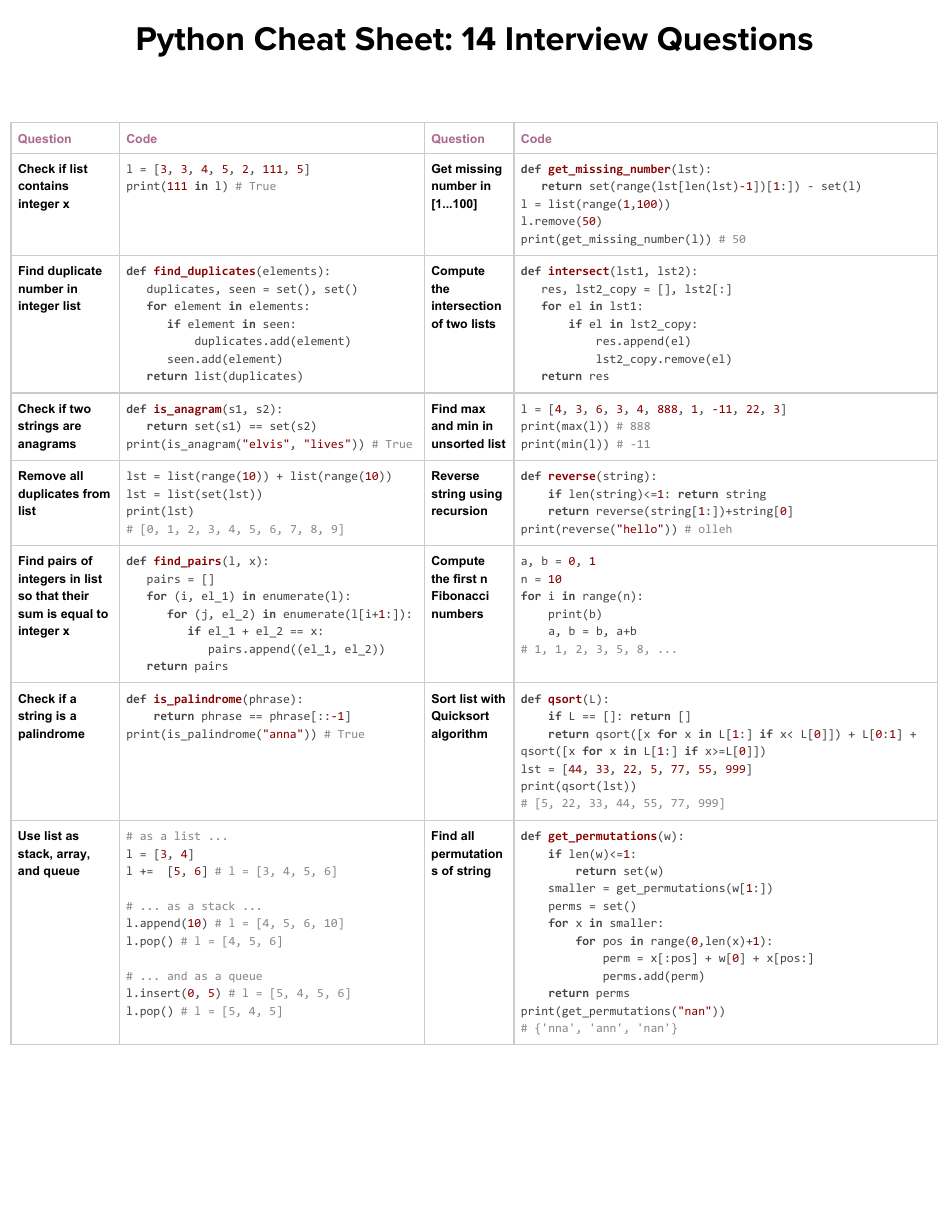
Alright future coding rockstars! You've got a coding interview coming up? Awesome! Let's face it, coding interviews can feel like trying to juggle flaming chainsaws while riding a unicycle. But fear not! We're going to arm you with a super-simple Python cheat sheet – your secret weapon to conquer those coding challenges.
The Absolute Essentials: Data Structures & Operators
Lists: Your trusty containers
Lists in Python are like your favorite backpack – you can throw anything in there! Need to store a bunch of numbers? List it. Want to keep track of your grocery list? List it.
Creating a list is easy: `my_list = [1, "apple", True]`. Boom! You've got a list. Accessing items is just as simple: `my_list[0]` gets you the first item (which is `1` in our example).
Must Read
Adding things? `my_list.append("banana")`. Removing? `my_list.remove("apple")`. Basically, lists are super flexible. Remember indexing starts at zero, so be mindful when accessing list elements or Python will throw a hissy fit!
Dictionaries: Key-Value Powerhouses
Dictionaries are like, well, dictionaries! They store information in key-value pairs. Think of it as a way to look up definitions (values) using words (keys).
Creating a dictionary is simple: `my_dict = {"name": "Alice", "age": 30}`. Get Alice's age with `my_dict["age"]`. Super straightforward.
Adding a new entry? `my_dict["city"] = "Wonderland"`. Changing Alice's age? `my_dict["age"] = 31`. Dictionaries are your go-to for quick lookups! Think of them as your brain when solving complex problems.
Sets: Uniqueness is their superpower
Sets are like a VIP club – they only allow unique members. If you try to add the same thing twice, the set just ignores you! They're fantastic for quickly checking if something exists or removing duplicates.
Create a set like this: `my_set = {1, 2, 3}`. Adding an element: `my_set.add(4)`. Trying to add `1` again? Nothing happens! Sets are also fantastic for those set operations you learned in math class like union and intersection.
Operators: Your mathematical toolbox
Python operators are like the tools in your mathematical toolbox. `+` adds, `-` subtracts, `*` multiplies, `/` divides, `` raises to a power, and `%` gives you the remainder. Pretty standard stuff.
But there's more! `//` performs integer division (no decimals!). And let's not forget comparison operators: `==` (equal to), `!=` (not equal to), `>` (greater than), `<` (less than), `>=` (greater than or equal to), `<=` (less than or equal to).
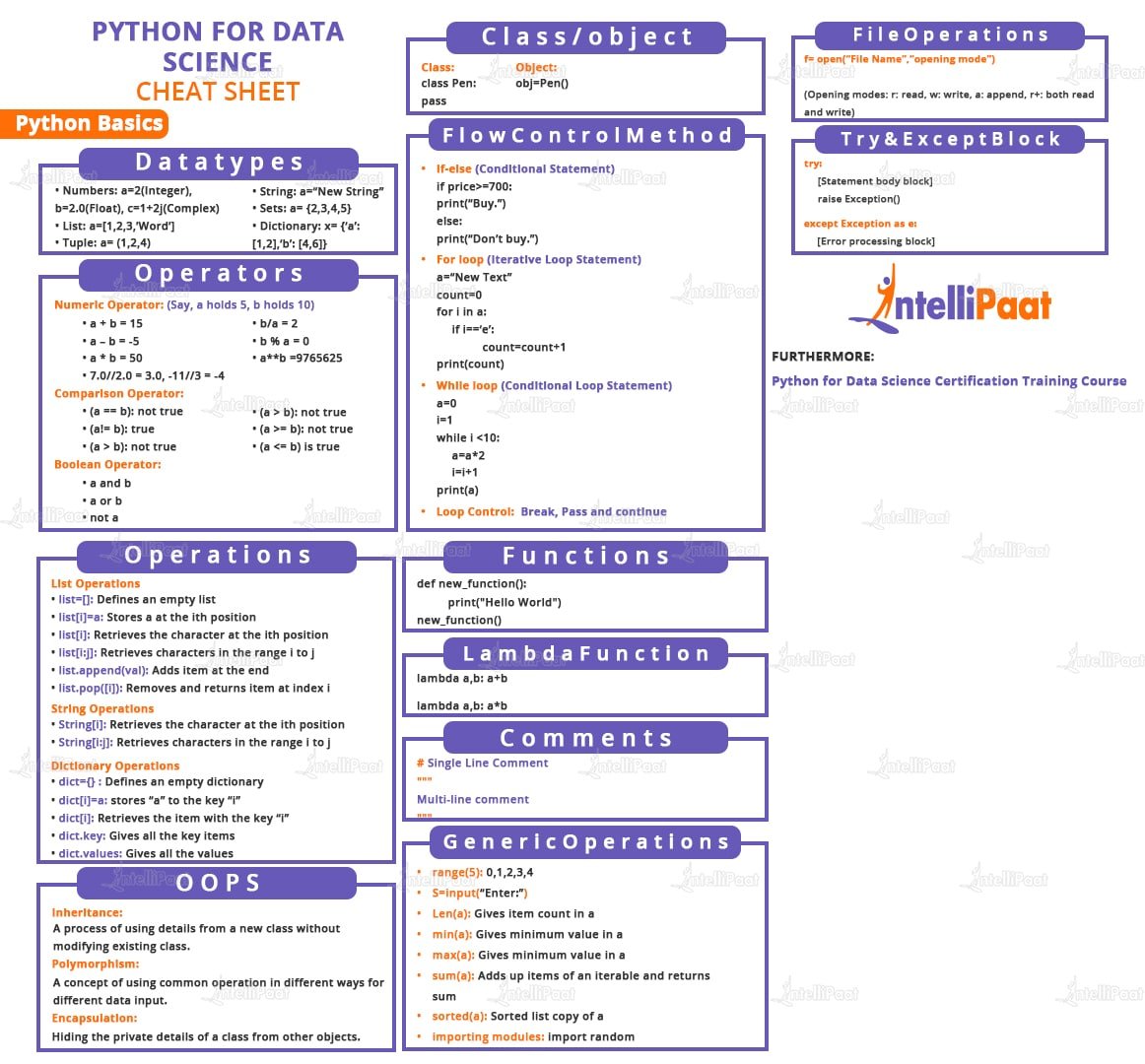
These are your building blocks for any numerical manipulation. Master them, and numbers will bend to your will! Plus knowing the basic math and comparison operators will make your intentions clear, which is important when communicating with your team.
Control Flow: Directing the show
If/Else Statements: Making Decisions
if statements are like decision points in your code. If a condition is true, do one thing. Otherwise (else), do something else.
```python if age >= 18: print("You can vote!") else: print("You're too young to vote.") ```
You can also chain conditions with elif (else if):
```python
if score >= 90:
print("A")
elif score >= 80:
print("B")
else:
print("C")
```
Simple, right? Now you can teach your code to think!
For Loops: Repeating tasks
for loops are perfect for iterating over a sequence (like a list or a string). Need to do something for every item in a list? Use a for loop.
```python my_list = ["apple", "banana", "cherry"] for fruit in my_list: print(fruit) ```
You can also use range() to loop a specific number of times:
```python
for i in range(5): # Loops 5 times (0 to 4)
print(i)
```
for loops are your workhorses for repetitive tasks.
While Loops: Keep going until...
while loops keep running as long as a condition is true. Be careful, though! If the condition never becomes false, you'll end up with an infinite loop (which is a big no-no!).
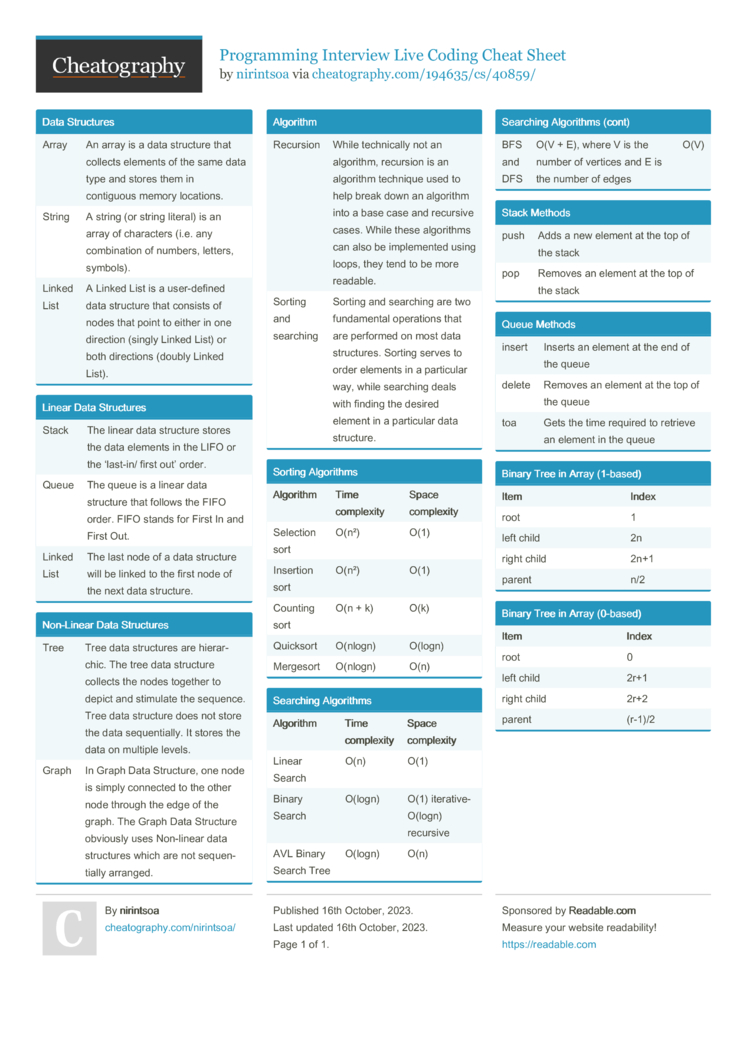
```python count = 0 while count < 5: print(count) count += 1 # Important: Update the counter! ```
while loops are useful when you don't know in advance how many times you need to repeat something. Just make sure the loop eventually stops!
Functions: Code Building Blocks
Functions are like mini-programs within your program. They take inputs, do something, and return an output. They help you organize your code and avoid repetition. They are named blocks of code you can execute whenever you need.
```python def greet(name): return "Hello, " + name + "!" message = greet("Bob") print(message) # Output: Hello, Bob! ```
Functions can also have default arguments: ```python def power(base, exponent=2): # exponent defaults to 2 return base exponent print(power(5)) # Output: 25 (5 squared) print(power(5, 3)) # Output: 125 (5 cubed) ``` Functions are your friends. Use them wisely!
String Manipulation: Taming the Text
Strings are sequences of characters (text). Python has tons of built-in functions for working with strings.
Concatenation (joining strings): `string1 + string2`. Slicing (extracting parts of a string): `my_string[2:5]`. Finding the length of a string: `len(my_string)`.
Other useful functions: `my_string.upper()` (uppercase), `my_string.lower()` (lowercase), `my_string.strip()` (remove whitespace), `my_string.replace("old", "new")`. Strings are more powerful than you think!
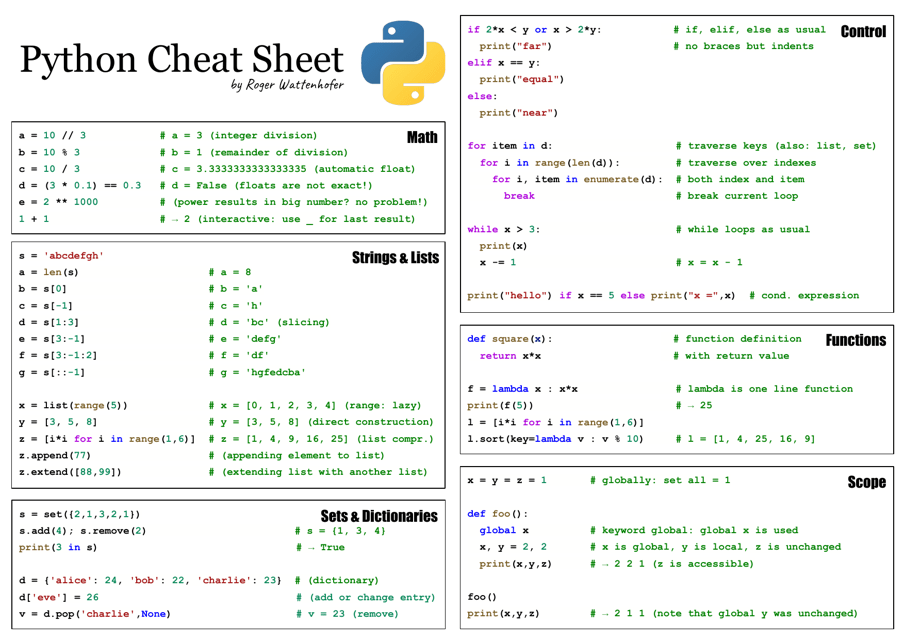
And don't forget about f-strings! They're the coolest way to format strings: ```python name = "Charlie" age = 42 message = f"My name is {name} and I am {age} years old." print(message) ``` F-strings are like the James Bond of string formatting.
Common Python Built-in Functions: Your Secret Weapons
Python comes with a bunch of built-in functions that can save you a ton of time. Learn these, and you'll be unstoppable! They are your secret weapon.
len(): Returns the length of a sequence (list, string, etc.). type(): Returns the type of an object. print(): Prints something to the console.
range(): Generates a sequence of numbers. sum(): Sums the elements of a list. abs(): Returns the absolute value of a number.
max() and min(): Returns the maximum and minimum values in a sequence. sorted(): Returns a sorted list from any iterable.
And then there's the mighty map() and filter(). map(function, iterable) applies a function to each item in an iterable. filter(function, iterable) filters elements based on a condition defined in the function.
Essential Libraries: Your Superhero Sidekicks
Python has a massive ecosystem of libraries that extend its capabilities. Here are a few essential ones for coding interviews.
Math Library: import math. Provides mathematical functions like `sqrt()`, `sin()`, `cos()`, `log()`, and `pi`.
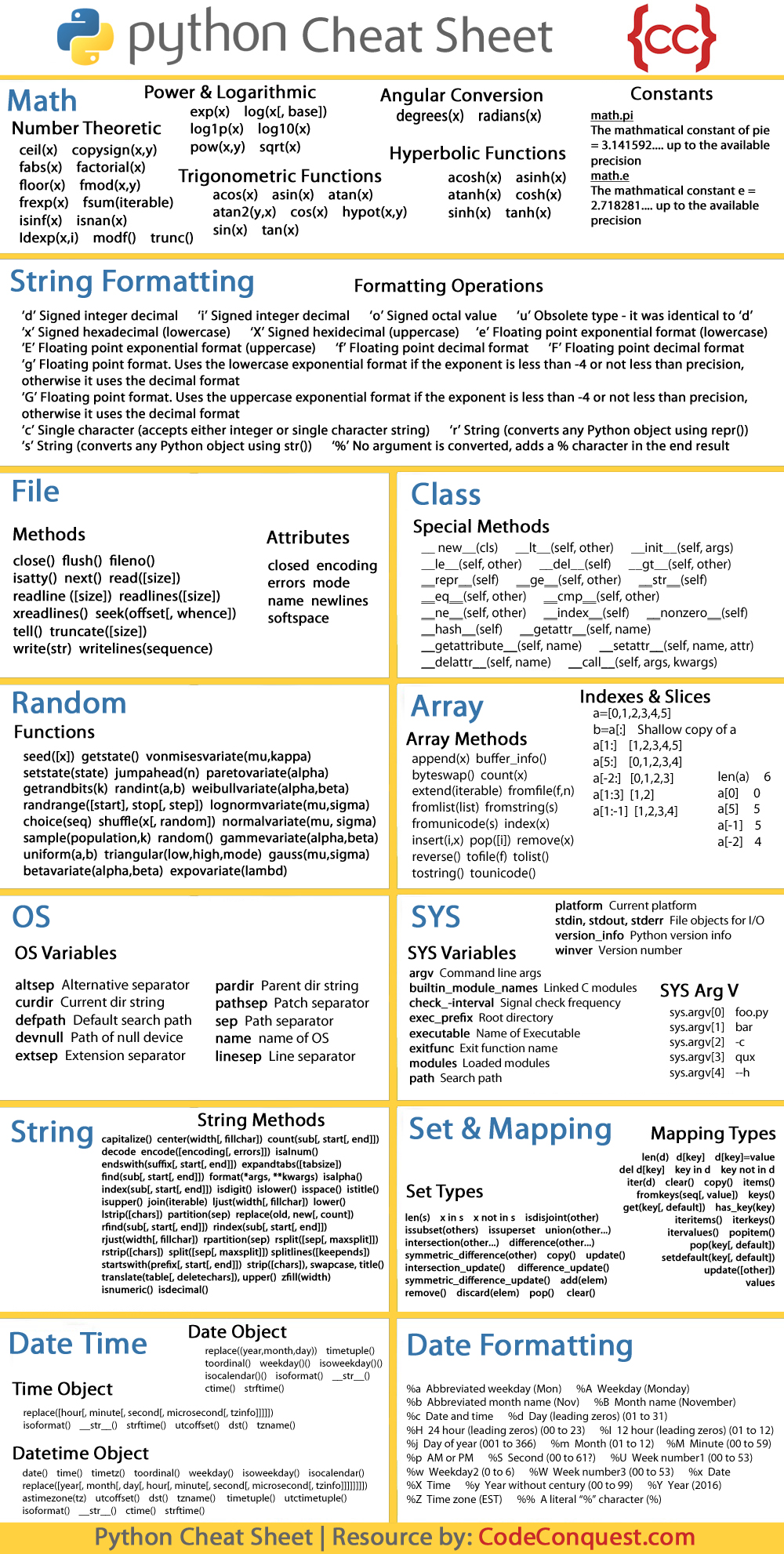
Collections Library: import collections. Offers specialized container datatypes like `Counter` (for counting element frequencies) and `deque` (for efficient appending and popping from both ends).
Random Library: import random. For generating random numbers, shuffling lists, and making random choices.
Heapq Library: import heapq. Provides an implementation of the heap queue algorithm, also known as the priority queue algorithm.
Tips and Tricks: Level Up Your Interview Game
Practice, practice, practice! The more you code, the more comfortable you'll become. Solve coding challenges on platforms like LeetCode and HackerRank.
Understand time and space complexity. Interviewers often ask about the efficiency of your solutions. Learn about Big O notation.
Communicate clearly. Explain your thought process to the interviewer. It's not just about getting the right answer, but also about showing how you think.
Ask clarifying questions. Don't be afraid to ask the interviewer to clarify the problem or constraints. It shows that you're engaged and thoughtful.
Don't panic! Everyone gets nervous during interviews. Take a deep breath, stay calm, and focus on the problem at hand.
Final Thoughts: You've Got This!
Coding interviews can be tough, but with a little preparation and a lot of practice, you can ace them. Remember this cheat sheet, stay confident, and show off your coding skills. Good luck!