
Kwikset Smart Lock Won't Lock Just Beeps
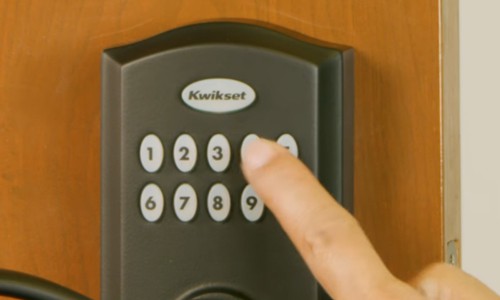
Ever stood at your front door, key fob (or just your finger) poised, ready to lock up and dash, only to be met with a sad, little beep-beep-beep instead of that satisfying thunk? You know, that sound that says, "Nope, not today, buddy!" If you're a proud owner of a Kwikset Smart Lock, and it's suddenly decided to play hard to get by just beeping instead of locking, you're not alone. It’s like your smart lock is having a mini tantrum right when you’re already running five minutes behind.
Let's be honest, smart locks are supposed to make life easier, right? They're the cool tech gadgets that let us waltz out the door, tap a button, and trust our castle is secure. When they throw a curveball like a series of defiant beeps, it can feel like your high-tech guardian has suddenly forgotten its one job. But don't you worry your clever little head; most of the time, this isn't a sign of an impending robot apocalypse, but rather a little hiccup that's usually pretty easy to smooth out.
Why Does My Smart Lock Beep Instead of Lock?
Think of your smart lock as a diligent but sometimes forgetful co-worker. When it beeps instead of locks, it’s usually trying to tell you something important. It’s not being rude; it’s giving you an error message, just like your toaster tries to warn you when it's about to burn your bagel (though usually with less beeping and more smoke). Understanding what those beeps mean is the first step to getting back to that sweet, secure peace of mind.
Must Read
Why should you care? Well, besides the obvious security aspect (nobody wants an unlocked door while they're out enjoying a latte), a malfunctioning smart lock can be a real pain. It's that nagging feeling, like you left the oven on, or forgot to feed the goldfish. A functioning smart lock means you can truly forget about your door until you get home. It’s about peace of mind, folks!
The Usual Suspects: Easy Fixes for a Beeping Kwikset
Most of the time, when your Kwikset smart lock gets chatty with beeps, it's one of a few common issues. Let's play detective!
1. "Help! I'm Misaligned!" – The Calibration Conundrum
This is probably the number one reason for Kwikset smart lock beeps. Your lock needs to "learn" the door, specifically the throw of the bolt and how it interacts with the door frame. Think of it like a new pair of shoes – they need a little breaking in to fit just right. If the door's alignment changes (even a tiny bit with humidity or house settling) or the lock had a brain fart, it might forget its lesson.
The Fix: Re-calibrate!
Open the door. With the door open, manually extend and retract the deadbolt a few times. Then, press the "A" button on the interior assembly (or follow your specific model's re-calibration instructions, often holding the lock button while inserting batteries or a special sequence). Let the lock do its thing – it will extend and retract the bolt a couple of times. This tells it, "Hey, this is how far I need to go!" Close the door and try to lock it. Often, this is all it takes!

2. "Low Power!" – The Battery Blues
Ah, batteries. The bane of all modern tech. Just like your TV remote deciding to die right at the climax of a movie, smart locks rely on good, strong batteries. When they start running low, the lock might not have enough juice to fully extend the bolt, leading to those mournful beeps. It's like trying to run a marathon on an empty stomach – you just don't have the energy!
The Fix: Fresh Batteries!
Replace all the batteries with brand new, good quality alkaline batteries. Don't mix old with new, and avoid rechargeable ones for smart locks unless specified, as they often have lower voltage that can fool the lock into thinking they're dead. This is often an overlooked fix but can be surprisingly effective.
3. "Something's in the Way!" – Obstruction Obstacles
Sometimes, it's not the lock, it's the environment. A rogue piece of debris in the strike plate, a tiny bit of paint buildup, or even a slightly warped door frame can prevent the deadbolt from fully extending. Imagine trying to close a drawer that has a rogue sock stuck in it – it just won't budge!

The Fix: Clear the Path!
Examine the deadbolt and the strike plate on the door frame. Look for anything that might be impeding the bolt's travel. Give the area a good clean. Check if your door is properly aligned; sometimes a door can sag or swell slightly, causing the bolt to not line up perfectly with the strike plate hole. A gentle push or pull on the door as you try to lock it can sometimes reveal if this is the issue. If so, a small adjustment to the strike plate or door hinges might be needed (though this might be a task for a more experienced DIYer or a handyman).
4. "Too Many Friends!" – Code Overload
While less common for a "won't lock, just beeps" scenario and more for "won't accept code," some Kwikset models have limits on the number of user codes they can store. If you've been adding and deleting codes like it's a social media friend list, you might have hit a ceiling.
The Fix: Code Cleanup!
Refer to your specific lock's manual (or find it online!). Try deleting some old, unused codes. Sometimes, freeing up that memory space can resolve mysterious issues.
Still Beeping? When to Call for Backup
If you've tried all these friendly fixes and your Kwikset Smart Lock is still protesting with those insistent beeps, it might be time to call in the cavalry. This could mean:
- Kwikset Customer Support: They're the experts and can offer model-specific troubleshooting.
- A Professional Locksmith: Sometimes, the issue might be mechanical and beyond a simple DIY fix. A locksmith can diagnose and repair it quickly.
Remember, smart locks are designed to be convenient, but like any piece of tech, they sometimes need a little TLC. Don't let a few beeps ruin your day or your sense of security. With these tips, you'll likely have your Kwikset Smart Lock humming along and securing your home with a satisfying click in no time. Happy locking!