
How To Tell If Your Email Was Read
Hey there, email enthusiast! Ever send an email and then… crickets? You’re left wondering if it landed in a black hole, was devoured by a spam filter monster, or, gasp, was simply ignored? Well, fear not! Let's dive into the sometimes mysterious, sometimes hilarious, world of figuring out if your email actually got read. Because, let’s be honest, knowing really does make a difference, doesn't it?
This isn’t just about ego (though, a little validation never hurt anyone, right?). It's about effective communication. Knowing if someone opened your email allows you to follow up strategically, adjust your approach, and, most importantly, avoid that awkward "Did you get my email?" conversation. (We've all been there!)
The Old School (and Sometimes Sketchy) Way: Read Receipts
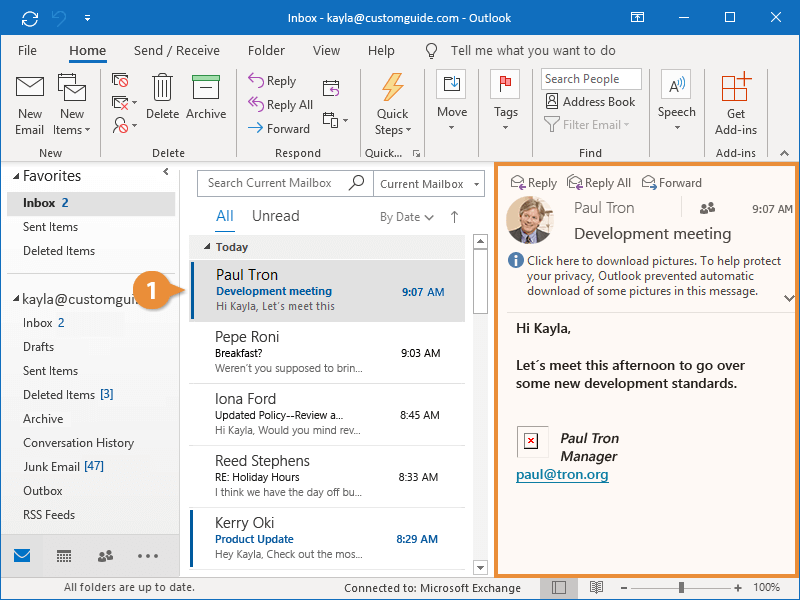
Okay, so the first thing that probably pops into your head is the dreaded read receipt. You know, that little box that asks you if you want to send a confirmation? Let's be real, those are a mixed bag.
Must Read
Pros: If the recipient agrees to send one, boom! Instant gratification. You know they opened it. Victory! (Cue celebratory dance).
Cons: They're often ignored. And some email providers don't even support them anymore! Plus, it kind of puts the recipient on the spot, making them feel obligated. Not exactly the best way to start a positive interaction, is it?
So, while read receipts can work, they're not the most reliable or universally appreciated method. There has to be a better way, right?
The Sneaky (But Smart) Method: Tracking Pixels
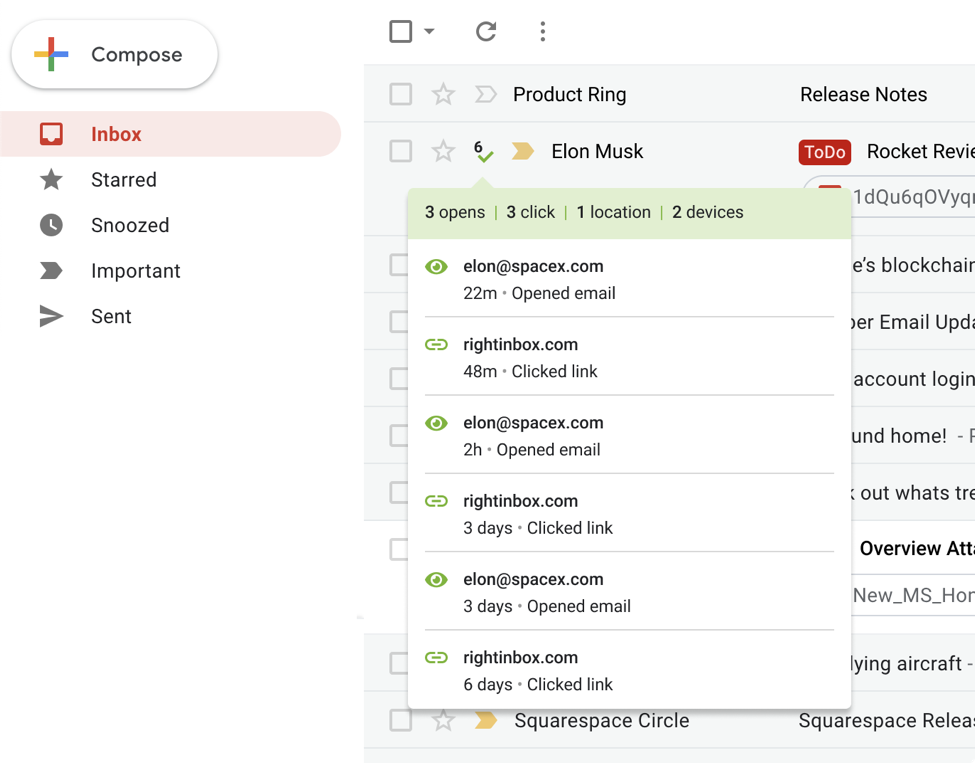
Okay, don't get scared by the word "pixel." We're not talking about hacking into the Matrix here. A tracking pixel is just a tiny, invisible image (usually 1x1 pixel) embedded in your email. When someone opens the email and their email client loads the image, it sends a notification back to you. It's like a silent, digital spy... but for good!
How do you use it? There are tons of email tracking tools out there, some free, some paid. Many CRM systems and email marketing platforms like Mailchimp or HubSpot have built-in tracking features. Gmail users, there are browser extensions galore that can do this for you. Just do a quick search for "email tracking pixel" or "Gmail read receipt extension". It's easier than you think!
Pros: Much more reliable than read receipts. The recipient doesn't even know it's there (unless they're super tech-savvy and disable image loading by default). You get valuable data, like when the email was opened and sometimes even the recipient's location.
Cons: Can feel a little sneaky. Some people have ethical concerns about tracking without explicit consent. Also, if the recipient's email client blocks images by default, the pixel won't load, and you won't get the notification. Be mindful and use responsibly!

The Obvious (But Often Overlooked) Method: Asking!
Sometimes, the simplest solution is the best. Instead of relying on tech wizardry, just ask! Craft your email with a clear call to action and then politely follow up a few days later. A simple "Just wanted to check in and see if you had a chance to review the proposal" can work wonders.
Pros: It's honest, direct, and builds rapport. Shows that you value the recipient's time and input. Plus, it opens the door for a conversation, which is always a good thing.
Cons: Requires… well, actually following up! Which can be easy to forget in the hustle and bustle of daily life. Also, some people might just say they read it even if they didn't (we've all done it!).
![How to Tell If Your Email Has Been Read in Gmail [2 Methods] - YouTube](https://i.ytimg.com/vi/-4wZE0futI4/maxresdefault.jpg)
Level Up Your Email Game: Mastering the Art of the Follow-Up
So, you've tried the read receipts, the tracking pixels, and the direct approach. What else can you do? The key is to become a follow-up ninja!
Set reminders. Use your calendar or a task management app to remind yourself to follow up on important emails.
Vary your follow-up methods. Don't just keep sending emails. Try a phone call, a text message, or even a LinkedIn message (if appropriate).
Offer value. Don't just ask if they read your email. Provide additional information, answer a potential question, or offer a helpful resource. Make your follow-up worthwhile!
.jpg)
Be patient. People are busy. Don't bombard them with messages. Give them a reasonable amount of time to respond before following up again.
The Bottom Line: It's All About Connection
Ultimately, figuring out if your email was read is about more than just ticking a box. It's about connecting with another human being. It's about understanding their needs, respecting their time, and building a genuine relationship.
So, go forth and experiment! Try out different methods, see what works best for you, and most importantly, have fun with it! Because mastering the art of email communication can open up a whole new world of opportunities. And who knows, maybe you'll even become an email ninja yourself!
Ready to dive deeper? There's a wealth of resources available online to help you refine your email skills, from free courses to in-depth articles. The journey to email mastery starts now! You got this!