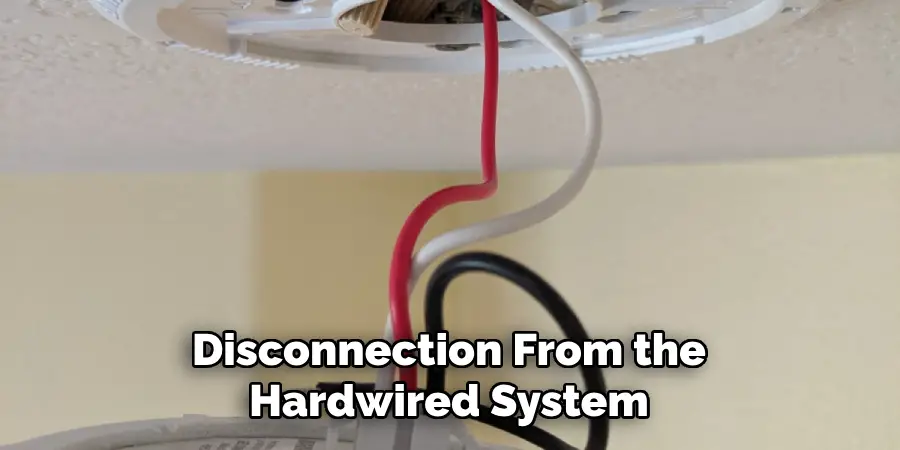
How Do I Disconnect A Hardwired Smoke Detector
Let's Get This Done!
Ever had a hardwired smoke detector that just knew when it was the perfect moment to belt out a piercing, attention-grabbing symphony? Usually in the dead of night, right? Or perhaps you're simply ready to bid farewell to an old friend that's served its time. Whatever your reason, disconnecting a hardwired smoke detector might sound like a job for a superhero, but guess what? You're about to be that superhero! Forget the capes and secret gadgets; all you need is a little know-how and a can-do attitude. We're going to walk through this together, turning a seemingly daunting task into a satisfying victory dance.
Step 1: The Grand Power Shutdown!
Alright, intrepid DIYer! Before we do anything else, we absolutely, positively, 100% need to perform the most critical step: cutting the power. This isn't just a friendly suggestion; it's the golden rule, the foundational principle, the absolute must-do before you even think about touching those wires. Head straight to your breaker box. It might be playing hide-and-seek in your basement, a utility closet, or a dusty corner of the garage. It often looks like a gray metal box, sometimes with a diagram on the inside cover. Once you’ve located this powerhouse, you’ll see a row of switches. Your mission? Find the one that controls the power to your smoke detectors or the general area they're in. If you're feeling a bit unsure, no sweat – just flip the main power switch for the whole house! It's usually a larger switch, sometimes at the top. Give it a firm flip. You’ll know you’ve succeeded when the lights in that area go wonderfully dark. Take a moment, bask in the silence, and then:
Seriously, double-check! Try flipping a light switch in the room where the smoke detector lives. No lights? Perfect! You've successfully put the electrical system into ninja stealth mode. Safety first, always!
Step 2: The Great Twist-and-Release!
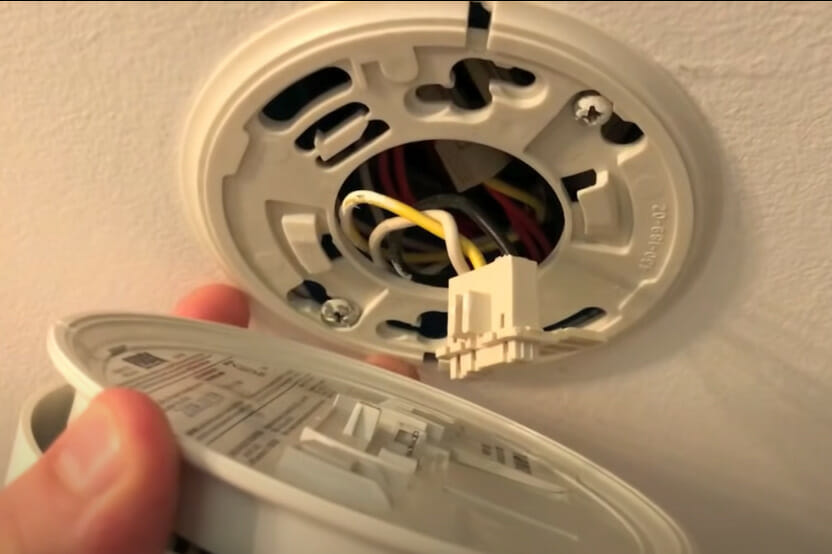
With the power officially on hiatus, it's time to get up close and personal with your soon-to-be-disconnected friend. Most hardwired smoke detectors are designed to be quite cooperative when it comes to detaching. Imagine you’re unscrewing a giant, slightly futuristic lightbulb from the ceiling. Gently but firmly grab the smoke detector unit itself and give it a confident twist counter-clockwise. Think "lefty-loosey," like you're opening a particularly stubborn jar of pickles. It usually requires about a quarter turn, and then – pop! – the main body of the detector will unclip from its mounting bracket. If it’s being a little shy, look for small tabs or arrows on the side of the unit; sometimes there’s a specific spot to press or a slight wiggle that helps it along. You've just performed the 'Great Detachment'! Feel free to give yourself a mental fist-bump.
Step 3: Unplugging the Little Electrical Handshake!
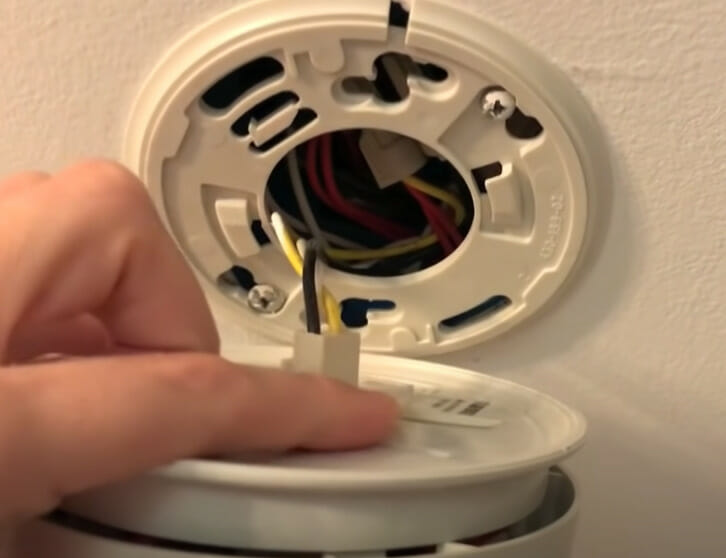
Now that the detector is hanging down, a short leash of wires will likely be visible. This is the wire harness, the little electrical handshake between the detector and your home’s wiring. It’s typically a small, plastic plug with a few colorful wires peeking out (often black, white, and a red or orange one). You'll usually spot a small tab or a squeeze mechanism on the side of this plug. Give that tab a gentle squeeze, or press it down firmly, and then pull the plug straight out from the back of the smoke detector. It should slide out easily, without too much fuss. And just like that, the smoke detector unit is completely free! You can now gently place it aside, perhaps for a well-deserved retirement on a shelf somewhere, far away from any potential cooking mishaps.
Step 4: Say Goodbye to the Mounting Bracket!
With the detector now off duty, you're left with just the mounting bracket staring down at you from the ceiling. This humble bracket is usually held in place by just a couple of screws, standard Phillips head types. Grab your trusty screwdriver – yes, the one that’s always playing hide-and-seek until you really need it! – and carefully unscrew those fasteners. Remember: righty-tighty, lefty-loosey. Once the screws are out, the bracket will come right down into your hand. See? You're practically a seasoned pro, transforming your ceiling from "smoke detector central" to a clean, clear canvas!
Step 5: Tucking Away Those Wires (If You're Going All Out)!
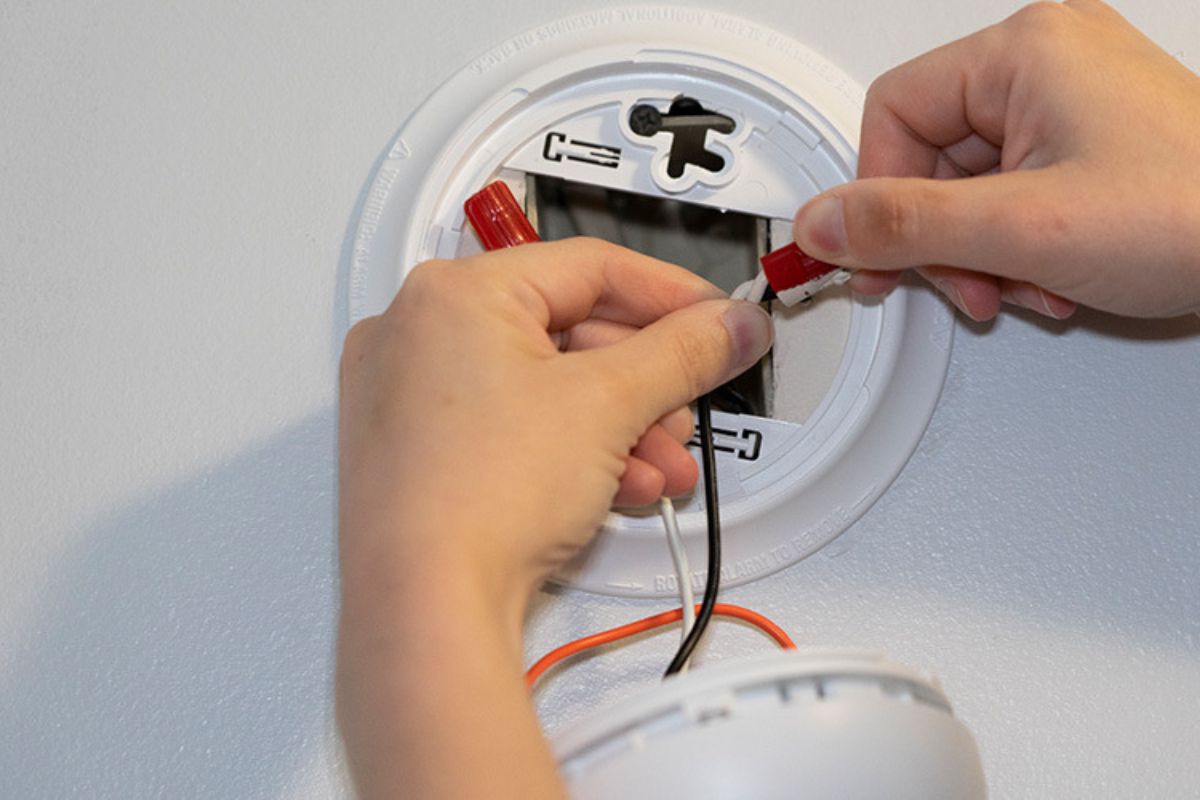
Okay, for the grand finale, especially if you’re not planning to immediately replace your hardwired friend. You'll see those colorful wires still peeking out from the electrical box in the ceiling. These wires, though currently without power (because you totally flipped that breaker, right?!), need to be safely tucked away. This is where wire nuts come in – they're like little insulated safety hats for your electrical connections! Take each individual wire – the black one, the white one, and especially that red or orange one if it’s there – and securely twist a wire nut onto the exposed metal end. Make absolutely sure the wire nut is snug and completely covers all the bare wire. No peeking metal allowed! Then, with all wires safely capped, gently fold and tuck them back into the electrical box in the ceiling. It’s like putting them to bed, all cozy and secure. Seriously, don't forget to double-check that the main breaker is still off before you even think about touching those wires. Safety is always the coolest move!
And there you have it! You’ve successfully disconnected a hardwired smoke detector. No drama, no fuss, just a little bit of know-how and a whole lot of confidence. You faced the ceiling, you conquered the wires, and you emerged victorious. Go ahead, bask in the glory of your DIY triumph! You're practically a seasoned electrician now, ready to tackle the world (or at least your next home project). High five, superstar!