
How To Make Fire Detector Stop Beeping

Oh, hey there! Pour yourself another coffee, 'cause it sounds like you might be in the middle of a rather auditory crisis. Is that infernal fire alarm doing its very best impression of a banshee right now? Yup, thought so. That chirp, that incessant, ear-splitting symphony of dread... it's like a tiny, aggressive bird has taken up residence in your ceiling and is personally offended by your peace and quiet. We've all been there, friend. It’s usually at 3 AM, right? Just when you’ve finally drifted off after counting approximately 3,472 sheep. So, let’s tackle this beast, shall we?
Why the Racket?
First things first, let's play detective. Why is your smoke detector throwing a tantrum? It’s not just for kicks (though it certainly feels that way sometimes, doesn't it?). There are a few usual suspects in this lineup of noise.
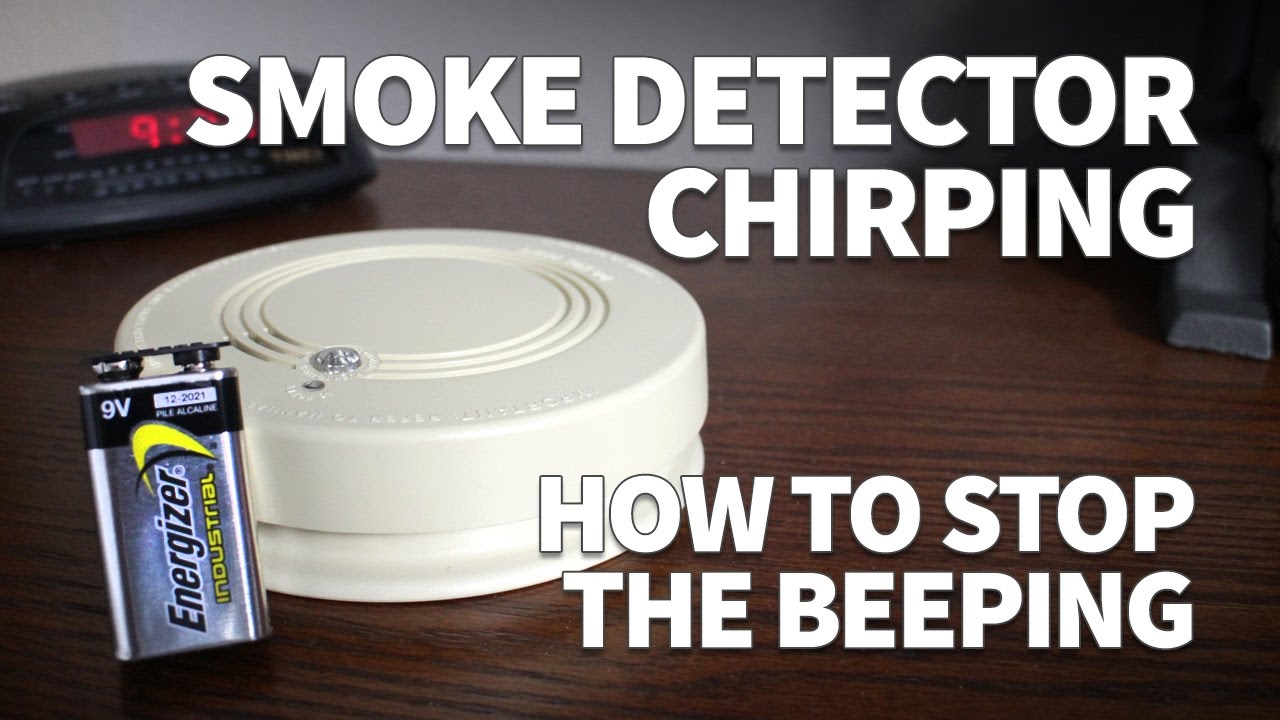
1. The Low Battery Blues: This is the big one. Like, 90% of the time, this is it. Your smoke detector is basically your home’s very own low-battery phone, just way louder and without the option to plug it in. That little chirp is its desperate plea for a fresh power source. It’s like, "Hey, boss, I’m running on fumes here!"
Must Read
2. Dust Bunnies' Revenge: Seriously! Over time, dust, cobwebs, even tiny bugs can get into the sensor chamber. They basically confuse the detector, making it think there's smoke when it's just, well, lint. It’s a bit oversensitive, bless its little heart.
3. Expired Life Span: Yep, smoke detectors don't live forever. They have an expiration date, usually around 8-10 years. After that, their sensors can start to degrade and become unreliable, leading to false alarms or simply... endless beeping. It's their way of saying, "My time has come. Replace me!"

4. The Real Deal (Gulp): Okay, gotta say it. Sometimes, just sometimes, it's an actual fire. Or smoke from that burnt toast you totally meant to keep an eye on. Always, always do a quick check, even if you’re pretty sure it’s just the battery. Safety first, right?
How to Silence the Beast:
Alright, armed with our detective notes, let's get down to business: making it stop. The blessed silence awaits!
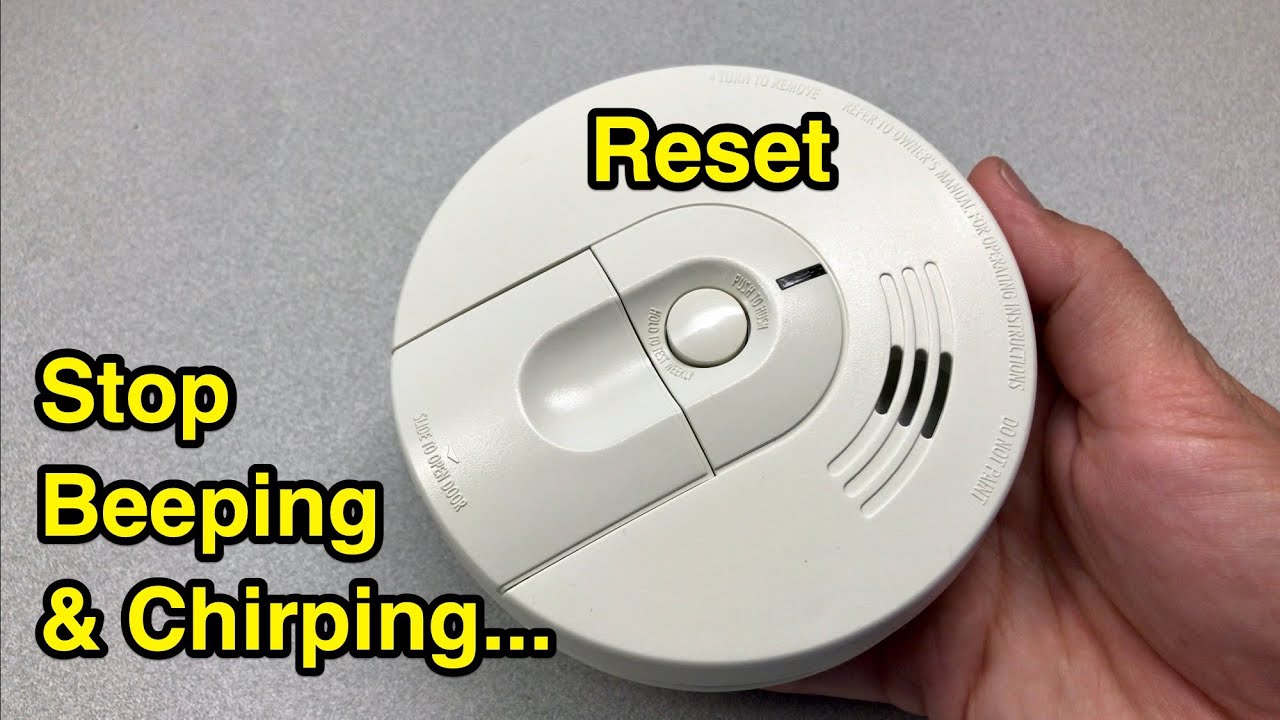
Step 1: The Hush Button (Your First Hope): Many modern smoke detectors have a 'hush' or 'silence' button. Give that a firm press. Sometimes, it'll silence it for a few minutes, giving you a precious window of calm to figure out the next step. Don't expect miracles, but it's always worth a shot.
Step 2: Battery Swap Extravaganza (The Most Likely Fix): This is your main event!
- Locate the culprit: Find the offending alarm. If you have multiple, try to pinpoint the one making the noise. It often has a little LED light that flashes with the chirp.
- Get up there: Grab your trusty stepladder. Or, if you’re anything like me, that slightly wobbly dining chair you hope won't betray you. Be safe, please!
- Twist and remove: Most detectors twist off their base with a counter-clockwise turn. Some might have clips.
- Pop 'em out: Open the battery compartment. It’s usually a 9-volt (the chunky rectangular one), or AA/AAA batteries. Pay attention to the polarity when putting the new ones in!
- Fresh power: Replace with brand new batteries. Don't cheap out here! Old batteries might just kick off the same drama in a few hours.
- Test it: Once the new batteries are in and it's back on its base, press the 'test' button. It should let out a short, loud burst – annoying, but reassuring that it's working again.
Step 3: The Dust Buster Attack: If a battery swap didn't work (and you've confirmed no smoke!), it might be dust.
- Still up there? With the detector still off its base, grab a can of compressed air.
- Give it a blast: Gently spray into the vents and sensor chamber. Don't go wild, just a few short bursts to dislodge any lurking dust bunnies. You might be surprised what falls out!
- Reassemble and test: Put it back and test. Fingers crossed!
Step 4: The 'Reset' Button (The Techy Fix): Some detectors have a small reset button, sometimes inside the battery compartment. Press and hold it for 10-20 seconds after you've changed the batteries or cleaned it. This can clear any lingering error codes.

Step 5: Time for a New Friend (The Final Frontier): If you've tried all of the above, and especially if your detector is pushing its tenth birthday, it's probably time to retire it. Seriously, new ones aren't that expensive, and the peace of mind is priceless. Just make sure to get one with a 10-year sealed battery if you really hate battery changes (who doesn't?!).
A Final, Important Whisper:
Once you’ve successfully silenced the beast, take a moment to savor the absolute quiet. Ahhh, bliss! But here’s the crucial bit, my friend: don’t just disable it and forget about it. These little devices are literal lifesavers. Make sure it’s working properly, or replace it ASAP. Your safety, and the safety of everyone in your home, is way more important than a momentary annoyance.
So there you have it. A quick, hopefully painless (aside from the initial ear assault) guide to reclaiming your peaceful abode. Now, go enjoy that coffee in silence. You've earned it!