
How To Find Wattage Of Pc
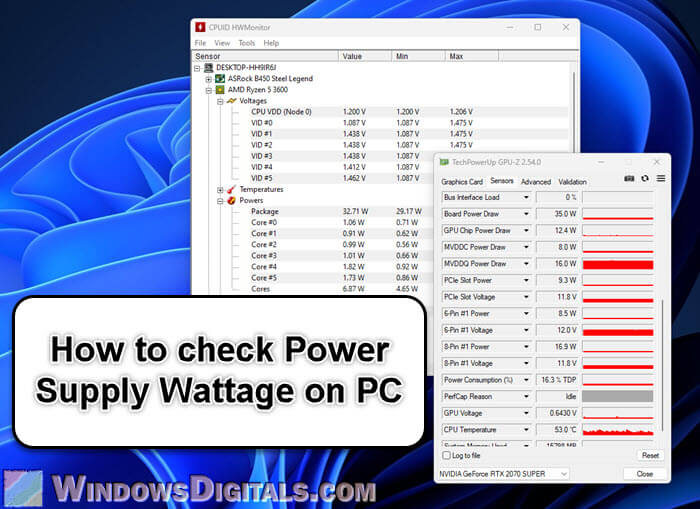
Your PC, that trusty silent (or not-so-silent) companion, holds many secrets within its metallic shell. It's a bit like a magnificent dragon, powerful and enigmatic, and one of its most fascinating mysteries is its true strength, its hidden roar: wattage. Finding this number isn't just about technical specs; it’s an adventure, a tiny quest into the heart of your digital world.
Imagine your computer isn't just a box, but a loyal robot assistant. Knowing its wattage is like understanding its favorite meal, or how much energy it needs to zip around. It’s a number that tells you about its inner workings, its capacity, its very soul.
Sometimes, you just get a curious itch. Maybe you hear a faint hum that wasn't there before, or perhaps you're simply wondering what makes your virtual worlds come alive with such vibrant energy. It’s then that the quest for the wattage begins.
Must Read
The Great Sticker Safari: A Peek Behind the Curtain
The first stop on our expedition is often the simplest, yet surprisingly challenging: a literal scavenger hunt around your computer's backside. Most PCs have a little secret etched onto their power supply unit, or PSU. This is the heart that pumps electrical energy throughout the machine.
You'll need to channel your inner contortionist. Grab a flashlight, maybe a mirror, and prepare for a fascinating dive into the dust bunnies that guard your PC's rear vents. It’s a bit like archaeology, digging through layers of forgotten time.
"There's something wonderfully satisfying about finding a hidden label, like deciphering an ancient rune."
Look for a sticker, usually on the side of the boxy component where the main power cable plugs in. This is often the most direct way to uncover the secret. It might be upside down, sideways, or tucked away in a shadowed crevice.
What you're searching for is a number followed by the letter "W," signifying watts. It could be something like "500W" or "750W." This little number tells you the maximum power your internal power plant can deliver, a truly surprising insight into its capabilities.
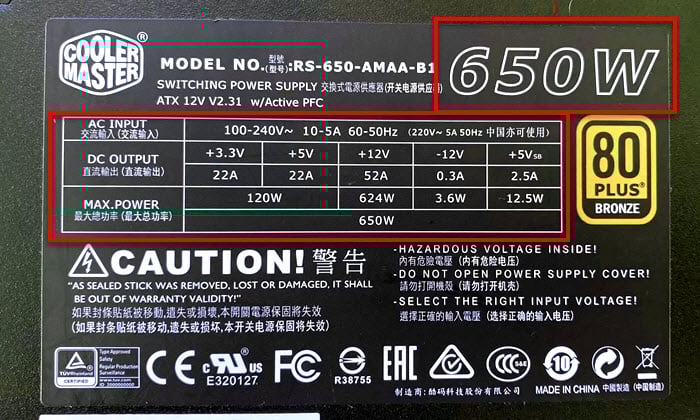
It's a moment of triumph, a small cheer for navigating the maze of cables and uncovering a critical piece of information. This isn't just a number; it's a testament to the quiet power humming away just inches from your desk.
The Digital Detective: Software Sleuthing
If the physical hunt proves too dusty or difficult, fear not! Our digital world offers a more elegant, if less adventurous, path. We can enlist the help of friendly digital detectives, special software tools that peek inside your PC's brain.
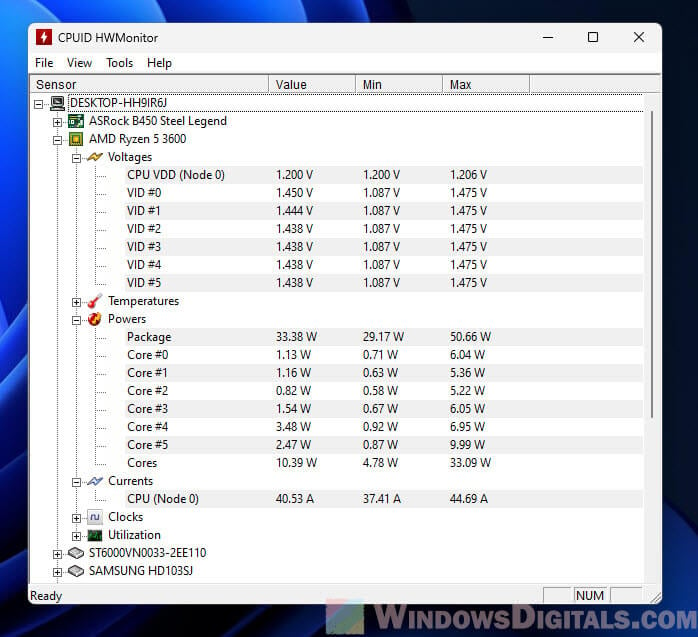
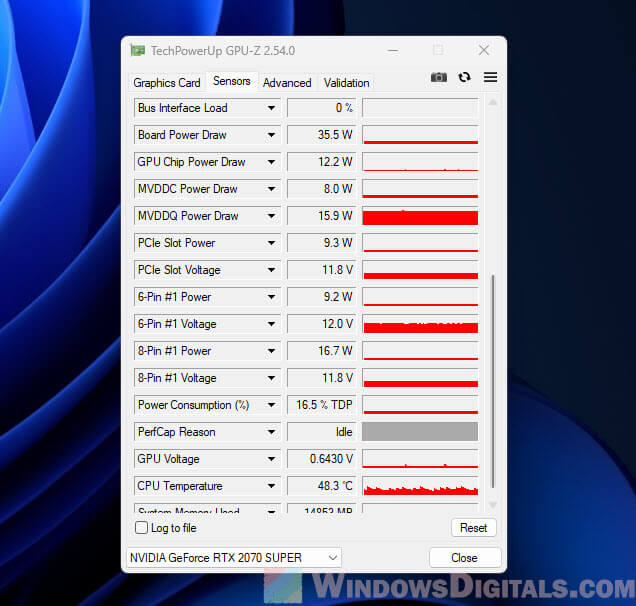
These aren't spooky, techy programs. Think of them as friendly digital librarians, ready to share all sorts of fascinating facts about your computer. They can tell you about its temperature, how fast its brain is thinking, and yes, even its current power draw.
"Uncovering these digital insights feels like gaining a secret superpower, understanding your machine on a deeper level."
Installing one of these simple tools is a breeze. It’s like giving your PC a friendly health check-up. Once running, you’ll see a dashboard full of numbers, each one a little whisper from your machine's soul.

You might notice the wattage changing as you open different programs or play a game. It's a dynamic ballet of power, always shifting, always adapting. This real-time view is particularly fun because it shows you how lively your computer truly is.
It’s like watching a heart monitor, seeing the beats per minute fluctuate with activity. Your PC isn’t just static; it’s a living, breathing digital organism, and these tools let you watch its secret pulse.
The Online Oracle: Building a Virtual Machine
Sometimes, the maximum wattage your PC needs is a bit of a mystery, especially if you’ve swapped parts over time. This is where the internet, in all its wisdom, comes to our rescue with "power supply calculators."
These online tools are incredibly engaging. They invite you to play a fun game: pretend to build your PC from scratch. You select your processor, your graphics card, your memory – all the beloved components that make your machine uniquely yours.
"It's like playing digital dress-up, but for your computer's inner components."
As you pick each part, the calculator magically tallies up the estimated power consumption. It's a bit like an interactive puzzle, revealing how each piece contributes to the overall energy appetite. This can be genuinely surprising.
You might realize that one specific component, like your powerful graphics card, is the hungry beast of the operation. Or perhaps your super-fast processor loves to sip energy when it’s working hard on complex tasks.
The result is a recommended wattage, a number that suggests how much power your PC should ideally have for optimal performance. It's a comforting piece of advice, helping you understand your machine's true potential.
This process connects you to a wider community of PC enthusiasts, too. You realize others have pondered the same questions, pieced together similar puzzles, and found their own surprising answers through these online oracles.
The Heartwarming Revelation: What Does it All Mean?
So, you’ve found the number. Whether it was through a dusty physical label, a digital dashboard, or an online calculator, you now know your PC's wattage. But what does this secret number truly mean for you, the everyday user?
It means you understand your machine a little better. It’s no longer just a black box that magically plays games or opens spreadsheets. It’s a collection of carefully engineered parts, all working in harmony, orchestrated by that vital wattage.
"This isn't just data; it's a newfound connection, a deeper appreciation for the silent workhorse on your desk."
Knowing its power capacity is like understanding your pet’s energy levels. You wouldn't expect a tiny chihuahua to pull a heavy cart, nor would you underestimate a powerful husky. Your PC has its own unique strength.
This journey of discovery, while seemingly small, adds a layer of depth to your relationship with technology. It demystifies a crucial element, turning a technical spec into a story of power, efficiency, and quiet dedication.
Your PC, once just a tool, now has a clearer identity, a more defined personality. And you, the curious explorer, have gained a deeper appreciation for the surprising world of watts that powers your digital adventures every single day.