
How To Change Battery Honeywell Thermostat
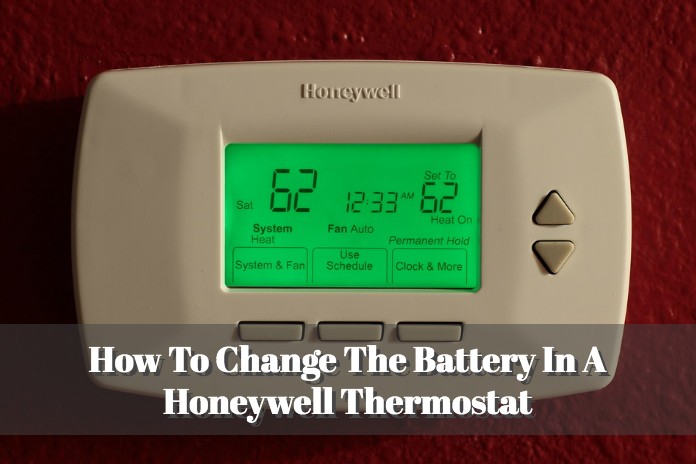
Ah, the humble thermostat. It sits there, usually unobtrusive, a quiet, unsung hero on your wall. We interact with it almost subconsciously, nudging it up a degree here, down a degree there, trusting it implicitly to be the silent guardian of our indoor climate. It’s the orchestrator of coziness, the conductor of cool, ensuring that whether it’s a frigid winter morning or a sweltering summer afternoon, your home remains your sanctuary of perfectly regulated air.
There's a deep satisfaction in stepping into a home where the temperature is just right, a testament to the thermostat's tireless work. This little device isn't just about comfort; it's about efficiency, energy savings, and frankly, peace of mind. A well-functioning thermostat prevents your HVAC system from working overtime, saving you money on utility bills and extending the life of your precious heating and cooling units. It's the brain of your home's comfort system, allowing you to enjoy consistent temperatures without constantly fiddling with vents or battling the elements.
Most modern homes, offices, and even apartments rely on these digital marvels, with Honeywell being a ubiquitous name in the game. But what happens when your silent guardian suddenly goes… silent? When the screen blanks, the numbers vanish, and the air stops responding to your commands? Panic might set in. Visions of emergency HVAC calls dance in your head. But hold that thought! More often than not, the culprit is delightfully, gloriously simple: a dead battery.
Must Read
Changing the battery in your Honeywell thermostat is a surprisingly simple task, a rite of passage for any homeowner that elevates you to home maintenance hero status. To truly "enjoy" this task effectively and prevent future meltdowns, here are some practical tips:
- Preparation is Key: Before you begin, gather your tools. You'll likely need a fresh set of AA or AAA alkaline batteries (check your specific model, but these are most common) and possibly a small screwdriver, though many Honeywell models are tool-free.
- Locate the Compartment: This is often the trickiest part. Some Honeywell thermostats have a pull-out tray on the side or bottom, others might have a flip-down panel, and some require you to gently pull the entire faceplate off the wall mount. Look for subtle arrows or latches. Don't be afraid to consult your thermostat's manual if you're unsure – a quick online search with your model number usually yields results.
- A Gentle Touch: When removing the faceplate or opening a tray, remember to be gentle. These are electronic devices, not brick walls.
- Note the Orientation: Before pulling out the old batteries, take a quick mental picture or even a photo with your phone. Batteries only go in one way, and getting the polarity wrong is a common stumbling block.
- Swap and Snap: Remove the old, depleted batteries and dispose of them responsibly. Then, snap the new alkaline powerhouses in place, matching the orientation you noted.
- Reassemble and Test: Gently reattach the faceplate or close the battery tray. Your thermostat should spring back to life, the display lighting up, ready to resume its duties. Give it a quick test – change the temperature up or down a few degrees and listen for your HVAC system to kick in.
To enjoy a constantly reliable thermostat, make battery replacement a habit. Tie it to something memorable, like changing your smoke detector batteries during Daylight Saving Time changes, or simply aim for an annual check-up. Having a spare stash of batteries ensures you’re always prepared. Embrace this small but mighty maintenance chore, and you’ll ensure your Honeywell remains the smooth operator of your home’s climate, providing comfort, savings, and uninterrupted peace of mind.



