How Do You Turn Off A Hardwired Smoke Detector

Okay, friend, let's talk about it. We’ve all been there, right? That moment when you’re just minding your own business, maybe halfway through a perfectly good cup of coffee, and suddenly… BEEP-BEEP-BEEP! Or worse, that persistent, soul-crushing chirp that tells you a tiny, plastic overlord on your ceiling is demanding attention. Specifically, your hardwired smoke detector.
You know the drill, right? You jump, spill a little coffee (or a lot, let's be real), and immediately look up with a mix of dread and utter confusion. "But I just changed the battery!" you might shout to the empty room. Or, "There's no smoke!" You're probably right on both counts. But if your smoke detector is hardwired, simply yanking out a battery or waving a dish towel at it might not be enough to silence the angry little beast. It’s a whole different ball game, my dear.
First Things First: Why Is It Such A Diva?
A hardwired smoke detector isn't just running on a little 9V battery; it’s actually connected to your home's electrical system. Think of it like a permanent resident, not just a guest. The battery? That’s typically just a backup in case of a power outage. Smart, right? But also, a tad more complicated when you need to, you know, turn it off.
Must Read
So, what’s the immediate, gut reaction? Probably to grab a chair, stand on it precariously, and try to pry the thing off the ceiling. Please don't. Seriously, resist the urge. We're aiming for peace and quiet, not a trip to the emergency room or a scorched electrical panel. And just popping out the battery? If it’s truly hardwired, that backup battery might be dead, but the main power source is still feeding it, allowing it to continue its ear-splitting symphony.
The Temporary Truce: The "Hush" Button
Alright, deep breaths. Before we go full electrician mode, let’s try for a temporary ceasefire. Most modern smoke detectors, even hardwired ones, have a little button on them. Sometimes it says "Test," sometimes "Hush," sometimes it’s just a plain little circle. Give that a press! And usually, you'll need to press and hold it for a few seconds.
If you're lucky, it’ll go silent for a few minutes. Pure bliss! This is usually designed for those times you accidentally burn toast (don't we all?) and just need a moment to air out the kitchen without a choir of angry robot birds screaming at you. But remember, this is just a temporary fix. It'll likely come back to life after its timeout, especially if the underlying issue (like a dead backup battery or an actual fault) isn't resolved.
The Main Event: Cutting the Power (The Safe Way!)
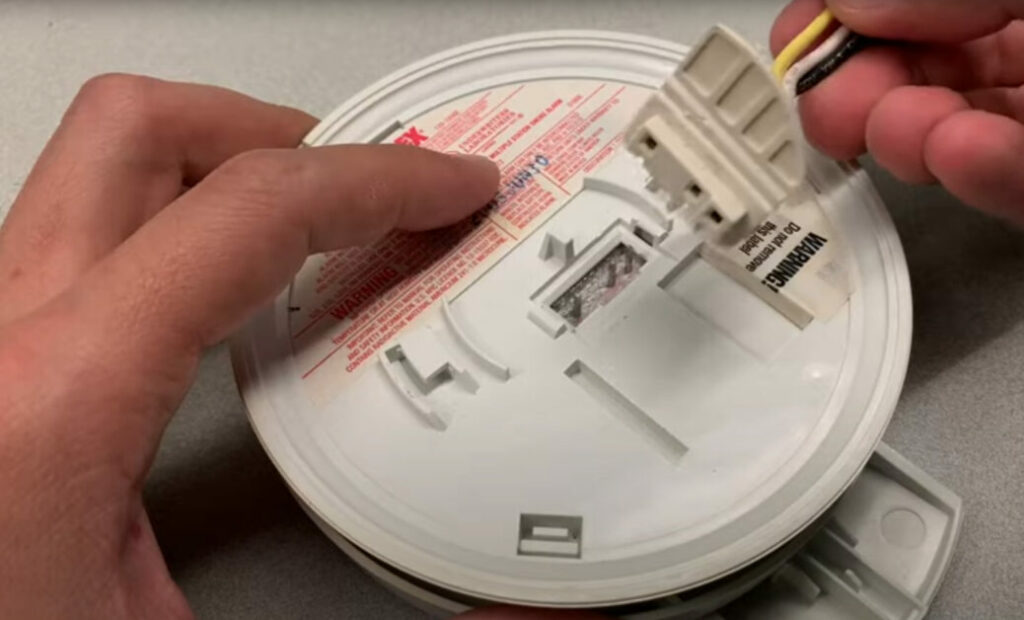
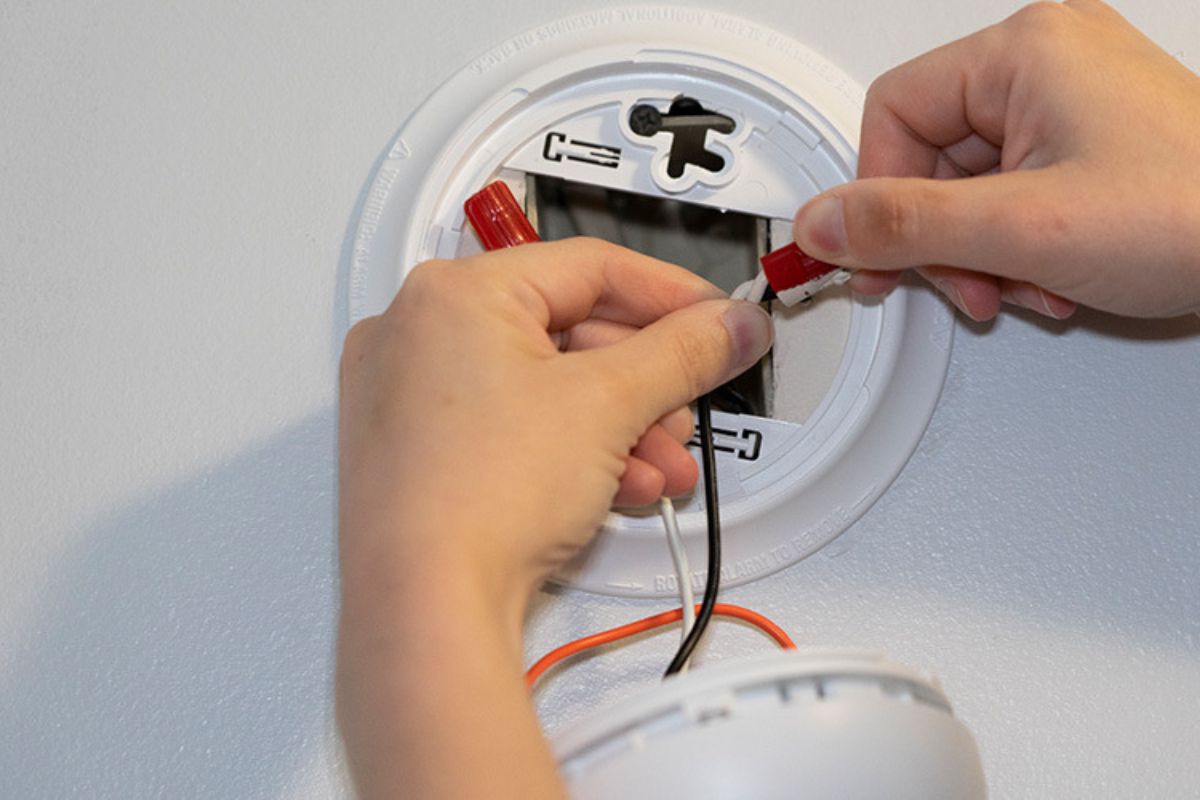
Now, if you need to actually turn it off for more than a few minutes – say, to replace it, deep clean the dust out of it (a common culprit for false alarms!), or change that elusive backup battery that keeps chirping even after you've changed all the others – then it’s time to head to the breaker box.
![[6 Easy Ways] - How To Turn Off Hard Wired Smoke Alarm?](https://www.extraalarm.org/wp-content/uploads/2021/11/How-to-Turn-off-Hard-Wired-Smoke-Alarm.jpg)
Yep, the breaker box. That mysterious metal panel, usually in your basement, garage, or a utility closet, with all those little switches. It's like the brain of your home's electricity. Finding the right switch is key here. You don’t want to just start flipping them willy-nilly unless you're prepared to reset every single clock in your house (and maybe lose your half-written novel because your computer lost power. Ask me how I know...).
- Locate Your Breaker Box: Hopefully, you know where it is. If not, time for a treasure hunt!
- Find the Right Breaker: This is where it gets interesting. Ideally, your breakers are labeled. Look for something like "Smoke Detectors," "Lighting - 2nd Floor," or "General Power - Hallway." Smoke detectors are often on the same circuit as a lighting circuit, so don't be surprised if turning off the lights in a specific area also cuts power to the detector.
- Flip the Switch: Once you think you’ve found the right one, flip it to the "OFF" position. You might hear a little click. That's good!
- Verify! This step is super important. Go back to your smoke detector. Is it quiet? Are its little indicator lights off? If yes, congratulations! You've successfully cut the power. If it's still chirping, you either didn't get the right breaker, or it's genuinely faulty and running solely on battery backup (which means that battery needs changing, even if it's dead, to stop the chirp!). In that case, double-check other breakers or replace the battery if it continues chirping.
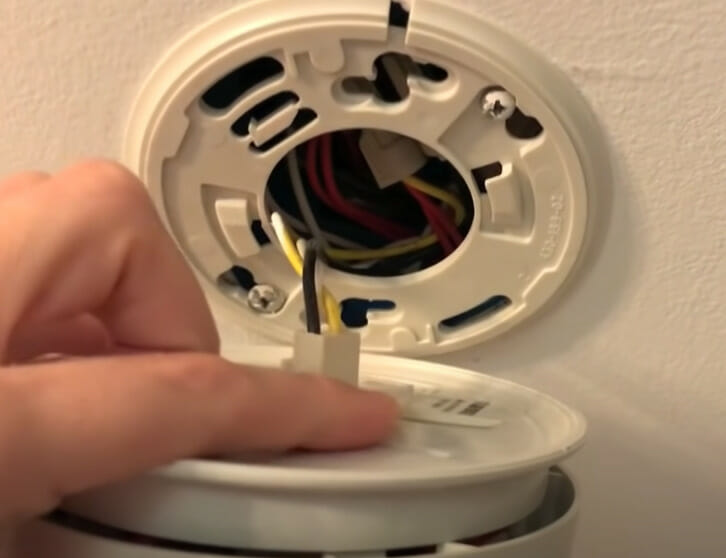
Ah, the sweet sound of silence! You did it! Now you can safely remove the unit, change its battery, dust it out, or replace it entirely without the risk of a little electrical surprise. And trust me, you don't want an electrical surprise when you're standing on a wobbly chair. Been there, done that, bought the t-shirt.
The Grand Finale: Power Back On and Test!
Once you're done with your maintenance, it’s time to bring your trusty guardian back to life. Head back to the breaker box and flip that switch back to "ON." You might hear a little beep or see a light flash on the smoke detector as it powers up. This is a good sign!
And then, the absolute final, non-negotiable step: TEST IT! Press that "Test" button again (the same one you might have used for a "Hush"). It should blare loudly for a few seconds, confirming it’s working. If it doesn't, well, then we might have a bigger issue, and it might be time to call in a professional to check things out.
So there you have it, my friend. Turning off a hardwired smoke detector isn’t as simple as pulling a plug, but it's totally doable. Just remember: patience, caution, and knowing your breaker box are your best allies. Now go forth and conquer those chirping demons!