How Do You Know If A Security Camera Is On
Ever walked into a room and felt that unsettling feeling that you might be on camera? Or perhaps you've just installed a fancy new security system and you're wondering, "Is it actually working?" This isn't just about paranoia; it's about peace of mind, privacy, and ensuring your security systems are doing their job. Knowing how to tell if a security camera is actively monitoring can be incredibly useful, whether you're trying to protect your own space, respect others' privacy, or simply figure out if that blinking red light means "recording" or "power on." Let's dive into the fascinating world of camera sleuthing!
So, why bother playing detective? The benefits are twofold: security and privacy. If it's your camera, confirming it's on means your watchful eye is active, protecting your home, business, or loved ones. It's crucial for troubleshooting, too—no use having a camera if it's not actually recording when it needs to. On the flip side, understanding if a camera in a public or private space is active helps you navigate situations with an informed sense of privacy. It’s about being aware of your surroundings and making smart choices, rather than just guessing. Plus, let's be honest, there's a certain thrill in knowing how things actually work!
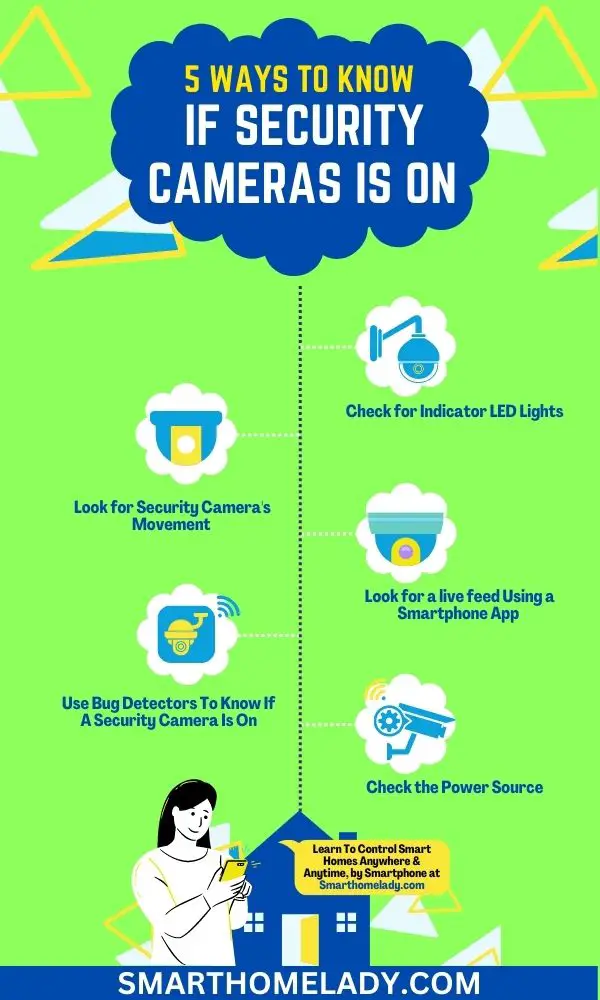
The most common and obvious tell is an indicator light. Many security cameras, especially newer models, come equipped with small LED lights. These often glow a particular color—red, green, or blue—to signify different statuses. A solid light might mean it's powered on and functioning, while a blinking light could indicate recording activity, network connection issues, or a standby mode. However, don't rely solely on this! Manufacturers sometimes allow these lights to be disabled in the settings to make the camera less conspicuous. So, if there's no light, it doesn't automatically mean the camera is off.
Must Read
Next up, let's talk about night vision. Most modern security cameras use infrared (IR) emitters to 'see' in the dark. While invisible to the naked human eye, these IR LEDs often produce a faint red glow around the camera lens, especially noticeable in low light conditions. The clever trick? Point your smartphone camera at the security camera. Many smartphone cameras can pick up infrared light, showing those emitters as distinct purple or white dots or rings on your phone screen if the night vision is active! Also, listen closely. Some cameras, particularly older models or pan-tilt-zoom (PTZ) cameras, might emit faint whirring sounds or clicks as they adjust their lens or motors, signaling they're alive and kicking.
Beyond these visual and auditory cues, there are a few other detective moves. For smart cameras connected to a network, checking the accompanying mobile app or software is the most definitive way to know its status, view live feeds, and confirm recording. Physically, you can check if the camera feels slightly warm to the touch – electronics in operation often generate a little heat. Lastly, for wired cameras, tracing the power cable to its source will confirm it's receiving electricity, though this doesn't guarantee it's actively recording. So, whether you're safeguarding your property or simply satisfying your curiosity, knowing these signs empowers you to be more aware of your surroundings. Stay curious, stay safe, and enjoy the peace of mind that comes with knowing!