
How Can You Tell If A Security Camera Is On
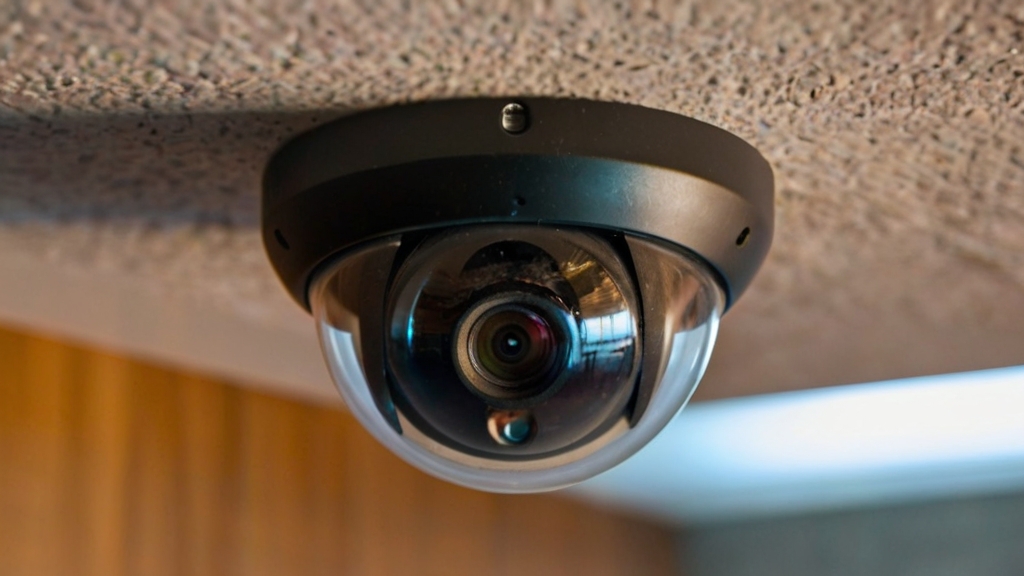
Hey there, curious minds and casual observers! Ever found yourself wondering if that little lens staring down from the corner of a room, a shop, or even your neighbor's porch is actually… on? Is it silently watching, or just a really good prop? Well, buckle up, because we're about to turn that mild curiosity into a super fun, empowering detective game! Forget the cloak and dagger; this is about becoming an everyday tech-savvy explorer, and it's way more fun than you think.
Let's be real, security cameras are everywhere these days. And while they're fantastic for keeping us safe, there's a certain playful thrill in figuring out their secrets. It’s like knowing if the robot barista is truly judging your coffee choice or just brewing. Understanding how to spot an active camera isn't about being paranoid; it's about empowerment, a dash of tech literacy, and frankly, a fantastic conversation starter at parties. So, grab your magnifying glass (or just your smartphone), and let’s dive into the fascinating world of camera surveillance, the lighthearted way!
The Blinking Eye: LED Indicators
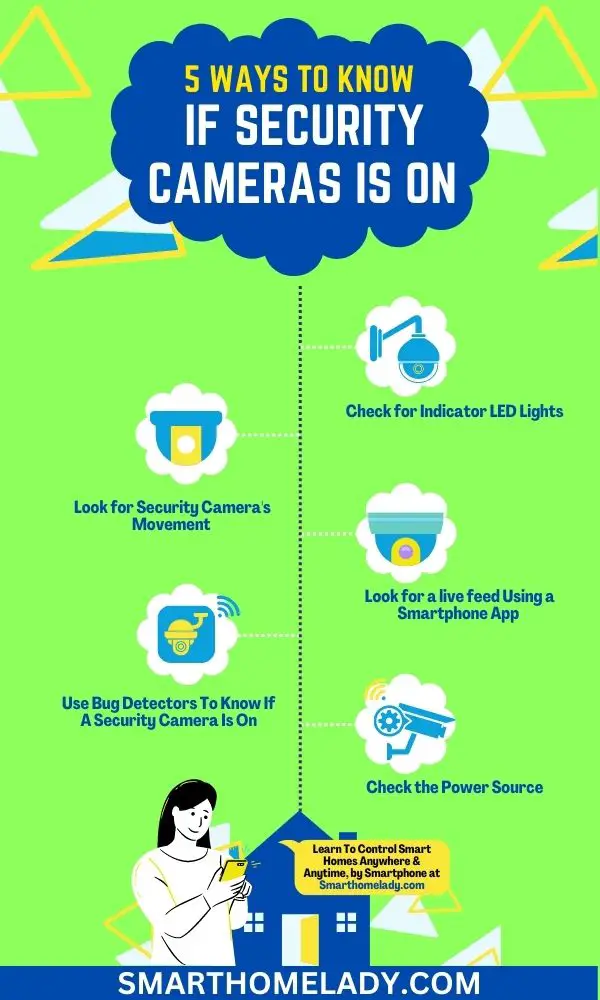
Okay, let’s start with the most obvious clue, shall we? Many, though certainly not all, security cameras come with a little light. This can be a tiny red or green LED that blinks, stays solid, or even glows subtly. Think of it as the camera's little heartbeat!
Must Read
If you see a consistent light, especially a blinking red one, it’s often an indicator that the camera is active and recording. Sometimes, a solid green light might mean it’s powered on and connected to a network. However, don't rely solely on this! Many modern cameras, especially those designed for covert use or to be less intrusive, have the option to turn off their indicator lights. Sneaky, right? So, while a light is a good sign, its absence doesn't mean the coast is clear for your spontaneous dance party.
Eavesdropping on Electronics: Sound Cues
Time to sharpen those ears, my friend! While many cameras operate in blissful silence, some give themselves away with subtle sounds. Older or pan-tilt-zoom (PTZ) cameras, which physically move to cover a wider area, might emit a faint hum or whirring noise as their internal motors adjust. It’s like a tiny robot stretching!
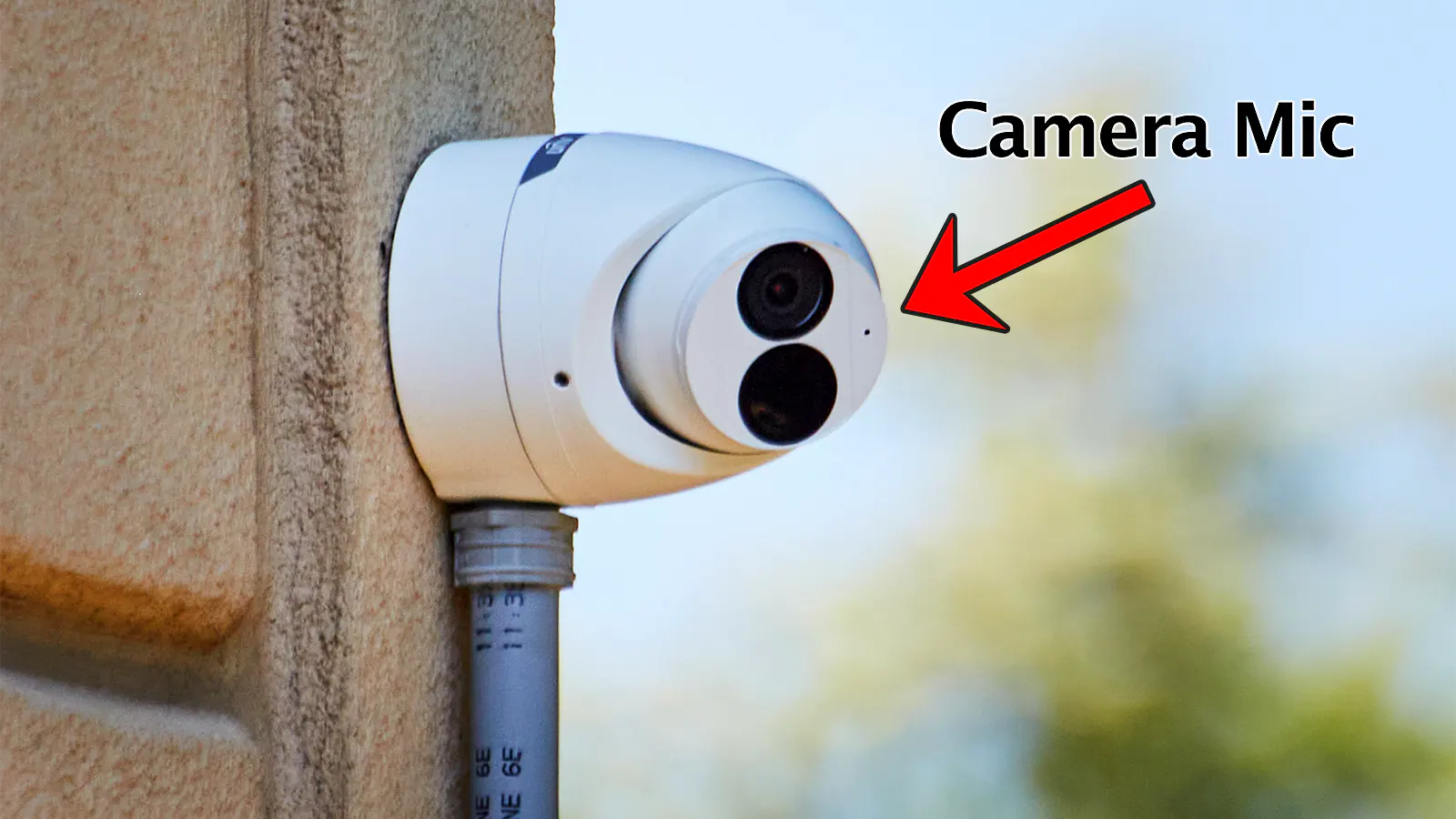
Another classic sound clue? The soft click. Many cameras automatically switch to night vision when the light dims. This transition often involves an infrared (IR) cut filter moving into place, creating a distinct, soft click. So, if you're in a dimly lit area and hear a little mechanical whisper, you might just be in the presence of an active camera making a quick outfit change!
The Invisible Gaze: Infrared Lights
This is where your inner spy truly shines! Most security cameras, especially those designed for 24/7 monitoring, use infrared (IR) illuminators for night vision. These tiny LEDs emit light that’s invisible to the human eye but brilliantly illuminates a dark scene for the camera’s sensor. It's like they have their own secret headlight!
But here’s the cool part: your smartphone camera can often see this IR light! Simply point your phone camera at the suspected security camera in a dark or dim environment. If you see a cluster of small, glowing purple or white dots around the lens on your phone screen, congratulations, you've just discovered an active IR camera! This is arguably one of the most reliable and fun ways to detect if a camera is on, especially in low light. Your phone is now a secret agent's gadget!
Subtle Shifts: Movement and Position
Some cameras are not static statues. As mentioned, PTZ cameras can pan, tilt, and zoom. If you observe a camera subtly changing its angle, even just a tiny shift, it's almost certainly active. These movements might be programmed or controlled remotely by an operator. Imagine it slowly scanning its domain, like a watchful owl.

Even fixed cameras might give subtle clues. If you notice a camera that was pointed one way yesterday now facing a slightly different direction today, and it’s not due to someone manually repositioning it, it’s a strong hint that it’s connected and potentially being adjusted.
The Power Source: Cables and Connections
This one’s a bit more fundamental. A camera needs power to operate, right? While some modern cameras are battery-powered, many are hardwired. Look for visible wires or power cables leading to the camera. If you see a camera that's clearly connected to a power source, it's got the juice to be active. Conversely, a camera with dangling, cut, or clearly disconnected wires is likely just a dormant shell. Sometimes, a quick glance at the power outlet or junction box can confirm if it's plugged in. It’s a simple check, but sometimes the simplest answers are the most effective!
Why Does This Matter? Beyond the Blinks!
So, you've mastered the art of camera detection – congrats! But why bother? Is it just to avoid an awkward moment when you realize you were doing interpretive dance in front of a live feed? Partially, yes! But it's so much more. Learning to observe your environment with a critical yet playful eye sharpens your awareness. It transforms passive existence into active engagement with the world around you.
It's about understanding the technology that shapes our spaces. It's about knowing when you're simply passing through a public area versus when you're under active observation. It gives you a sense of control and understanding, turning potential mystery into empowering knowledge. Plus, let's be honest, it’s just plain cool to know these tricks!
So, go forth, curious explorer! Next time you spot a camera, give it a playful look. Listen, observe, maybe even pull out your phone for that secret IR trick. You'll be amazed at what you discover when you approach the world with a little more curiosity and a dash of technological savvy. Who knows what other hidden secrets you’ll uncover, simply by daring to ask, "Is it on?" The world is full of fascinating details, just waiting for you to notice them!