
How Can I Put Music Over A Video
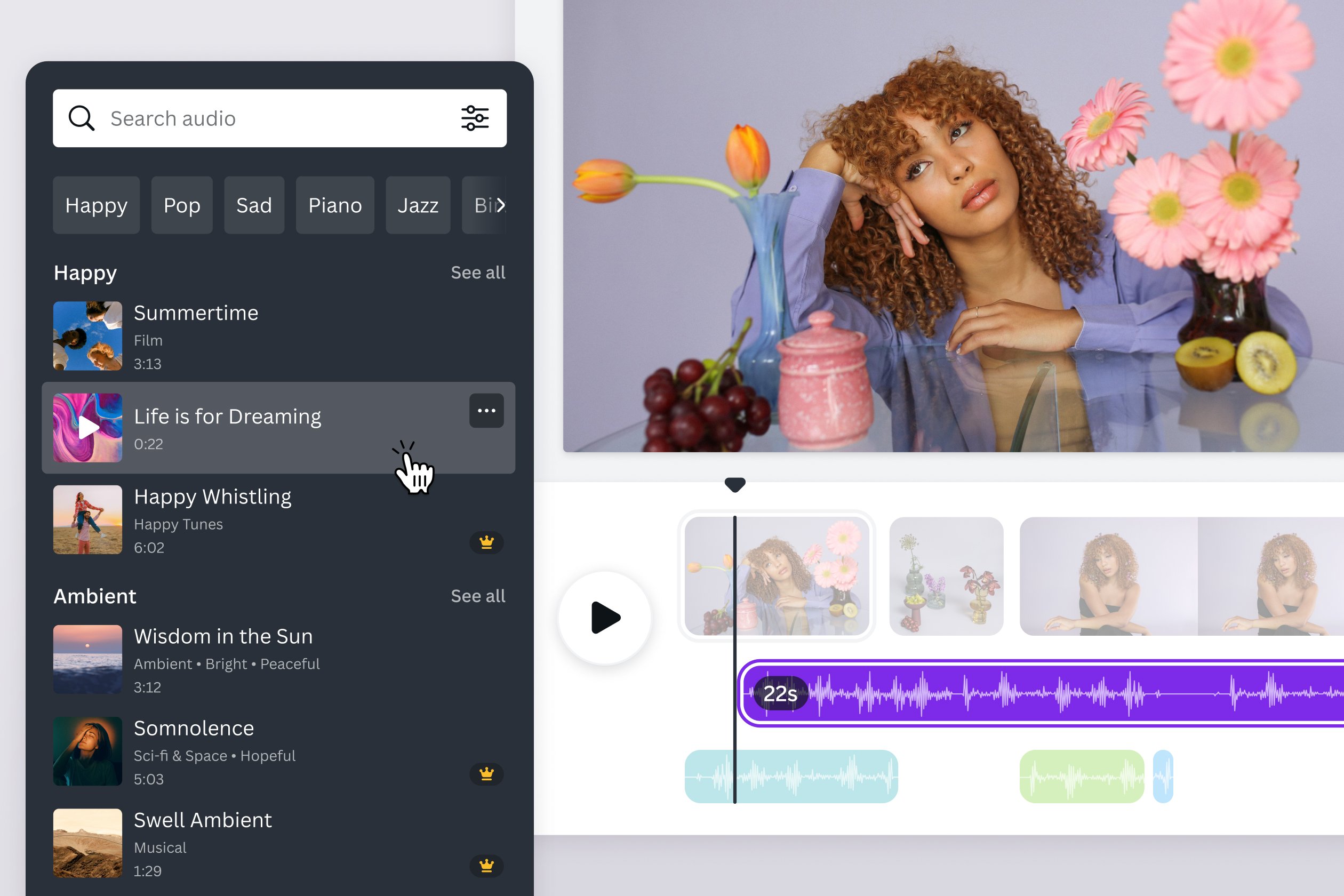
Ever scrolled through social media and seen a video that just nails the vibe with the perfect background music? That's the magic of adding music to video, and guess what? It's way easier than you think! Whether you're creating a family memory montage or trying to become the next viral sensation, learning how to overlay music is a super useful and surprisingly fun skill.
So, why bother adding music to your videos? Well, for beginners, it's a fantastic way to elevate your content from "meh" to memorable. Think of it as adding the finishing touches to a delicious cake. For families, imagine turning home videos into heartwarming stories with soundtracks that tug at the heartstrings. And for hobbyists and aspiring content creators, the right music can define your brand, set the mood, and keep viewers hooked. It can truly make the difference between someone scrolling past and stopping to watch.
The possibilities are endless! You could add upbeat pop music to a travel vlog, creating a sense of excitement and adventure. Imagine using a calming acoustic melody to accompany a slideshow of baby photos, evoking feelings of tenderness and love. Or perhaps you want to spice up a cooking tutorial with some funky jazz to show off your culinary creativity. There's even the option of creating a time-lapse video of a blooming flower with classical music, to create a soothing effect.
Must Read
Okay, ready to dive in? Here are some simple, practical tips to get started:
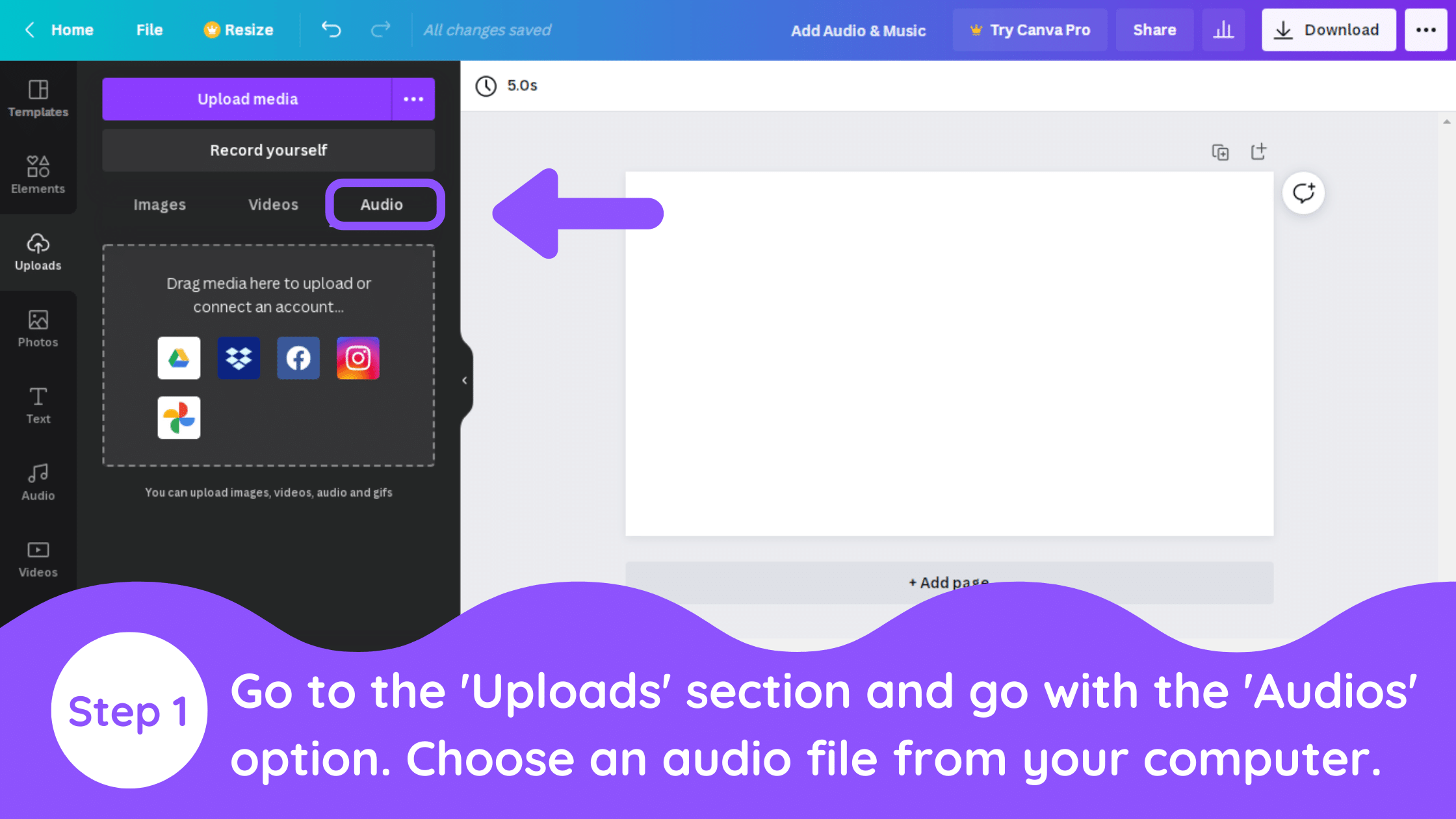
- Use a video editing app: There are tons of free and user-friendly apps available on your phone or computer. Popular choices include iMovie (for Apple devices), FilmoraGo, and CapCut. Most of these apps have built-in music libraries or allow you to import your own.
- Choose the right music: Consider the mood and message of your video. Does it need something upbeat, calm, dramatic, or funny? Think about your target audience and what kind of music they would enjoy.
- Adjust the volume: Make sure the music doesn't overpower the video's audio. You want it to complement, not compete with, any speech or natural sounds. Usually, lowering the music to around 20-30% of the original audio is a good starting point.
- Trim and sync: Trim the music track so it fits the length of your video. Pay attention to the beat and try to sync it with key moments or transitions.
- Consider copyright: Be mindful of copyright laws. Using copyrighted music without permission can get your video taken down. Opt for royalty-free music or get permission from the copyright holder. Many websites offer royalty-free music for creators, often for a small fee. Always double check the licensing terms.
So, there you have it! Adding music to your videos is a fantastic way to enhance their impact and make them more engaging. It's a relatively simple process that can yield impressive results. Don't be afraid to experiment with different music genres and editing techniques to find what works best for you. Now go forth and create some awesome videos with the perfect soundtrack! The key is to have fun and let your creativity flow.
![How to add music to instagram story on laptop 2025 [EASY] - YouTube](https://i.ytimg.com/vi/xwHwYEAXYjQ/maxresdefault.jpg)