
How Can I Boost My Wireless Internet Signal

Your Wi-Fi's Personal Spa Day!
Location, Location, Location!
Imagine your Wi-Fi signal as a tiny, energetic cheerleader, trying to shout its message to everyone in your house.
If that cheerleader is stuck in a dark closet, behind a massive TV, or in the basement dungeon, their voice just won't carry!
Your router wants to be front and center, high up, and away from bulky obstacles like refrigerators or fish tanks.
Must Read
Think of it as giving your signal a clear, open highway to zoom across your home.
The closer it is to the middle of your living space, the happier everyone's devices will be, grabbing that sweet, sweet internet without a fuss.
Those thick walls? They’re like super absorbent sponges for your Wi-Fi, soaking up all that speed before it gets to you.
Put your router on a shelf, out in the open, and watch your signal perk up like it's had a double espresso!
Seriously, move it from that dusty corner and give it the spotlight it deserves; your streaming binge will thank you!
It’s about giving your Wi-Fi the best vantage point to conquer your entire digital kingdom.
No more hiding your digital superstar behind a pile of old magazines!
A Little Nap for Your Network!
Sometimes, your trusty router just gets overwhelmed, processing all those cat videos and epic gaming sessions.
It's like a tired brain that needs a quick refresh. The easiest fix? Give it a tiny vacation!
Unplug your router for about 10-20 seconds, then plug it back in.
This simple act can clear out any digital cobwebs and bring your signal back to life, often with surprising vigor!
It’s the digital equivalent of a power nap, and your Wi-Fi will thank you with smoother streaming and faster downloads.
Don't be shy about giving it a reboot whenever things feel sluggish; it's practically a magic trick!
Seriously, this quick reset can often resolve a surprising number of internet hiccups.
Think of it as giving your router a gentle nudge to remember its amazing job!
A fresh start can often be the best boost for a grumpy connection.
Evicting the Signal Squatters!
Did you know that everyday items in your home can be little signal bullies?
Things like microwaves, cordless phones, baby monitors, and even your neighbor's Wi-Fi can butt in on your signal's conversation.
These pesky appliances are like noisy neighbors, trying to shout over your own network's voice, creating a digital ruckus.

Try moving your router away from these known interference zones, giving your signal a clear path to sing its song.
Even things as innocent as concrete walls or metal shelves can act like tiny signal shields, absorbing or bouncing your precious internet away.
Give your signal some breathing room and watch it fly, unburdened by digital noise!
Your Wi-Fi deserves its own clear space to communicate, free from unnecessary interruptions.
A little strategic rearrangement can make a huge difference in signal quality.
Banish those signal monsters and let your internet shine!
Antennas: The Mighty Signal Whips!
If your router has those cool, adjustable antennas, don't just leave them pointing straight up!
These aren't just for show; they're like little signal arms, ready to direct your internet goodness with purpose.
Try angling them in different directions – one pointing up, one sideways – to create a wider, more robust signal field.
Think of it as literally sculpting your Wi-Fi signal to reach every nook and cranny of your home, like a digital sculptor.
Experimentation is key here; you might just find the perfect pose for maximum reach and stronger connection!
It’s like giving your Wi-Fi little superpowers to stretch into those tricky corners, making sure no device feels left out.
Those antennas are your router's voice, so help it speak clearly in every direction.
Adjust them with confidence and watch your signal strength numbers climb!
It's a small change that can lead to surprisingly big improvements.
Unleashing Your Wi-Fi's Inner Superhero!
Cloning Your Connection with Extenders!
Got those pesky dead zones where your Wi-Fi just gives up, leaving you in digital despair?
Imagine your Wi-Fi signal trying to reach across a vast desert, getting weaker and weaker until it just fades away into nothingness.
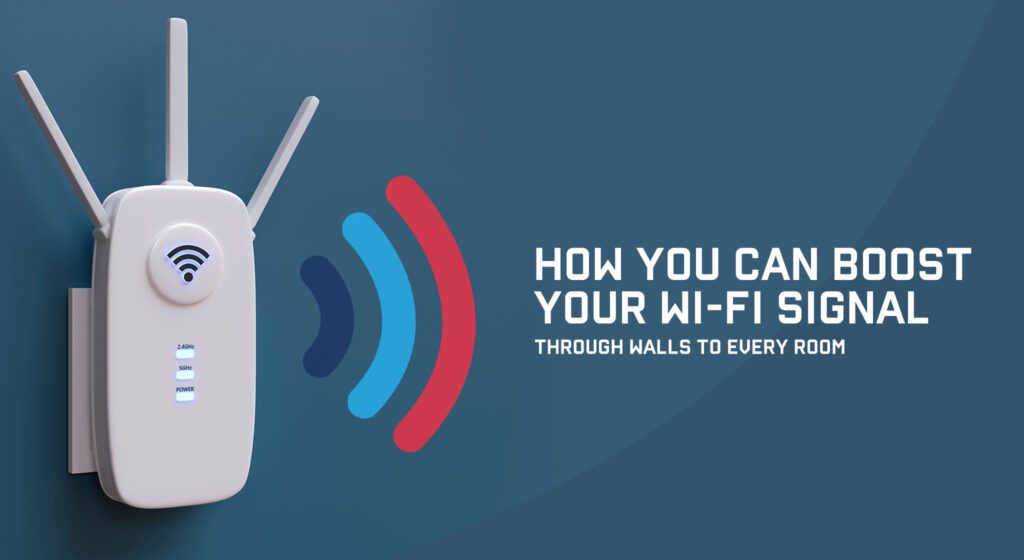
Enter the Wi-Fi extender or mesh system – these are like signal cheerleaders or relay runners for your internet, amplifying its reach!
An extender grabs your existing Wi-Fi signal and shouts it out even louder, pushing it further into those gloomy corners of your home.
A mesh system, on the other hand, creates a super-team of Wi-Fi points, blanketing your entire house with a seamless, strong connection from top to bottom.

No more stuttering video calls from the bedroom or endless buffering battles in the backyard!
These devices are your secret weapon against the dreaded "no signal" message, making sure your internet can stretch its legs everywhere.
Your Wi-Fi deserves to be everywhere you are, loud and clear!
It's like giving your Wi-Fi multiple voices, ensuring every device hears the call!
Say goodbye to those dark digital corners and hello to a full-house signal party!
They’re the ultimate solution for turning a spotty signal into a widespread digital playground.
The Mighty Cable Comeback: Go Wired!
Sometimes, the best way to boost your wireless signal is to simply skip the wireless part for some devices entirely!
For gadgets that stay put, like your gaming console, desktop PC, or smart TV, an Ethernet cable is your super-speed secret weapon.
Plugging directly into your router is like giving that device a private, bullet-train highway straight to the internet, no detours!
It frees up precious wireless bandwidth for your laptops and phones that really need to roam free, unburdened by stationary devices.
Think of it as clearing up the crowded Wi-Fi airwaves, allowing your wireless gadgets to breathe easier and go faster.
Plus, a wired connection is almost always more stable and ridiculously faster than even the strongest Wi-Fi!
So, grab a cable, plug it in, and watch your download speeds soar for those stationary power users, getting an instant boost.
It’s the ultimate VIP pass for your most demanding devices, ensuring they get the fastest ride possible, every single time.
Don't underestimate the humble Ethernet cable; it's a true unsung hero of internet speed and stability!
Picking Your Wi-Fi Lane: 2.4GHz vs 5GHz!
Did you know your router often broadcasts two different kinds of Wi-Fi signals? Like two different roads to the internet!
You’ve got the 2.4GHz band, which is like a long, winding country road – it travels further and goes through walls better, but it can get pretty crowded.
Then there's the 5GHz band, the speedy express highway – it's super fast, but its signal doesn't travel quite as far and struggles more with obstacles.
For devices that are close to your router and crave speed (like your streaming box or gaming PC), hop onto the 5GHz lane for maximum velocity!
For devices further away or ones that don't need blistering speed (like smart home gadgets), the 2.4GHz road is perfect, offering reliable reach.

Many modern routers let you connect to both, so choose wisely depending on what your device needs and where it is in your home.
It’s all about matching the right internet journey to the right device for optimal performance and pure digital bliss.
Don't be afraid to experiment and see which lane gets your gadget to its destination fastest and most smoothly!
Giving your devices the right frequency is like giving them the perfect set of wheels for their specific journey.
Retire the Relics: Old Devices Can Drag You Down!
Believe it or not, an ancient smartphone or an old smart gadget can sometimes slow down your entire Wi-Fi network to a crawl!
These older devices often use outdated Wi-Fi standards, forcing your super-fast router to slow down and speak their ancient language, creating a bottleneck.
It's like having one slow walker on a busy sidewalk, causing everyone else to bottleneck behind them, frustrated and waiting.
If you have any truly ancient Wi-Fi-connected devices that are still lurking, consider upgrading them or disconnecting them if they’re not essential.
Your router is designed for speed, and having to cater to slowpokes can prevent it from really showing off its full potential and blazing fast speeds.
Giving your network a clean slate of modern devices lets your Wi-Fi truly unleash its maximum speed and efficiency, making everyone happy.
Think of it as spring cleaning for your digital ecosystem, letting everything run smoother and faster than ever before.
Don't let one old gadget be the anchor holding back your entire internet fleet from sailing smoothly!
Sometimes, letting go of the past is the best way to sprint into a faster future for your whole home.
Locking Down Your Wi-Fi Fortress!
Is your Wi-Fi password weaker than a kitten's meow? Are neighbors secretly sipping your internet milkshake without an invitation?
A strong, unique password is your first line of defense against digital freeloaders slowing you down, protecting your precious bandwidth.
If too many unauthorized devices are connected, they’re basically hogging your bandwidth, making your internet sluggish for everyone who should be there.
Change that default password your internet provider gave you to something strong and memorable, but not easy to guess for outsiders.
Think of it as protecting your precious internet candy stash from sneaky pirates who want to raid your digital pantry!
A secure Wi-Fi means more bandwidth for your devices and less digital traffic on your personal network, ensuring peak performance.
It's about making sure your Wi-Fi is a private party, not an open-door rave for the whole neighborhood to crash.
Head into your router's settings and give that password an upgrade right now – it’s easier than you think!
Keeping your network private ensures that every bit of bandwidth is dedicated to your devices, not unknown guests.
Give Your Router a Brain Upgrade: Firmware Updates!
Just like your phone or computer, your router needs occasional software updates to stay smart, secure, and at peak performance.
These are called firmware updates, and they bring new features, fix bugs, and often improve performance and stability significantly.
It’s like giving your router a fresh brain, making it think faster and more efficiently, especially when dealing with all your gadgets simultaneously.
Check your router's manufacturer website for instructions on how to update its firmware – it's usually a straightforward process.
A happy, updated router is a performing router, ready to serve up blazing speeds without a hitch or any digital confusion.
Don't let your router fall behind the times; a quick update can often work wonders for your signal strength and overall performance.
Think of it as keeping your Wi-Fi engine finely tuned and ready for any digital adventure you throw its way.
A little preventative maintenance can go a long way in keeping your internet signal strong and steady for years to come.
Give your router the smarts it needs to keep your entire home connected flawlessly.
Dodging the Wi-Fi Traffic Jams: Channel Surfing!
Imagine your Wi-Fi signal is like a radio station, broadcasting its sweet internet tunes on a specific channel.
If all your neighbors are broadcasting on the exact same channel, it creates a massive digital traffic jam, making everyone's signal choppy and slow!
Your router can usually be configured to use different Wi-Fi channels, especially on the 2.4GHz band where crowding is notoriously common.
There are free apps (like Wi-Fi Analyzer for Android) or built-in tools that can show you which channels are least used in your area, revealing the open road.
Switching to a less congested channel is like moving your radio station to a clear frequency, allowing your signal to sing loud and clear without interference!
This simple tweak can dramatically improve stability and speed, especially in apartment buildings or dense neighborhoods where everyone is fighting for space.
It's all about finding that perfect, clear spot in the digital airwaves for your Wi-Fi to truly shine and operate at its best.
Give your router the gift of an open road, and watch your internet connection zoom past the competition with ease!
Sometimes, the best boost is simply finding a quiet space for your signal to flourish without a whisper of digital noise.