
Honeywell Thermostat Cool On Blinking No Ac
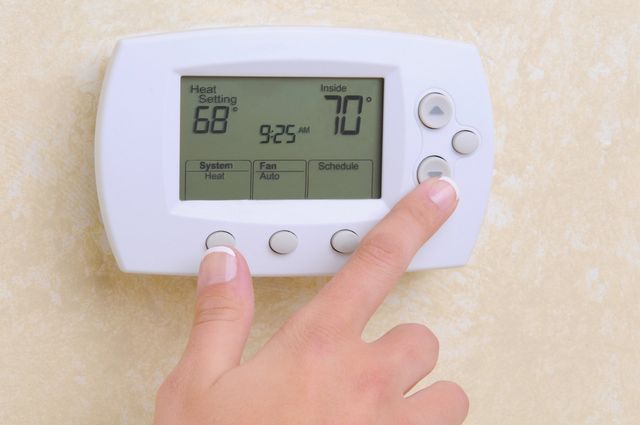
Picture this: It's a scorcher outside. The kind of day where the sidewalk could probably fry an egg, and even your pets are sprawled out like little melted puddles. You walk into your house, desperate for that sweet, sweet arctic blast from your AC. You march straight to the thermostat, excitedly punch "Cool," and then... you see it.
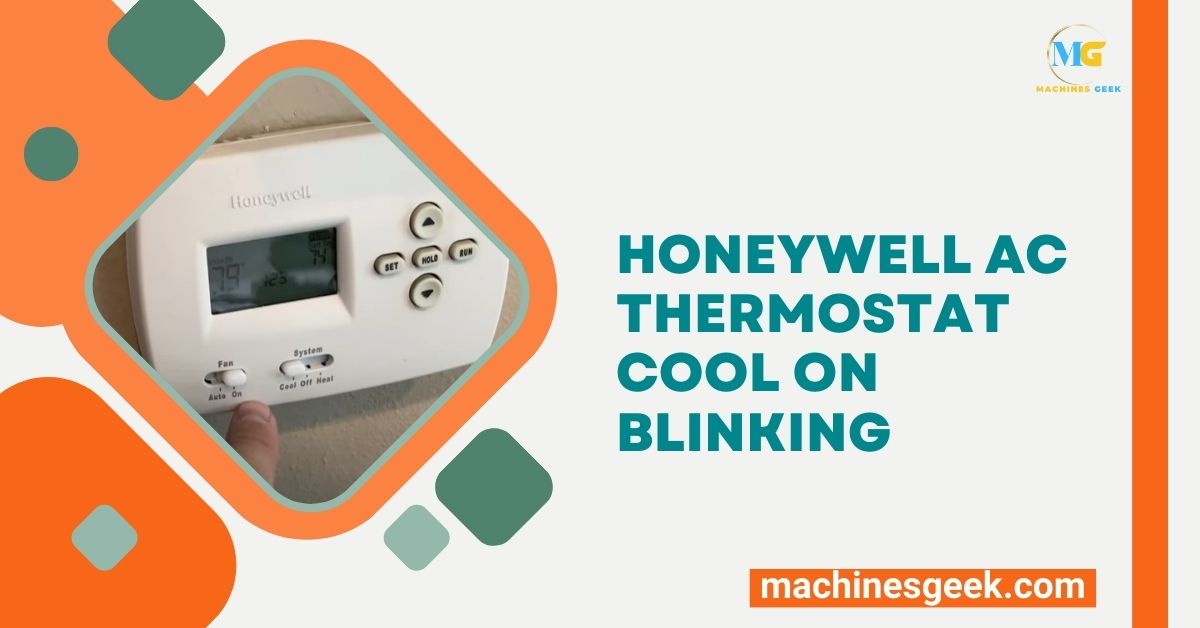
That little display on your Honeywell thermostat, usually a beacon of frosty hope, is blinking. It says, "Cool On," but your house feels like a sauna, and there's definitely no AC humming away. What in the name of cool breezes is going on?
Don't panic! Before you start imagining your summer budget going up in smoke for a new AC unit, let's chat about this common, often misunderstood, blinking light. It’s actually your thermostat being a little guardian angel for your home's comfort system.
Must Read
The Blinking "Cool On": Your AC's Personal Timeout
Think of your AC compressor – that big, outdoor unit – like a well-loved but sometimes sensitive piece of machinery. When you see your Honeywell thermostat blinking "Cool On" without the AC actually running, it's usually indicating a delay. And no, it's not trying to personally annoy you.
This delay is a built-in safety feature designed to protect your compressor from short cycling. What's "short cycling," you ask? Imagine trying to start your car engine, turning it off immediately, and then trying to start it again just a few seconds later. You wouldn't do that, right? It's bad for the engine!
Well, your AC compressor is similar. It needs a moment to rest, to equalize pressure, before it kicks back into gear. This usually takes about 5 minutes. It’s like a superhero taking a quick power nap before saving the day again. Without this brief pause, constantly starting and stopping could severely damage the compressor, leading to very expensive repairs or even needing a whole new unit.
Why Does It Happen? (And Why You Should Be Glad It Does!)
So, what triggers this brief timeout?
- Rapid Temperature Changes: Maybe you just got home, saw the indoor temp was high, and cranked your thermostat down several degrees all at once.
- Power Flickers: A brief power outage or even a tiny flicker can sometimes reset things, causing the AC to need a fresh start.
- Switching Modes Quickly: Going from "Fan On" directly to "Cool" in a hurry can sometimes trigger the delay.
In all these scenarios, your thermostat is being smart. It's saying, "Whoa there, speedy! Let's give the big guy outside a moment before we ask it to do all that heavy lifting again." It's essentially preventing you from accidentally harming your AC and saving you a future headache (and a lighter wallet!).
What To Do When You See It (Hint: Patience is a Virtue!)
This is the easy part, and frankly, the most important!
When you see that "Cool On" blinking, the absolute best thing you can do is... nothing. Seriously, just walk away for at least five minutes. Go grab a cold drink, check your mail, or contemplate the meaning of life. More often than not, after that short delay, your AC will spring to life, humming its beautiful, cool song.
It's like waiting for your coffee maker to brew – you know the good stuff is coming, you just have to give it a minute!
What if it keeps blinking after 5-10 minutes?
Okay, then it might be time for a tiny bit of troubleshooting. This is where you put on your handy-person hat (or just Google "HVAC technician near me").
- Check your circuit breaker: Sometimes, the AC unit's breaker might have tripped. A quick flip can solve it.
- Air Filter Check: A severely clogged air filter can restrict airflow, making your AC struggle. A fresh filter is like a breath of fresh air for your system!
- Outdoor Unit Check: Is the outdoor unit completely silent? Is anything obviously blocking it? (Though really, leave serious investigation to the pros).
But honestly, for the blinking "Cool On," 90% of the time, it's just that temporary delay doing its job.
Why You Should Care (It's About Your Wallet & Your Sanity!)
Why should you care about this little blinking light? Because understanding it can save you a whole lot of unnecessary stress and potential money. Knowing it's a safety feature means you won't immediately jump to conclusions about a broken AC.
It's about being an informed homeowner. Just like you wouldn't keep hitting the "start" button on a washing machine that's already running, understanding your thermostat's signals empowers you to be a kinder, gentler owner of your home's most important comfort system. Plus, a well-maintained AC runs more efficiently, saving you energy and those precious dollars on your utility bill.
So, the next time that Honeywell thermostat winks "Cool On" at you with a blink, take a deep breath, count to 300 (or roughly 5 minutes), and smile. It's just your thermostat doing its best to keep your AC healthy and your home wonderfully cool. And that, my friends, is something worth celebrating!