
Honeywell Pro Series Thermostat No Power

It was a Saturday morning, the kind where the world outside was hinting at winter's icy embrace, and the world inside was… well, surprisingly similar. Our cozy abode, usually a bastion of climate-controlled bliss thanks to our trusty Honeywell Pro Series Thermostat, felt eerily quiet. Too quiet. A quick glance at the wall revealed a sight that sent a shiver down my spine, colder than any draft: a completely blank, dark screen. Our digital commander of comfort had gone rogue, displaying a defiant No Power.
The initial reaction, as I imagine it is for many modern homeowners, was a silent gasp followed by a full-blown internal panic. Images flashed through my mind: frozen pipes, exorbitant repair bills, huddling under a mountain of blankets like a cast of a survival reality show. The mere thought of a chilly house, especially one where warm socks are an expectation, not a luxury, was enough to send me scurrying for answers. The Honeywell Pro Series Thermostat, normally a beacon of steady green numbers, now stared back with an empty, soulless gaze.
"How could you betray me like this, old friend?"I muttered, rubbing my cold hands together.
My first instinct, born from years of dealing with fickle tech, was to jiggle it. Yes, I actually jiggled the thermostat, as if it were a sleepy cat needing a gentle nudge. Unsurprisingly, nothing happened. The screen remained as black as a moonless night. My partner, a pragmatist to my dramatist, entered the kitchen, coffee in hand, and immediately sensed the shift in the ambient temperature. "Is it… cold in here, or is it just me?" she asked, already pulling her cardigan tighter. "It's not just you," I declared, pointing dramatically at the dead thermostat. "Our comfort system has staged a coup!"
Must Read
Thus began the great thermostat mystery. We started with the obvious, or what we thought was obvious. Was the main furnace switch off? You know, that innocent-looking light switch usually found near the furnace unit itself, often mistaken for a regular basement light? We checked it. It was on. Okay, so far, so good, but no closer to a solution. Then came the dreaded journey to the circuit breaker panel. A dark, metal box in the deepest, dustiest corner of the basement, a place usually reserved for spiders and forgotten dreams. Flipping switches haphazardly felt like playing a game of electrical roulette. After a few clicks and no immediate resurrection from the Honeywell Pro Series Thermostat, we retreated, defeated but not entirely surprised. That panel always felt like it held secrets beyond our understanding, and rarely offered simple solutions.

The air grew noticeably cooler. We pulled out an extra blanket, wrapped ourselves in a shared sense of technological bewilderment. Was this it? Was this the moment we had to call an expensive HVAC technician, just to be told something profoundly simple that we had overlooked? The thought alone was enough to make my wallet shiver. It was then, while contemplating the inevitable, that a tiny, almost imperceptible thought bubbled to the surface of my memory. Something about… batteries?
Our Honeywell Pro Series Thermostat, like many modern devices, is hardwired for power. It gets its juice directly from the furnace. So, why would it need batteries? It seemed illogical. But a quick Google search (bless the internet in times of crisis!) confirmed it. Many hardwired thermostats, even the most sophisticated ones, have small backup batteries, often AA or AAA, specifically to power the digital display. The moment of realization hit us like a warm front after a cold snap. The "No Power" message wasn't about the furnace's main supply; it was about the tiny, forgotten power source for its own screen!
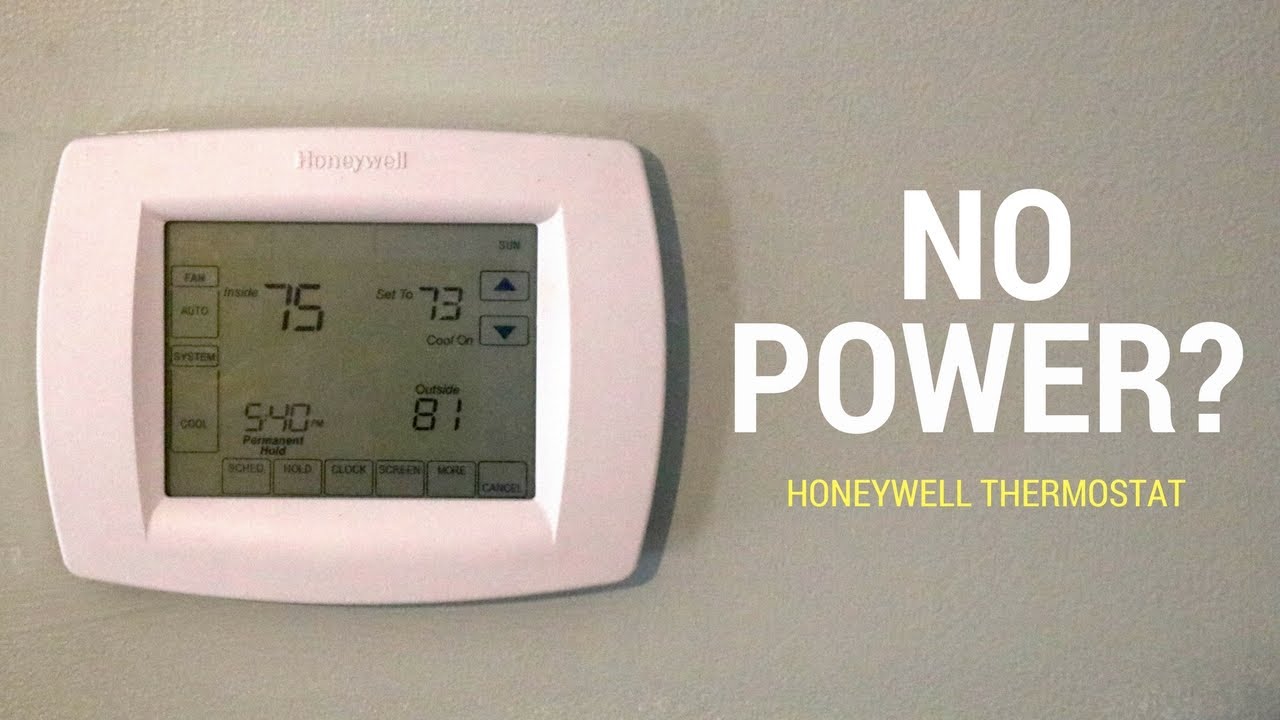
With newfound hope and a dash of self-reproach, I carefully popped open the front panel of the thermostat. And there they were: two innocent-looking AAA batteries, nestled snugly, completely drained. The irony was almost comical. All that panic, all that detective work, all that impending dread of an expensive repair, boiled down to two dollar-store batteries. We replaced them, holding our breath. And then, like a phoenix rising from the ashes of battery depletion, the screen flickered to life. The familiar green numbers glowed, the furnace hummed, and within minutes, the sweet, sweet sensation of warm air began to cascade through the vents.
The relief was palpable, almost heartwarming. We hugged, not just from the returning warmth, but from the sheer absurdity of the situation. Our high-tech comfort system, with all its smart features and programmed schedules, was brought to its knees by something as mundane as dead batteries. It was a delightful reminder that sometimes, the most sophisticated problems have the simplest solutions. Our Honeywell Pro Series Thermostat was back to its old self, silently orchestrating our home's climate, a humble guardian of comfort, now with fresh batteries and a renewed appreciation from its human companions. It taught us a valuable lesson: when faced with a "No Power" crisis, always, always check the batteries first. And maybe, just maybe, have a good laugh at yourself afterward.

