
Honeywell Pro Series Thermostat Cool On Flashing
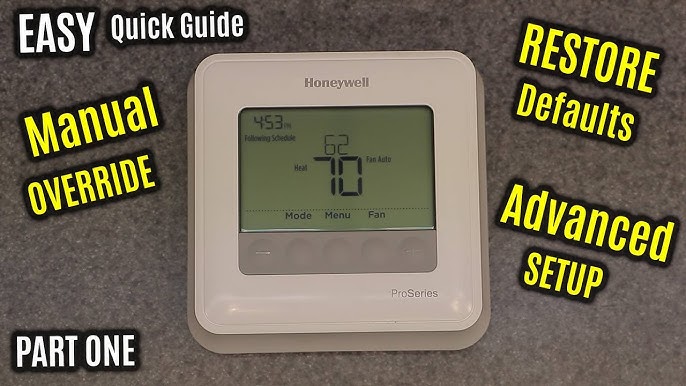
Alright, settle in, grab your imaginary coffee. We need to talk about that little electronic overlord in your hallway: your Honeywell Pro Series thermostat. Specifically, that moment of sheer, unadulterated panic when you glance at it and see "Cool On" flashing. Gulp.
It’s a scene as old as time (or, well, as old as modern thermostats). You’ve just wrestled with the kids, burnt dinner, or finally decided to tackle that mountain of laundry. All you want is a blast of cool, refreshing air, a sanctuary from the relentless sun or your own internal combustion. You march over, tap the screen, maybe crank it down a few degrees, and then... the flashing starts.
The Great Thermostat Mystery: Is It Broken? Is It Possessed?
Your mind races, doesn’t it? "Is my AC dying a slow, painful death?" "Did I just summon a tiny demon through my HVAC system?" "Is this the thermostat’s way of telling me I’ve been a bad, bad homeowner?" You’re not alone. We’ve all been there, staring at that blinking phrase like it’s a cryptic message from a disgruntled alien civilization.
Must Read
The good news? It’s almost certainly none of the above. Your thermostat isn't staging a rebellion, and it's highly unlikely it's sending Morse code to extraterrestrials about your questionable fashion choices. It's actually doing something quite sensible, even if it feels like it's mocking your need for immediate comfort.
Introducing: The Compressor Delay (Your AC's Nap Time)
The primary culprit, the reason for the flashing "Cool On," is almost always the thermostat’s built-in compressor delay protection. Think of your AC’s compressor as a massive, powerful engine. Starting it up is a big deal, and doing it too frequently or too quickly can put immense strain on it, potentially leading to costly repairs.
Imagine trying to start your car, immediately shut it off, and then instantly start it again. You wouldn’t do it, right? Your car (and certainly your mechanic) would protest! Your AC compressor is no different. It needs a little breather, a moment to decompress (pun absolutely intended), before it kicks back into action.

This clever little feature is designed to protect that expensive piece of equipment from short-cycling. It typically imposes a delay of about 5 minutes between cycles. So, when you see "Cool On" flashing, your Honeywell Pro Series thermostat is politely (or, depending on your impatience level, impolitely) telling you, "Hey, I heard you, but the compressor needs a moment. I’ll get to it, I promise!"
Why Is My Thermostat Suddenly Acting Like a Diva?
So, when might you encounter this flashing display of digital patience?
- After a Power Outage: Did the power flicker or go out completely? Your thermostat just reset, and it's playing it safe with the compressor.
- Quick Temperature Changes: You just dropped the set point by 10 degrees, or perhaps you manually turned the AC off and then back on really fast. The thermostat is saying, "Whoa there, speedy Gonzales! One thing at a time."
- During Maintenance: If someone was poking around your HVAC unit, they might have cycled the power, triggering the delay.
It's surprisingly common. In fact, many people go their entire lives without seeing it, only for it to pop up on the hottest day of the year when their patience is already as thin as a single ply of toilet paper.

So, What Do I Do? (Hint: Nothing Complicated)
This is where the grand reveal comes in, and it's probably going to be less dramatic than you'd hoped for a story involving flashing lights.
You wait.
That’s it. Seriously. Just give it about 5 minutes. Sometimes a little longer if it’s feeling particularly temperamental. Go make a sandwich, check your social media, or stare blankly at a wall (a personal favorite of mine). When you return, chances are the flashing will have stopped, and you'll hear that glorious, familiar hum of your AC compressor roaring to life.

It’s like telling a child to count to ten before running again. They don't understand why, but it prevents them from tripping over their own feet. Your thermostat is doing the same for your AC.
When To Actually Panic (Just a Little Bit)
Okay, so 99% of the time, "Cool On" flashing is just your thermostat being responsible. But what about that rogue 1%?
If the "Cool On" continues to flash for more than 5-10 minutes, and your AC unit never turns on, then it might be time to investigate further. This could indicate a legitimate issue, like a tripped breaker (check your electrical panel!), a loose wire, or a more serious problem with the AC unit itself (low refrigerant, clogged filter, or a truly failing compressor). But even then, don’t jump straight to calling the priest for an exorcism. Start with the breaker!

Did you know that the first modern air conditioning system was designed in 1902 by Willis Carrier for a printing plant in Brooklyn, not to cool people, but to control humidity for consistent paper sizes and ink alignment? Pretty cool, right? (Pun still intended).
The Verdict: Your Thermostat Is Smarter Than You Think
So, the next time you see your Honeywell Pro Series thermostat flashing "Cool On," take a deep breath. Don't envision catastrophic system failure or impending doom. Instead, picture your thermostat giving your AC compressor a gentle pat on the back, whispering, "You got this, champ. Just a little break."
It’s not a warning sign of catastrophe; it’s a sign of a smart, protective system doing its job. Now, go forth and enjoy that eventually cool air. You've earned it!