
Honeywell Pro Series Heat On Blinking

Picture this: it’s a chilly evening, you’ve just settled in with your favorite streaming show and a warm drink, and then you notice it. That little digital beacon on your Honeywell Pro Series thermostat, usually a steady glow, is now... blinking 'Heat On'. Uh-oh. Or is it? Let's take a deep breath and understand what this little dance really means for your home comfort.
Before you start consulting ancient texts or calling an exorcist for the "ghost in the machine," know this: a blinking 'Heat On' isn't always a cause for alarm. In fact, more often than not, it's your thermostat simply doing its job, albeit with a bit of a flair for the dramatic.
Decoding the Blink: What's the Story?
Think of your Honeywell thermostat as the maestro of your home’s climate orchestra. When it’s blinking 'Heat On', it's usually signaling one of two things:
Must Read
1. It's in a Delay Mode: This is the most common scenario. Your thermostat, much like a well-trained barista, knows that starting and stopping too quickly isn't good for the machinery (in this case, your furnace or heat pump). It’s designed to protect your heating system from short cycling.
2. It's Resetting or Checking: Sometimes, after a power flicker, a battery change, or even just a deep internal thought, your thermostat might blink as it powers up or runs a quick system diagnostic.
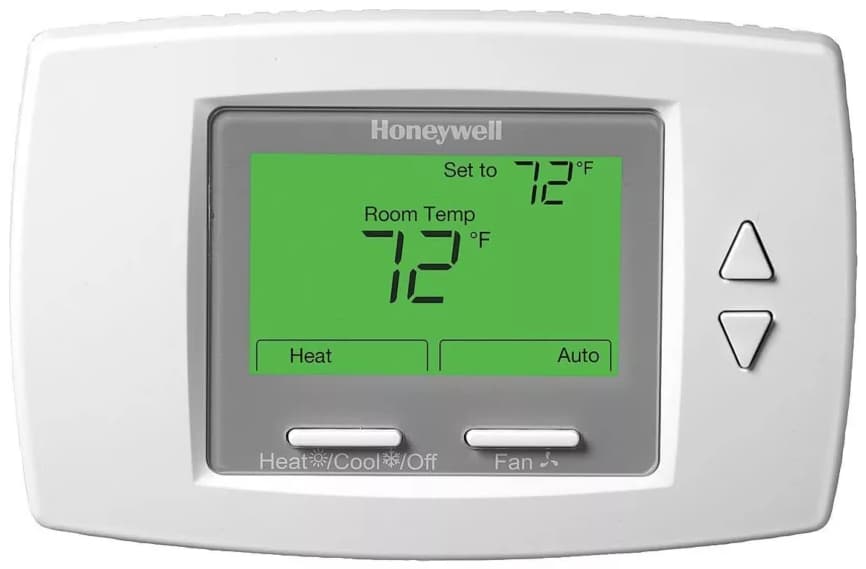
The "Why" Behind the Flicker: Smart Tech at Work
Your Honeywell Pro Series thermostat isn’t just a pretty face; it's packed with smart features designed to extend the life of your heating system and keep things running smoothly.
The Art of Patience: Short Cycle Protection
This is the big one. Your heating system (furnace, boiler, heat pump) isn't meant to switch on and off every few minutes. Doing so puts undue stress on its components, wears them out faster, and can even be less energy-efficient. To prevent this, your thermostat implements a "short cycle protection" delay. It typically waits anywhere from 3 to 5 minutes (sometimes up to 10) between calls for heat, even if the temperature drops below your setting. During this brief interlude, the 'Heat On' light often blinks. It's like your espresso machine needing a moment to warm up before delivering that perfect shot – good things take a little time!
Power Play: Resets and Reboots
Ever had your Wi-Fi router blink after a power outage? Your thermostat can be similar. A brief power interruption or even a deliberate reset (like after changing batteries) can cause the 'Heat On' indicator to blink as the system restarts and establishes communication with your heating unit. It's just getting its bearings.

Your Move: Practical Tips When the Light Blinks
Okay, so you've identified the blinking. What's next? Here are a few easy, actionable steps to take.
1. Embrace the Pause: Patience, Young Grasshopper
Seriously, wait it out. In most cases, if the light just started blinking, your thermostat is simply in its protective delay mode. Grab a snack, check your social feed, or ponder the mysteries of the universe. After 5-10 minutes, that blinking light should turn solid, and you'll hear the sweet hum of your furnace kicking in.
2. The Classic IT Crowd Fix: Turn It Off and On Again
If the blinking persists for longer than 10 minutes, or you suspect something's amiss, a gentle reset can sometimes do wonders.

- Switch your thermostat to 'Off'.
- Wait a minute or two.
- Switch it back to 'Heat'.
This can often clear minor glitches, just like restarting your computer fixes a frozen screen.
3. Peek at the Power: Check Your Breaker
Sometimes the simplest solutions are the most overlooked. Head to your electrical panel and ensure the breaker for your furnace/HVAC system hasn't tripped. It's rare, but a power surge or an overloaded circuit can cut power to your heating unit, causing the thermostat to blink indefinitely while waiting for a response.
4. A Quick Battery Check (If Applicable)
If your Honeywell Pro Series model uses batteries, low batteries can sometimes lead to erratic behavior, though usually, it would display a low battery icon. Still, it's a quick check that eliminates a variable. Fresh batteries are always a good idea for smooth operation.
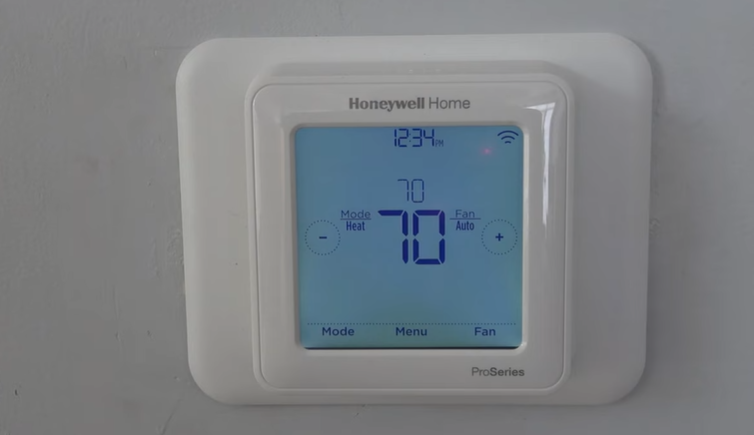
5. Consider Your Heat Pump (If You Have One)
If you have a heat pump, a blinking 'Heat On' might also indicate it's going through a defrost cycle. Heat pumps periodically melt ice off their outdoor coils, a process that can pause heating for a few minutes. It's totally normal and self-correcting.
When to Call in the Cavalry
If you've waited, reset, checked the breaker, and your 'Heat On' light is still blinking, and more importantly, there's no heat coming out, then it's time to call in the professionals. There might be a deeper issue with your furnace, a clogged filter preventing airflow, or a more complex electrical problem that requires a certified HVAC technician. Don’t hesitate to reach out to an expert; they'll get you warm and cozy in no time.
A Little Reflection on Modern Comfort
Our homes are filled with smart tech, designed to make life easier, yet sometimes these little indicators, like a blinking 'Heat On' light, remind us of the intricate systems working behind the scenes. It's a gentle nudge to practice patience, understand the mechanics, and appreciate the comfort and warmth these devices bring to our daily lives. Sometimes, the solution is as simple as a moment of calm observation.