Honeywell Home Thermostat Pro Series Reset
Okay, picture this: it’s the dead of winter, or maybe the sweltering peak of summer – you know, one of those days where your HVAC system is basically your best friend. You walk past your thermostat, maybe give it a little glance, and then… you notice something is off. The temperature displayed isn’t what you set it to. Or perhaps it’s completely blank, staring back at you with the cold, unfeeling gaze of a brick. My own little adventure started last month when my Honeywell Home Thermostat, usually a paragon of predictable climate control, decided it wanted to throw a surprise party for the ghost living in my ducts. It was heating when it should be cooling, cooling when it should be heating, and generally acting like it had consumed too much coffee and not enough common sense.
We’ve all been there with tech, haven’t we? That moment of existential dread when your usually reliable gadget starts acting like it’s possessed by a mischievous spirit. Your first thought, after cursing quietly under your breath, is probably the age-old mantra: "Have you tried turning it off and on again?" And guess what? For many a temperamental piece of electronics, including your trusty Honeywell Home Thermostat Pro Series, that's often the golden ticket. Sometimes, these smart devices just need a good old-fashioned brain dump to clear out whatever digital cobwebs are messing with their circuits.
So, you’ve got a Honeywell Pro Series thermostat that’s giving you the silent treatment, displaying cryptic error codes, or just flat-out refusing to follow your climate commands? Don't panic! Before you contemplate throwing it out the window (please don't, for the sake of your wall and your wallet!), let's talk about the magic of a reset. There are typically a couple of flavors of reset, and understanding the difference is key to bringing your home's comfort back into line.
Must Read
First things first: The Soft Reset (aka the Power Cycle)
Think of this as the digital equivalent of a quick nap for your thermostat. It’s non-destructive, meaning you won’t lose all your meticulously crafted schedules or Wi-Fi settings. This is your go-to first step for minor glitches, frozen screens, or slight behavioral oddities. It’s also surprisingly effective!
Here’s how you give your Honeywell Pro Series thermostat that much-needed power nap:

- Locate your circuit breaker panel. This is usually in your basement, garage, or a utility closet.
- Find the breaker labeled for your furnace or air handler. If it’s not clearly marked (and seriously, if it's not, now's a good time to label it!), it'll likely be one of the larger 15 or 20 amp breakers. When in doubt, you might have to flip a few, but usually, your HVAC system has its own dedicated breaker.
- Flip that breaker to the "OFF" position. You’ll notice your thermostat screen will go blank. Congratulations, you’ve just digitally sedated it!
- Wait patiently for about 1-2 minutes. This gives all the internal components a chance to fully discharge and clear any lingering data. Don't rush it!
- Flip the breaker back to the "ON" position. Your thermostat should power back on and go through its startup sequence.
Give it a few minutes, then test it out. Are things back to normal? Is it responding to your touch? If so, great! You've just saved yourself a headache (and possibly a service call). If not, well, it’s time to bring out the big guns.
When the Soft Reset Isn't Enough: The Factory Reset
Now, this is where things get a little more serious. A factory reset is like giving your thermostat a complete brain wipe. It’ll revert to its original, out-of-the-box settings. This means all your schedules, temperature preferences, Wi-Fi connections, and any custom settings will be erased. So, make sure you have your desired settings handy, or be prepared to re-enter them.
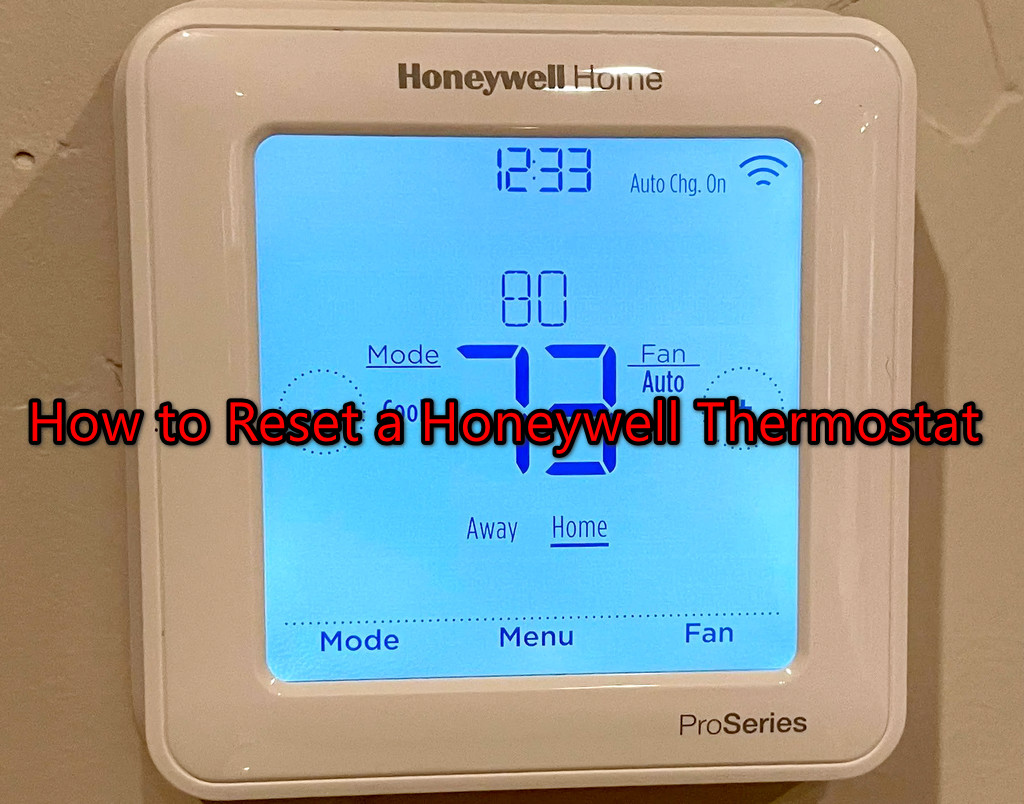
The exact steps can vary slightly depending on your specific Honeywell Pro Series model (e.g., T4, T6, T9, T10, etc.), but the general approach involves accessing the "Installer Setup" (ISU) menu. Don't worry, it sounds more intimidating than it is!
Here's a generalized guide for most Honeywell Home Pro Series thermostats:
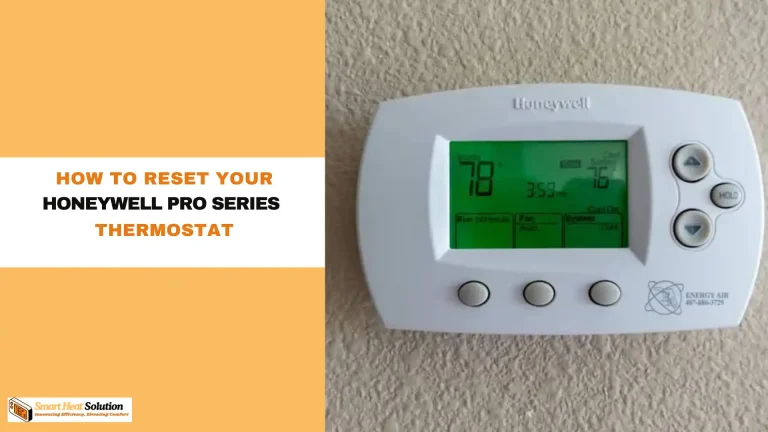
- Access the Menu: On most Pro Series models, you’ll need to press and hold the MENU button (sometimes it's a SYSTEM or FAN button, so check your manual if you're unsure) for about 3-5 seconds until the menu changes. You're looking for something that indicates advanced settings or an "Installer Setup."
- Navigate to Installer Setup (ISU): Once in the main menu, look for an option like "Installer Setup," "ISU," or "Advanced Settings." You might have to use the up/down arrows or next/back buttons to scroll through options.
- Find the Reset Option: This is the tricky part, as the exact ISU code or menu item for a factory reset can vary.
- Common ISU Codes: Some models use specific ISU codes for a factory reset, such as ISU 390 or ISU 500. If you see a numerical code system, try navigating to these.
- Menu Item: Other models might have a clear "Reset" or "Factory Reset" option listed within the ISU menu. Scroll through until you find it.
- Confirm the Reset: Once you've found the reset option, the thermostat will usually ask you to confirm. Select "Yes" or "Confirm."
And just like that, poof! Your thermostat is now a blank slate, just waiting for you to tell it what to do. You’ll need to go through the initial setup process again, including connecting to Wi-Fi (if it’s a smart model) and programming your schedules. It’s a bit of a chore, I know, but think of it as a fresh start, a chance to optimize your settings even better than before!
When All Else Fails (or You Just Don't Want to Deal)
If you've tried both the soft and factory resets and your Honeywell Pro Series thermostat is still acting up, or if you're just not comfortable diving into installer menus (totally fair!), then it might be time to call in the professionals. There could be an underlying wiring issue, a sensor problem, or a fault with the thermostat itself that no amount of resetting will fix.
But hey, chances are, one of these resets will solve your problem. It's incredibly satisfying to troubleshoot and fix something yourself, isn't it? So next time your Honeywell Pro Series thermostat starts having an identity crisis, you'll know exactly how to give it the digital equivalent of a good talking-to. Go forth and conquer your climate control!