Honeywell Home Pro Series Thermostat Blank Screen
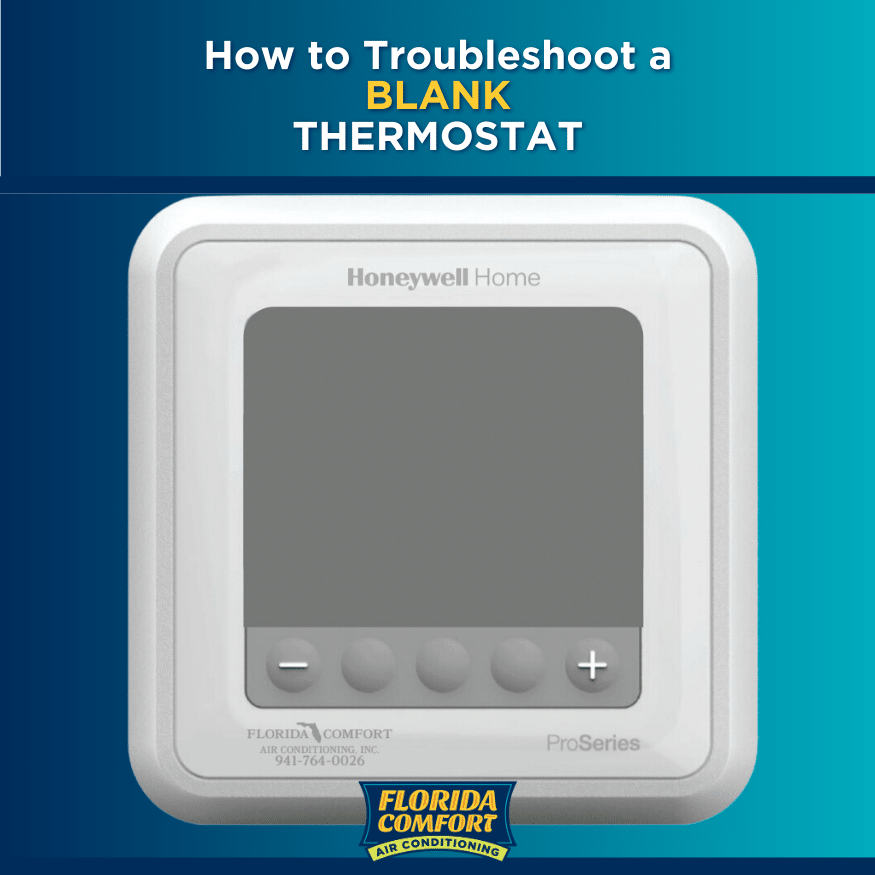
Imagine this: you stroll past your trusty Honeywell Home Pro Series Thermostat, ready to tweak the temperature just so, and... nothing. Zilch. Nada. A vast, intimidating, utterly blank screen stares back at you. It’s like your coffee machine decided to stop making coffee, or your favorite streaming service suddenly showed a '404 error' instead of your binge-worthy show. Your heart does a little flop, doesn't it? One minute it’s diligently humming along, keeping your casa cozy, the next it’s gone full mime, refusing to communicate. Don't worry, future home hero! Before you start sketching out plans for a blanket fort in your living room, let's take a deep breath.
The Great Blank Screen Mystery: Don't Panic!
It's like your favorite gadget suddenly decided to take an unscheduled siesta. But here’s the secret: a blank screen on your Honeywell Home Pro Series Thermostat is often just a dramatic cry for a little TLC, not a sign of impending doom. It's a common little quirk, and more often than not, the fix is easier than deciding what to watch on streaming tonight. Think of it less as a crisis and more as a fun, mini-mystery, and you, my friend, are the star detective, ready to solve the case of the missing display!
Step 1: The Power Play – Is it Plugged In (or juiced up)?
Just like your TV remote running on fumes, sometimes your thermostat just needs a little jolt of energy. This is usually the first, most satisfying 'aha!' moment.
Must Read
-
The Battery Brigade: First things first, if your specific Honeywell Home Pro Series Thermostat model uses batteries (many do!), then this is your golden ticket. It's shockingly easy to forget these little powerhouses need replacing. They work tirelessly, powering that brilliant display, until one day they just... don't. Pop open the cover (usually a gentle tug or slide, check your manual if you're feeling shy!), and check for two (or sometimes three) fresh AA or AAA batteries. Swap them out, even if you think they're fine. It's the equivalent of giving your thermostat a fresh cup of coffee after a long night, or maybe a super-powered energy drink!
-
The Big Switcheroo (Circuit Breaker): This is the heavyweight champion of blank screen fixes, often overlooked, yet so powerful! Your Honeywell Home Pro Series Thermostat, bless its digital heart, gets its main power from your home's electrical system. Sometimes, for a myriad of reasons – a tiny power flicker, an unexpected overload, or just because it felt like a Tuesday – the circuit breaker protecting your entire HVAC system might have decided to take a little trip. Head to your electrical panel (usually a grey metal box chilling in your basement, garage, or a utility closet). Locate the breaker labeled for your 'furnace,' 'air handler,' or 'HVAC' – it might even just say 'A/C.' It could be in an 'off' position or halfway between 'on' and 'off,' looking a bit forlorn. The magic trick? Simply flip it completely off, wait a few dramatic seconds (for suspense!), then flip it firmly back to the 'on' position. You might hear a little hum from your system as power surges back, and hopefully, your Honeywell Home Pro Series Thermostat screen will light up like a Christmas tree! It's like giving your entire heating and cooling system a big, encouraging hug and reminding it, 'Hey, you're awesome!'

Honeywell Pro Series Thermostat Temporary Permanent Hold, 54% OFF
Safety First! Always be cautious around your electrical panel. If you’re unsure about flipping breakers, please call a professional. We want you warm, not sparky!
Step 2: The Ol' Reboot – Turn it Off and On Again!
Ah, the classic IT wisdom: 'Have you tried turning it off and on again?' It applies beautifully to your Honeywell Home Pro Series Thermostat! If the battery swap and circuit breaker check didn't bring your screen back to life, sometimes a simple reset is all it needs. Think of it like when your smartphone acts grumpy, and a quick restart makes everything sunshine and rainbows again. Many Honeywell models have a small, almost secret, reset button (sometimes a tiny pinhole requiring a paperclip – true secret agent stuff!), or you can often simulate a reset by temporarily disconnecting it from its base plate. Gently pull the thermostat unit straight away from the wall-mounted plate (check your specific Honeywell Home Pro Series Thermostat manual if you’re nervous – but it's usually just a couple of spring-loaded clips). Wait about 30 seconds, letting it ponder its existence without power, then snap it back into place. This can often clear any minor glitches or software hiccups that caused the blank screen to appear, bringing it back to life with a fresh perspective!
Step 3: A Peek Behind the Curtain (Carefully, Please!)
If our detective work hasn't yielded results yet, it might be time for a quick, cautious look at the wiring. Only do this if you feel comfortable and remember to cut power to your HVAC system first at the circuit breaker! With the thermostat removed from its wall plate, glance at the wires connected to the terminals. Are they all securely fastened? None appear loose, frayed, or disconnected? Sometimes, a tiny jostle or vibration can loosen a connection, leading to a blank screen. If anything looks amiss, gently push the wires back into their terminals. But seriously, if this makes you nervous, skip straight to the next step!
When to Call in the Pros (The Thermostat Whisperers)
You've tried the power play, mastered the reboot, and even bravely peeked behind the curtain. If your Honeywell Home Pro Series Thermostat screen is still stubbornly blank, it's time to call in the cavalry. This isn't a defeat; it's smart strategy! You've done your due diligence, and now it's time for the experts – the HVAC technicians who speak fluent thermostat. They have special diagnostic tools and the know-how to identify deeper issues, like a faulty transformer, a wiring problem within your HVAC system, or even a thermostat that's simply decided to retire early. They'll have your Honeywell up and running faster than you can say 'comfort zone'!
You're a Home Hero!
See? That wasn't so scary, was it? Whether you fixed it yourself with a quick battery swap or wisely called in a pro, you tackled the blank screen monster head-on! You've become intimately acquainted with your home's comfort command center, and that's something to celebrate. So go ahead, adjust that temperature, luxuriate in your perfectly climate-controlled abode, and give yourself a well-deserved pat on the back. You, my friend, are truly the master of your domain!