Why Is My Thermostat Blinking Cool On

Ah, the thermostat! That unassuming little box on your wall, often overlooked until the moment your home is either a sauna or an igloo. It's the unsung hero of domestic bliss, the quiet conductor of your indoor climate orchestra. We all crave that perfect temperature, that feeling of stepping inside after a long day and instantly feeling a wave of comfort wash over us. That’s the magic of a well-behaved thermostat – it grants us the power to tame the elements, making our homes the personal sanctuaries we deserve.
The true benefit of this marvelous invention extends far beyond mere convenience. Your thermostat is the brain behind your home’s heating, ventilation, and air conditioning (HVAC) system. It’s responsible for maintaining your comfort, protecting your pipes from freezing in winter, and perhaps most importantly, helping you manage your energy efficiency. By precisely regulating when your system kicks on and off, it prevents unnecessary power consumption, saving you money and contributing to a greener planet. It's not just about feeling good; it's about smart living.
You find these intelligent devices everywhere, from the simplest dial models in an older apartment to the sleek, smart thermostats dominating modern homes and offices. Programmable versions allow you to set schedules that align with your daily routine, cooling down before you arrive home from work or warming up before you wake up. Newer smart thermostats even learn your preferences, integrate with voice assistants, and can be controlled from your phone, giving you unprecedented control over your environment no matter where you are.
Must Read
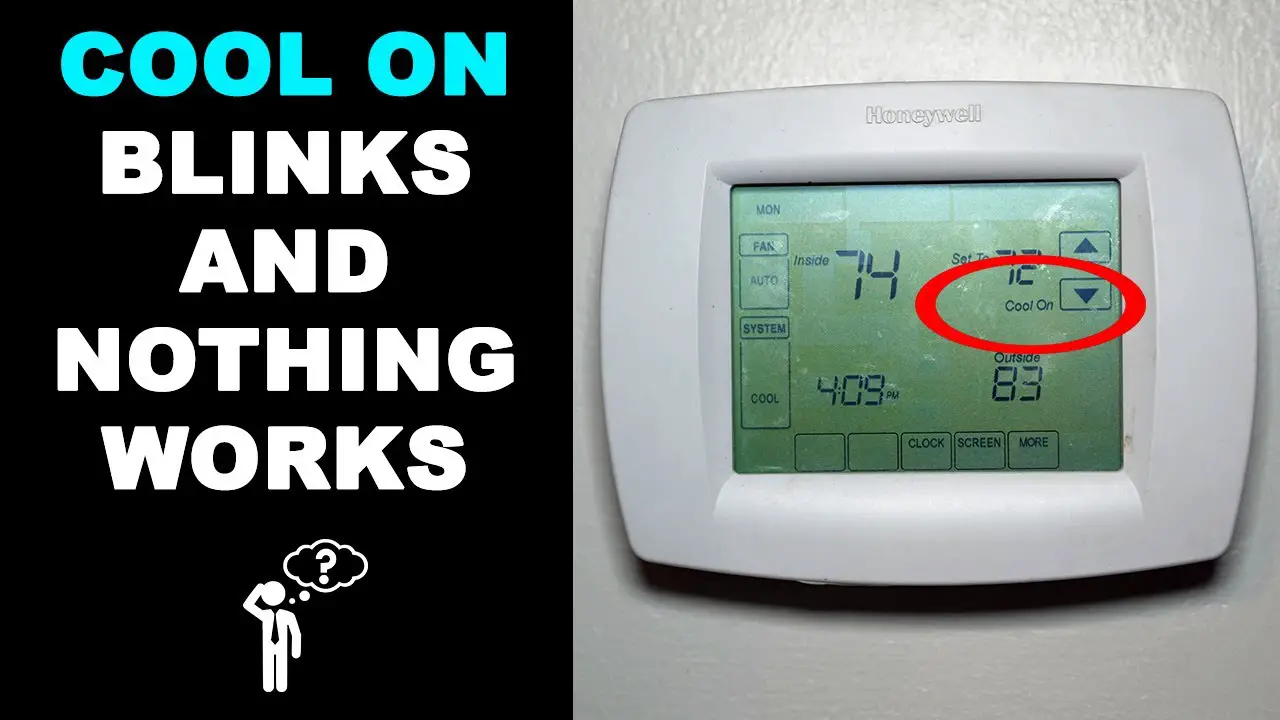
Now, let's tackle a common head-scratcher that can send a shiver down even the most seasoned homeowner’s spine: "Why is my thermostat blinking 'Cool On'?" You’ve cranked the AC, waited patiently, and instead of a blast of refreshing air, you just see that persistent, often amber, blinking light. Don’t panic! In most cases, this blinking is your thermostat performing a perfectly normal, and incredibly important, function.

This blink usually indicates a built-in safety delay, often referred to as a "short cycle delay." Your AC compressor, the heart of your cooling system, needs a few minutes of rest between cycles to prevent damage. If your power flickers, or if you rapidly change the temperature settings, the thermostat initiates this delay – typically 3 to 5 minutes – to protect the compressor from short cycling, which can drastically reduce its lifespan. Think of it as your HVAC system taking a deep breath before getting back to work. During this time, the "Cool On" light blinks, reassuring you that it has received your command and is simply waiting for the optimal moment to execute it.
So, how can you enjoy your thermostat more effectively and avoid unnecessary worries? First, cultivate patience. If you see that blinking "Cool On," give it a few minutes. It's usually a temporary state. Second, embrace smarter programming. Setting schedules prevents sudden, drastic temperature changes that might trigger the delay. Third, don't forget the basics: regularly change your air filter! A dirty filter makes your system work harder and can even cause issues that mimic a problem. Finally, understand your fan settings: "Auto" runs the fan only when heating or cooling, while "On" runs it continuously. If the blinking persists for longer than 10 minutes without any cold air, or if you have other unusual symptoms, then it might be time to call a qualified HVAC professional. But for most instances, that blinking light is just your thermostat diligently doing its job, ensuring your home stays cool and your system stays healthy.

![Why is My Honeywell Thermostat Flashing “Cool On”? [7 Easy Fixes] - www](https://www.mechstudies.com/wp-content/uploads/2023/09/honeywell-thermostat-flashing-cool-on-how-fix-troubleshoot-768x424.jpg)