
Typeerror: Set Object Is Not Subscriptable
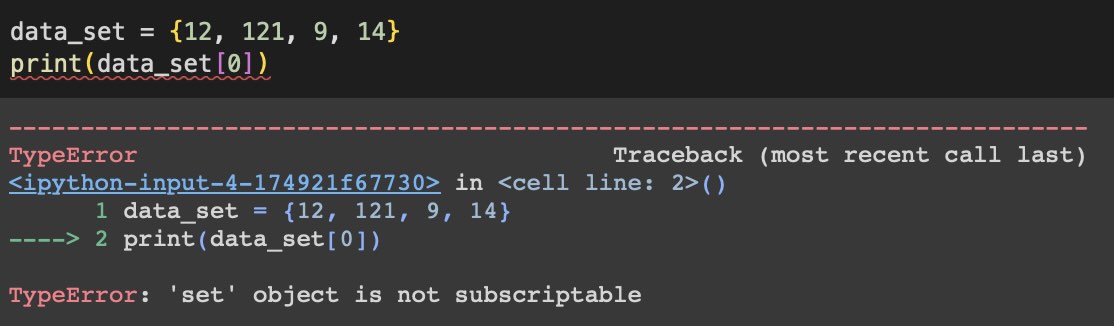
Hey there, fellow coder! Ever been happily typing away, feeling like a digital wizard, only to be smacked in the face by a cryptic error message? If you've stumbled upon the dreaded "TypeError: 'set' object is not subscriptable," you're definitely not alone. Trust me, we've all been there. But don't fret! This isn't some insurmountable coding Everest. In fact, once you understand what's going on, it's actually quite simple to fix. And hey, debugging is just problem-solving with a fancy keyboard, right?
Understanding the Culprit: Sets and Subscripting
Okay, so what exactly is this "set" thing that's causing so much trouble? In Python, a set is an unordered collection of unique elements. Think of it like a bag of marbles where no two marbles are the same color, and the order you put them in doesn't matter. Got it? Good!
Now, what about subscripting? Subscripting is just a fancy way of saying "accessing an element by its index." Remember lists? You can grab the third element of a list called my_list by using my_list[2] (because Python is zero-indexed, naturally!). That's subscripting in action.
Must Read
So, the error message is telling you that you're trying to use subscripting (square brackets and an index number) on a set. And the reason that's a problem is that sets are, as we established, unordered. Since the elements are not ordered, there are no index numbers to assign to an element. You cannot ask a set to return you the element at the position 2 because set doesn't know what position 2 even means!
Essentially, you're asking the set to do something it's simply not designed to do. It's like trying to use a hammer to screw in a lightbulb. (Okay, maybe not that crazy, but you get the idea!).
Why This Happens (And How to Avoid It)
So, how do you accidentally end up trying to subscript a set? Here are a few common scenarios:
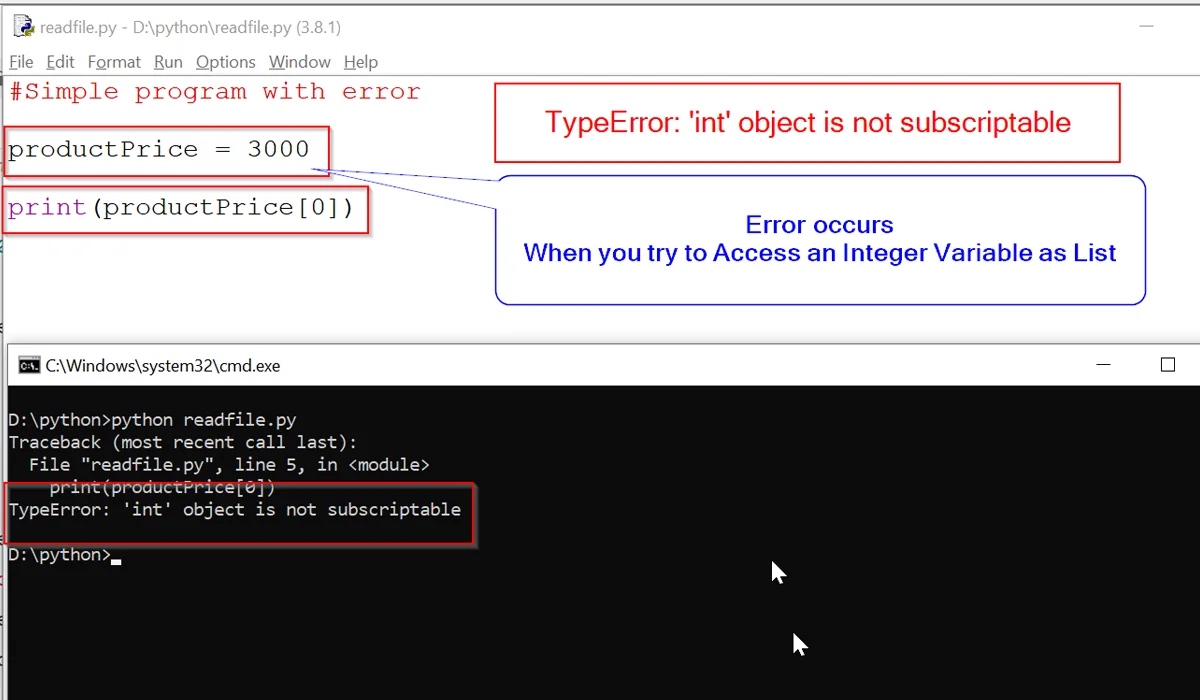
- Mistaking a set for a list or tuple: This is probably the most common culprit. You might have thought you were working with a list and inadvertently created a set. Double-check your variable assignments!
- Unintentionally converting to a set: Sometimes, functions or operations can unexpectedly return a set when you were expecting something else. Keep an eye on the return values of your functions.
- Just plain ol' typos: Hey, it happens! A misplaced curly brace
{}instead of square brackets[]can turn a list comprehension into a set comprehension in the blink of an eye.
The Fixes: Making Your Code Sing Again
Alright, enough with the doom and gloom. Let's talk solutions! Here are a few ways to tackle that "TypeError: 'set' object is not subscriptable" error:
- Convert to a list: If you really need to access elements by index, the easiest fix is often to convert the set to a list using
list(my_set). Just remember that the order of elements in the resulting list might not be predictable. Caveat emptor! - Use a different data structure: If you need ordered, unique elements, consider using a tuple.
- Iterate instead of subscripting: If you just need to process each element in the set, a simple
forloop is your friend. For examplefor element in my_set: print(element) - Double-check your logic: Sometimes, the error is a symptom of a larger problem in your code. Take a step back and make sure you're using the right data structures for the task at hand.
Example:
![Typeerror: set object is not subscriptable [SOLVED]](https://itsourcecode.com/wp-content/uploads/2023/04/Typeerror-set-object-is-not-subscriptable-1024x631.png)
my_set = {1, 2, 3}
# This will cause an error:
# print(my_set[0])

# Solution: Convert to a list
my_list = list(my_set)
print(my_list[0]) # Output: 1 (maybe, order can be different)
Important! When converting a set to a list, keep in mind that the order of the elements might not be the same as when the elements were added. Sets are inherently unordered!
The Joy of Debugging
See? That wasn't so scary, was it? Debugging is just a process of elimination, and every error you fix makes you a better, more resilient coder. Think of each error message as a clue, a breadcrumb leading you to a deeper understanding of your code and the Python language itself.
So, the next time you see "TypeError: 'set' object is not subscriptable," don't panic! Take a deep breath, remember what you've learned here, and embrace the challenge. You've got this!
The Takeaway: Learning to handle these errors isn't just about fixing bugs; it's about mastering the fundamentals of Python data structures. By understanding the difference between lists, sets, and tuples, you'll be able to write more efficient, elegant, and error-free code. And that, my friend, is a superpower worth having!
Go forth and code! The world needs your brilliance!
