
Replaced Fire Alarm Battery Still Beeping
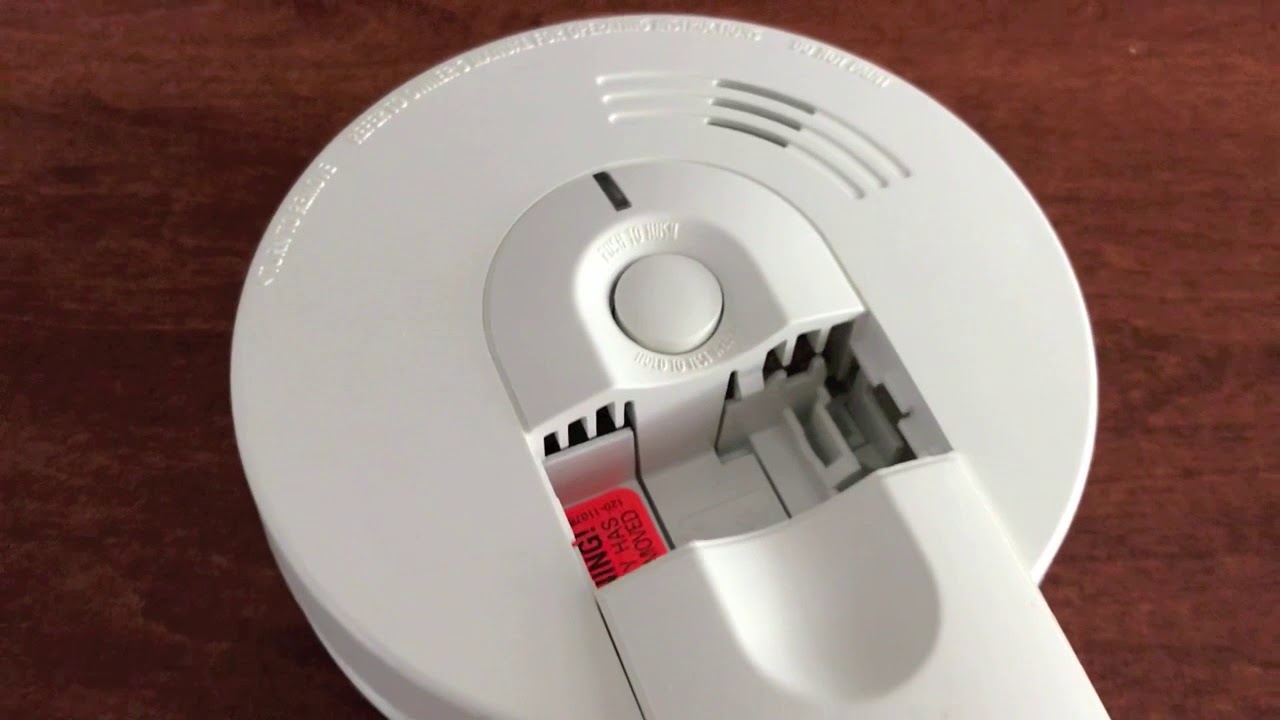
Imagine this: you're chilling, maybe binging your favorite show, when BAM! That infernal "chirp" pierces the peace. Your smoke detector, that ever-vigilant sentinel, is screaming for a new battery. "No problem," you think, "I'm a responsible adult!" You leap into action, swap out the old battery for a shiny new one, feeling like a domestic hero... only for the chirp to return. A tiny, defiant chirp. What the actual heck?!
Yup, you're not alone. We've all been there. It’s like your smoke alarm is gaslighting you, making you question your sanity and battery-swapping skills. But before you declare war on your ceiling, let's unpack this mystery together. It's probably not you; it's them. (The alarms, that is. They can be a bit dramatic!)
Why is it Still Beeping? (The Plot Thickens!)
So, you’ve given it fresh juice, a veritable energy drink for its little electronic heart, and it's still complaining. What gives? Well, these clever little gadgets aren't just simple on/off switches. They often have an internal capacitor that stores a residual charge, kind of like a tiny, stubborn memory. Even with a new battery, that lingering charge can make it think it's still low, or stuck in a warning state. Annoying, right? It's like it needs a full system reboot, not just a battery swap.
Must Read
The Great Reset: Your First Line of Defense
Okay, deep breaths. Your first move in this beeping battle is often the simplest: a good old-fashioned reset. Most fire alarms have a test/hush button right on the front. Press and hold that button down for about 15-20 seconds. Yeah, really hold it. Don't just tap it like you're politely knocking on a door; you need to tell it who's boss!
This long press should drain that stubborn internal capacitor, clearing its memory and letting it know, "Hey, new battery! All good here!" Release the button, and cross your fingers (and toes!).

For the Wired Wonders: A Breaker Box Brouhaha
If your alarm is hardwired into your home's electrical system (meaning it gets power directly from your house, with a battery as a backup), things get a little more... electrifying. For these guys, a simple battery swap and button press might not be enough. You might need to power cycle it.
Here's the drill:
- First, replace the battery.
- Then, head to your electrical panel (the breaker box).
- Flip the breaker that controls your smoke alarms to the "off" position. This usually means all your smoke alarms will go silent. (If you're not sure which one, you might have to temporarily turn off the main power, but always be careful and consult someone if unsure!)
- Wait a good minute or two. Let it truly, completely power down.
- Flip the breaker back on.
This process gives the hardwired alarm a full, proper reboot, like turning your computer off and on again when it's acting funky. Just remember, safety first when messing with electricity!

The Age-Old Truth: Is It Just... Old?
Here’s a hard truth, my friend: fire alarms don't last forever. They have a lifespan, usually around 10 years. Yup, even if they look perfectly fine and you're a champion battery swapper, their internal components can degrade over time, making them less effective and more prone to false alarms or mysterious beeps.
If your alarm is celebrating its 10th birthday (or even looking a bit dusty and forgotten), it might be time for a respectful retirement. Check the back of the unit; there's usually a "manufacture date" or "replace by" date printed right there. If it's passed its prime, a new alarm is the safest and most effective solution. Think of it as an upgrade!

Dust Bunnies and Their Beeping Buddies
Sometimes, the culprit isn't a dead battery or an old alarm, but just... gunk. Dust, cobwebs, or even tiny insects can interfere with the sensor inside your smoke detector, causing it to chirp erratically. It's like a tiny, annoying sneeze.
Give your alarm a gentle clean. A quick vacuum with a soft brush attachment or a blast of compressed air (from a safe distance!) can sometimes work wonders. Just be gentle; we're cleaning, not performing an exorcism!
The Interconnected Impasse: One Beeps, They All Beep!
Do you have multiple smoke detectors in your home? Are they possibly connected, meaning if one detects smoke, they all start yelling? This is awesome for safety, but can be a nightmare for troubleshooting a rogue chirp. You might be hearing a chirp from Alarm A, but you're actually looking at Alarm B!

Try to pinpoint the exact alarm that's making the noise. Walk around, cup your hand around each one to see which sound gets muffled. Once you've found the true culprit, apply the reset, battery change, or power cycle steps specifically to that unit.
Wrapping It Up With a Smile
So, there you have it! The mysterious case of the still-beeping-fire-alarm is usually less about a poltergeist and more about a stubborn capacitor, an aging sensor, or a bit of dust. It's a common household quirk that many of us face, and now you're armed with the knowledge to tackle it like a pro.
Remember, your fire alarm is there to protect you and your loved ones, even when it's being a little diva. Taking the time to understand and properly maintain these devices is a testament to your super-heroic adulting skills. You've got this! Now go forth, enjoy the silence, and give yourself a well-deserved pat on the back for keeping your home safe and sound. You deserve it!