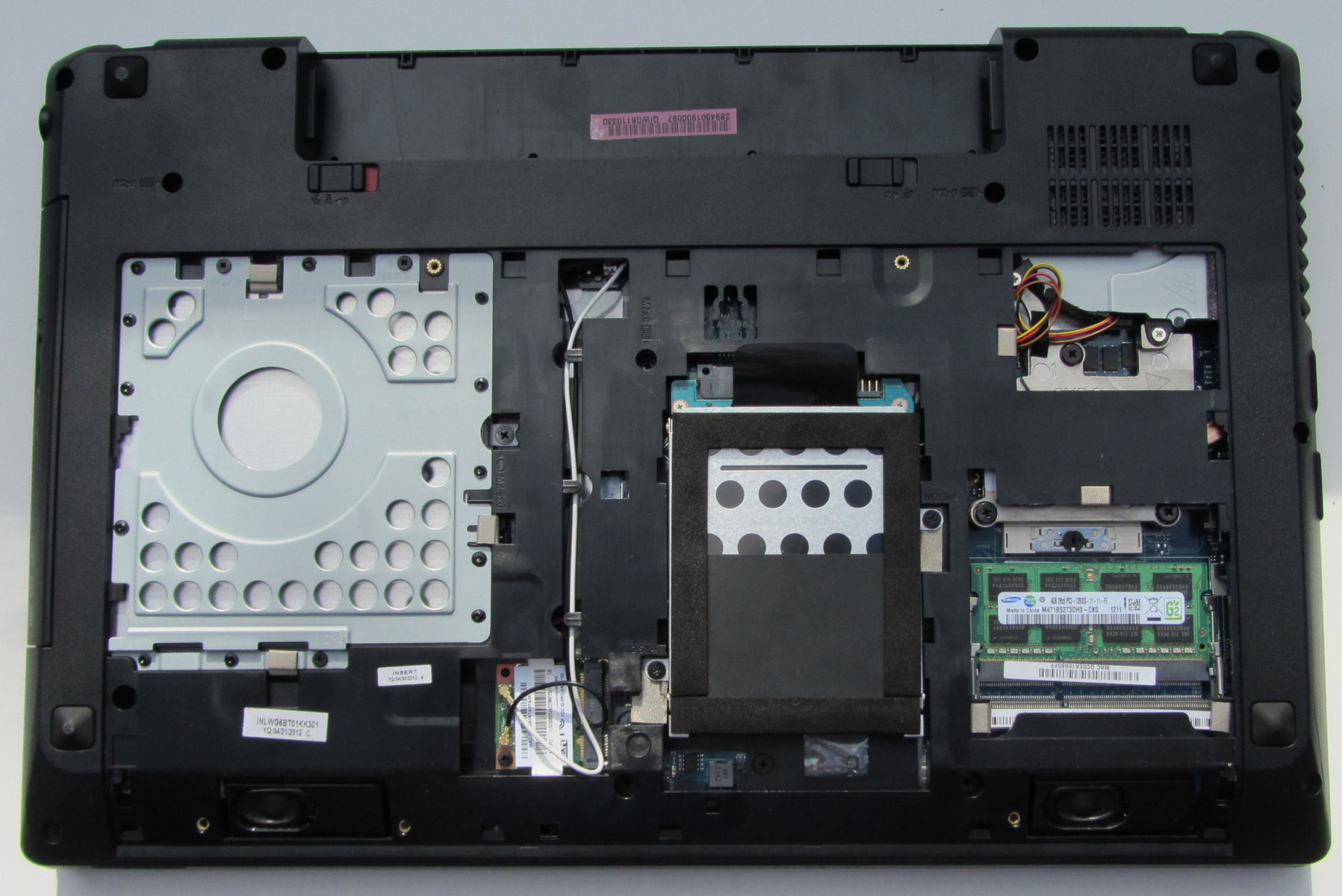
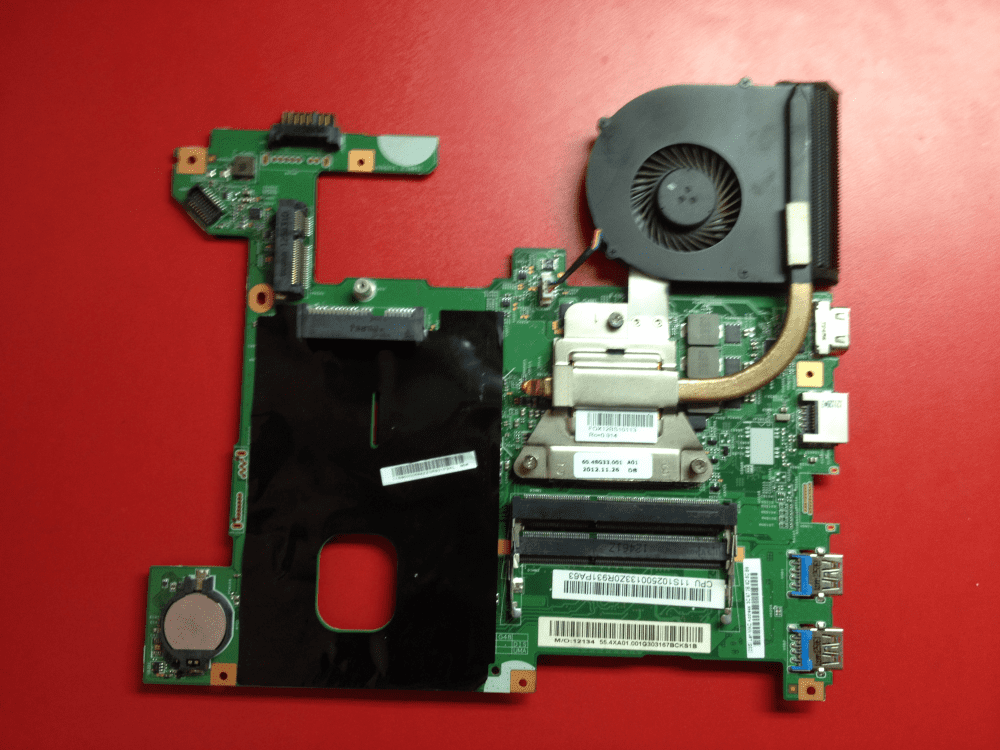
Lenovo G580 Model 20157 Cpu Upgrade

Alright, so you're thinking about souping up that trusty Lenovo G580 (model 20157, specifically, we're fancy like that!) with a new CPU, huh? Good for you! It's like giving your laptop a shot of espresso... or maybe a whole pot, depending on how big you go. But is it even possible? And more importantly, is it a good idea?
Let's dive in, shall we? Grab your metaphorical wrench (or screwdriver, if you're actually planning this now!) and let's get our hands dirty. Don’t worry, it’s not as scary as it sounds, promise!
The Big Question: Can You Even Do It?
This is the million-dollar question, isn't it? Well, kinda. It’s more like a fifty-dollar question, because that’s about what a decent used CPU might cost you these days. The answer? It's a maybe. A strong maybe, leaning towards yes, but always check your specific model, yeah?
Must Read
See, the Lenovo G580 (20157) came with a few different CPU options. Usually, it's rocking something like an Intel Pentium, a Core i3, or maybe even a Core i5 of the 3rd generation (Ivy Bridge). The good news is, all those chips use the same socket – the Socket G2 (also known as rPGA988B). This means you could potentially upgrade to a beefier 3rd-gen Core i7. Think of it like swapping out car parts – as long as the bolt pattern is the same, you're generally golden!
Important! Make absolutely sure you're sticking to 3rd-gen Intel CPUs. Trying to cram in a newer, shinier 8th-gen CPU is just going to end in tears (and possibly a fried motherboard). Don't be that person.
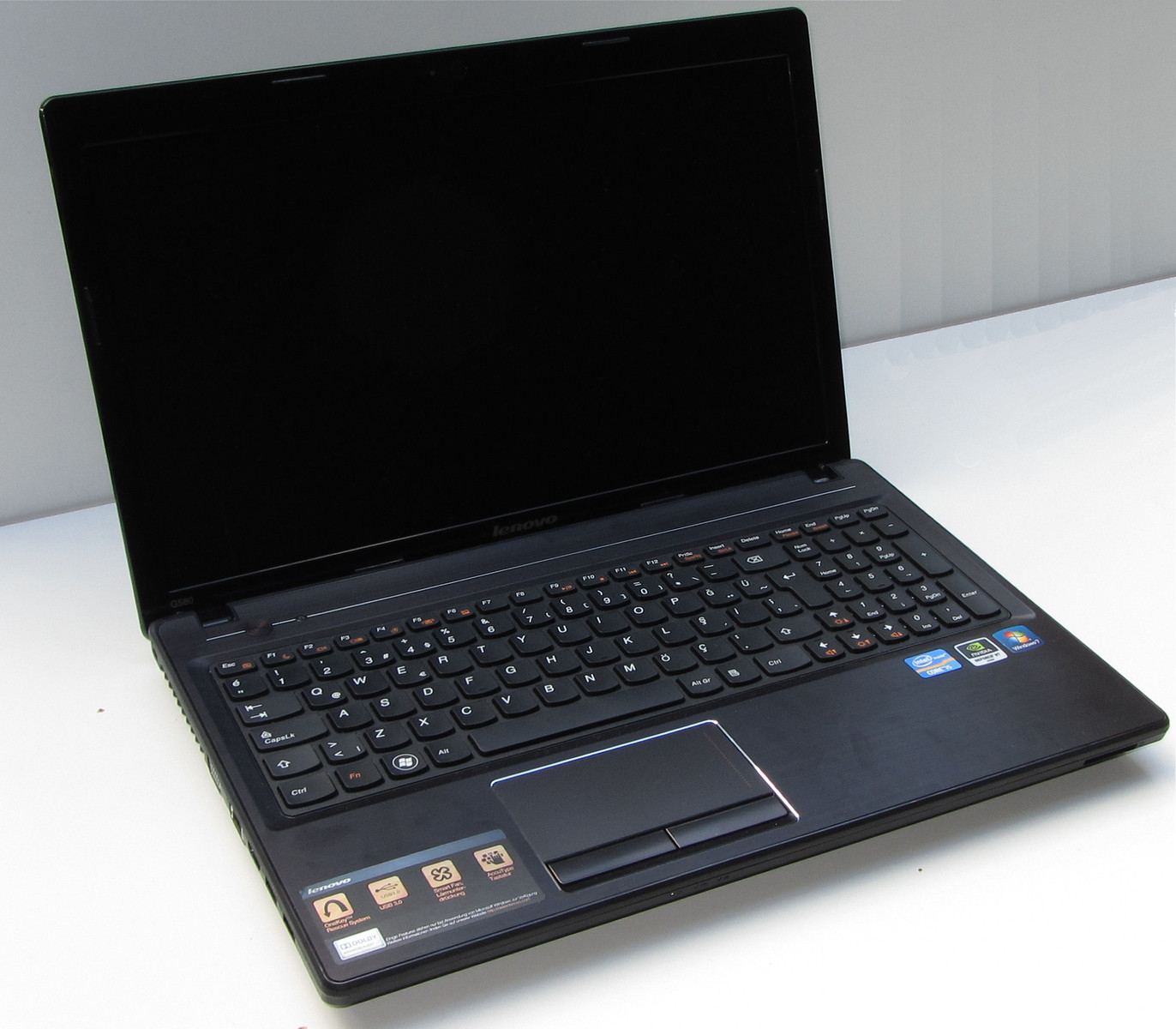
Things to Consider Before You Go Wild
Okay, so technically you can probably do it. But should you? That’s a whole different kettle of fish. There are a few things you really need to consider:
- Thermal Paste: Seriously, don't skip this. It's like the glue that holds the performance together (figuratively, of course). Get some good thermal paste. Arctic MX-4 is usually a solid choice.
- Cooling: Can your laptop's cooling system handle the extra heat? A more powerful CPU generates more heat, and your laptop's cooling solution might not be up to the task. Overheating can lead to performance throttling (which defeats the whole purpose!) or even damage. Consider a good cleaning and maybe even replacing the thermal paste on the heatsink itself before the upgrade.
- BIOS Support: This is a biggie. Will your BIOS even recognize the new CPU? Some older BIOS versions might not support all CPUs, even if they use the same socket. You might need to flash your BIOS to the latest version before you even think about swapping CPUs. Warning! Flashing your BIOS is risky. Do your research and follow the instructions carefully, or you could brick your laptop. Yikes!
- Power Supply: The power supply needs to provide enough juice for the new CPU. While most G580 models had fairly standard power supplies, it's worth checking the specs of your current power brick. The wattage should be enough to handle the new CPU's TDP (Thermal Design Power).
- Is it worth it?: Honestly, think about what you're trying to achieve. Are you just trying to squeeze a little more life out of an old laptop, or are you expecting to turn it into a gaming rig? A CPU upgrade will provide some performance boost, especially in CPU-intensive tasks like video editing or running virtual machines. But it won't magically transform your laptop into a powerhouse.
So, Should You Do It?
That, my friend, is entirely up to you! If you're comfortable working with computer hardware, you're willing to do your research, and you understand the risks involved, then go for it! It can be a fun and rewarding project. But if you're not comfortable with any of those things, it might be better to just buy a new laptop. (Sorry, hardware-loving friend, it has to be said.)
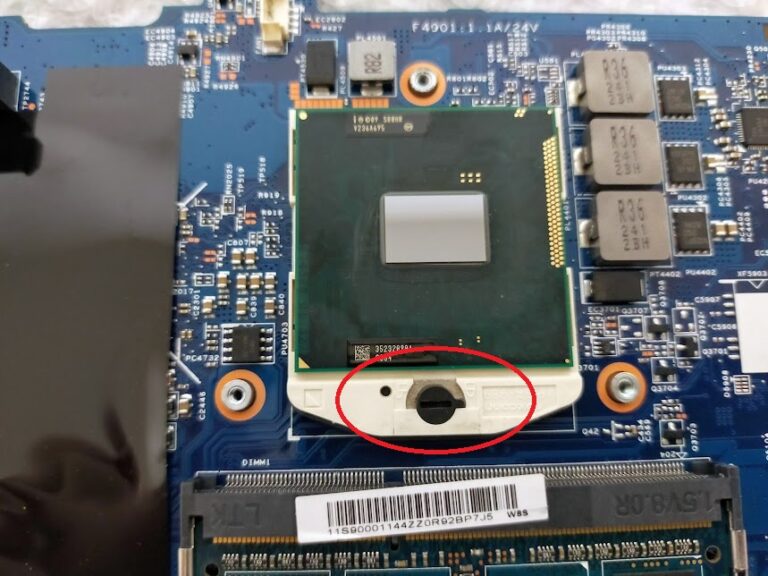
Just remember to be careful, take your time, and don't be afraid to ask for help if you get stuck. There are plenty of resources online, including forums and YouTube videos, that can guide you through the process.
And hey, if you do decide to go for it, let me know how it goes! I'm always up for hearing about a successful (or even not-so-successful) tech adventure!
Good luck and happy upgrading!