
How To Use Johnson Controls Thermostat

Alright, let’s be honest. We’ve all been there. You walk into a room, feel a slight chill (or a sudden sauna-like blast), and zero in on the thermostat. It sits there, usually on the wall, looking all important and slightly intimidating. And if it’s a Johnson Controls model, with its sleek design and perhaps a few more buttons than your grandma’s rotary phone, it can feel like you need a pilot's license just to adjust the temperature.
But guess what? It’s not a spaceship control panel. It’s more like a really fancy, well-behaved remote control for your home’s climate. And once you get past the initial "what-even-is-this-thing?" stage, you'll realize it's actually pretty user-friendly. We're going to demystify it, one friendly button press at a time.
The Big Three: Mode, Fan, and the Up/Down Arrows
Think of these as your core team, your comfort Avengers. They do most of the heavy lifting.
Must Read
1. The Mode Button: Your Climate Command Center
This button is like your wardrobe for the house. You wouldn't wear a parka in July, right? So, you tell your house what season it is.
- Cool: Ah, sweet relief! This is for summer, or when your teenager has invited too many friends over and the body heat is getting oppressive. The AC kicks in, bringing the temp down.
- Heat: Brrr! When the leaves are falling and your toes are tingling, switch to Heat. Your furnace will purr to life, warming things up.
- Off: If you're going on vacation, opening all the windows on a perfect spring day, or just trying to save a few bucks, this is your guy. Everything takes a nap.
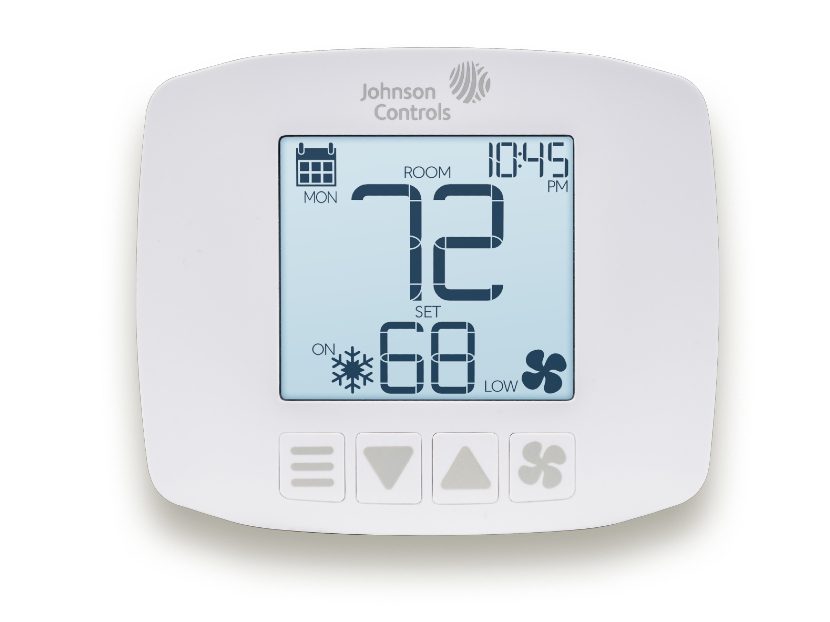
- Auto: This is the clever chameleon. In Auto mode, your thermostat will automatically switch between heating and cooling to keep your home within your set comfort zone. It's like having a tiny, very dedicated butler for your indoor climate. Pretty neat, right?
Just tap the Mode button until you see the desired setting pop up on the screen. Easy peasy.

2. The Fan Button: Your Personal Air Circulator
The fan button has two main settings, and they're pretty straightforward.
- Auto: This is the default, and honestly, the most common. In Auto, the fan only runs when your system is actively heating or cooling. It's efficient, quiet when it needs to be, and doesn't waste energy circulating air that isn't being conditioned. Think of it as the responsible adult.
- On: If you select On, your fan will run continuously, whether your system is heating or cooling or not. Why would you do this? Maybe you want to constantly circulate air, reduce stuffiness, or filter the air more frequently. Just remember, it uses a bit more electricity and can be a bit noisier. It's like having that enthusiastic friend who just has to keep talking.
Most of the time, you'll want to leave this on Auto. It's the set-it-and-forget-it option.
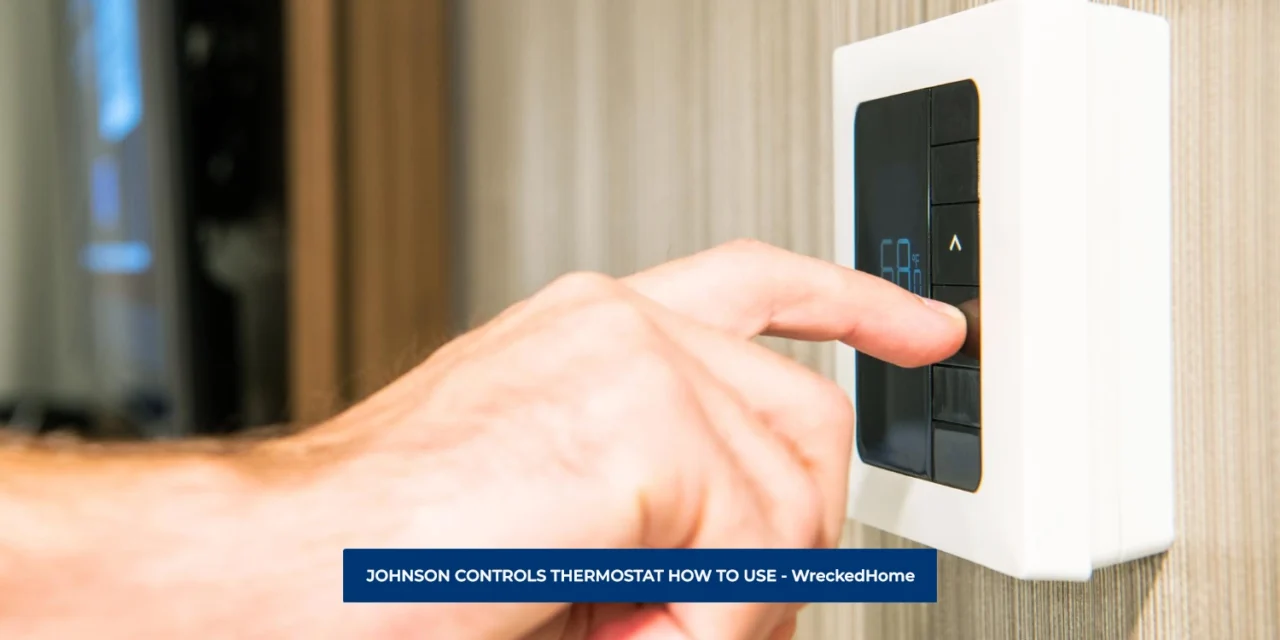
3. The Up/Down Arrows: Your Temperature Tweakers
These are your best friends for instant gratification. Want it warmer? Tap the Up arrow. Need to cool down after wrestling with your kids? Hit the Down arrow.
You’ll see the target temperature flash on the screen as you adjust it. Once you stop tapping, it usually locks in after a few seconds. This is where family disputes often arise, by the way. "Who touched the thermostat?!" is a common household phrase, usually followed by someone muttering about "arctic conditions."
Scheduling: The Set-It-and-Forget-It Magic
Many Johnson Controls thermostats come with programming capabilities. This is where you become a climate wizard! You can set different temperatures for different times of day – cooler at night when you're under blankets, warmer when you wake up, or even slightly varied when you're away at work.
Look for a button labeled "Program," "Schedule," or something similar. Diving into this might take a quick peek at the manual (don't worry, it's not a novel), but it’s totally worth it. It’s like setting your house to auto-pilot for comfort and energy savings. Imagine waking up to a perfectly toasty home without having to stumble out of bed to crank the heat! It’s glorious.

A Quick Nudge on Troubleshooting
If your thermostat seems to be on strike, first check the obvious:
- Is the system set to the correct mode (Heat/Cool)?
- Is the temperature set higher/lower than the current room temp? (Your system won't kick on if it's already at your desired temp.)
- Are your vents blocked? (Sometimes the simplest things are the culprits!)
- Have you checked your circuit breaker? (The classic "is it plugged in?" moment.)
Most issues are usually a simple adjustment, not a major malfunction.
You've Got This!
See? Not so scary after all! Your Johnson Controls thermostat is designed to make your life easier and your home more comfortable. So go ahead, tap those buttons with confidence. You’re not just adjusting a number; you’re orchestrating your personal indoor oasis. And who knows, maybe you’ll even win that family thermostat debate for once!