
How To Transfer Simplisafe To New Owner

So, you’ve just sold your house! Congratulations! Or maybe you’ve just bought one, high-fives all around! Either way, amidst the mountain of boxes, the change-of-address forms, and the existential dread of packing up your entire life (or unpacking someone else’s), there's a little voice in the back of your head. It’s not the one asking if you accidentally packed the remote with the spatulas again. No, this one whispers, "What about the SimpliSafe?" You know, that trusty home security system that’s been watching over your precious plant collection or the previous owner's slightly-too-enthusiastic garden gnomes.
Because let’s be real, modern homes come with a whole lot more than just walls and a roof these days. We’re talking smart thermostats, video doorbells, and yes, security systems that are often hard-mounted and integrated into the very fabric of the home. So, what do you do when the house changes hands, but the security system stays put? Do you just… leave it? Does it magically switch owners with the deed? (Spoiler alert: No, because apparently, magic doesn't cover smart home transfers. Bummer, I know.)
The Great SimpliSafe Hand-Off: A Two-Part Saga
This isn't as simple as leaving a spare key under the mat, folks. Transferring SimpliSafe to a new owner involves a bit of teamwork and a few crucial steps from both the seller and the buyer. Think of it as a digital detox for the house, followed by a fresh new beginning. Let's break it down, shall we?
Must Read
For the Seller: Your Grand Exit Strategy
Alright, outgoing homeowner, this part’s for you. Before you ride off into the sunset of your new abode, there are a few things you absolutely must do. And trust me, getting this right saves everyone a headache later.
Step 1: Call SimpliSafe, Like, Yesterday.
This is probably the most important step. You need to contact SimpliSafe customer service. Seriously, pick up the phone. They are actually super helpful (shocking, I know, for a customer service line!). Tell them you’re selling your home and want to transfer or discontinue service.
Step 2: Cancel Your Monitoring Plan.
Unless you want to be paying to protect someone else's new couch, you need to cancel your monitoring plan. SimpliSafe offers month-to-month plans, so this is usually pretty straightforward. They’ll walk you through it.
Step 3: Remove Your Devices from Your Account.
This is where things get a little technical, but still totally doable. You’ll want to ensure all the sensors (door/window, motion, glass break, etc.), the keypad, and especially the Base Station are removed from your personal SimpliSafe account. This clears the slate for the new owner. Sometimes this happens automatically when you cancel monitoring, but it’s always good to double-check with customer service.

Step 4: Decide What Stays and What Goes.
Did you install extra cameras or a fancy smart lock that you want to take with you? Now's the time to remove them. But for things like door/window sensors, it often makes sense to leave them. They're usually stuck on pretty well, and frankly, it's a nice perk for the new owner. Just make sure they're no longer linked to your account.
For the Buyer: Your Fresh Start
Welcome to your new home! And hey, bonus, it comes with a pre-installed security system! But before you start dreaming of having your packages safely guarded, there are a few things you need to do to make it yours.
Step 1: Call SimpliSafe. Yes, You Too!
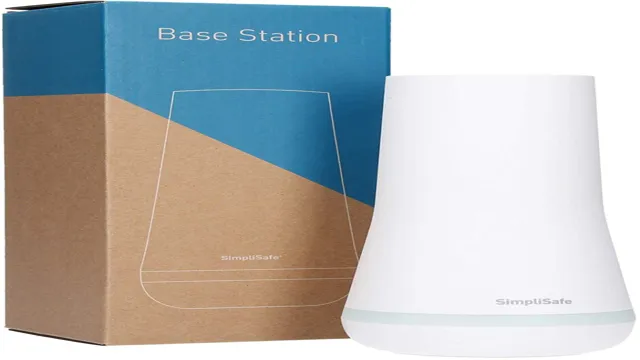
Just like the seller, your first port of call is SimpliSafe customer service. Explain that you’ve moved into a home with an existing SimpliSafe system and you’d like to activate it under a new account.
Step 2: Set Up Your Own Account and Monitoring.
They’ll guide you through creating a new account and choosing a monitoring plan that suits you. This is crucial because without an active monitoring plan linked to your account, the system is essentially just a very pretty, very silent alarm clock.
Step 3: Activate the Base Station.
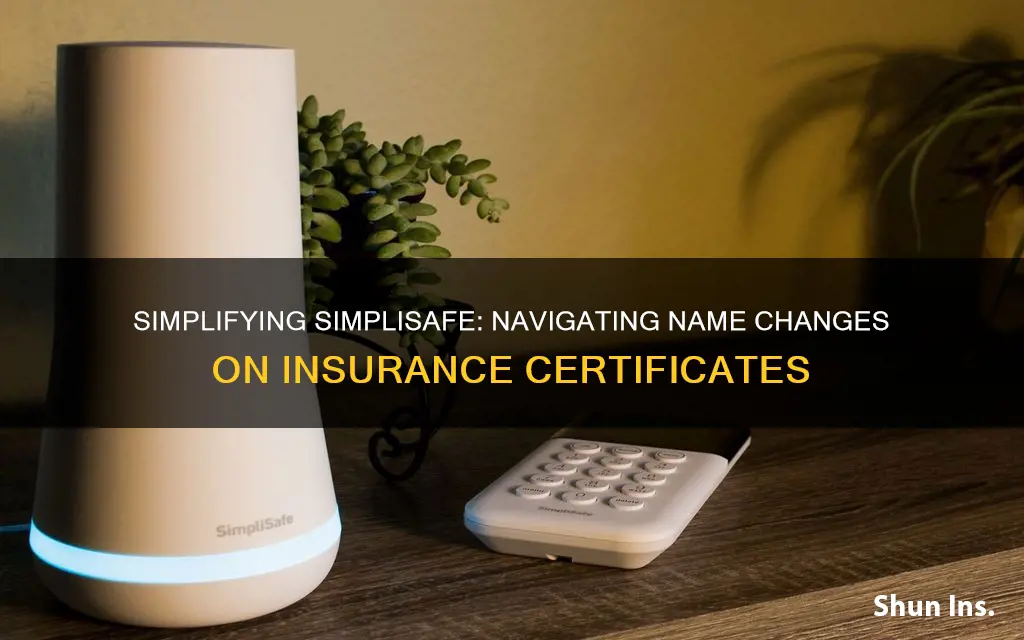
SimpliSafe will help you get the existing Base Station (the brains of the operation) linked to your new account. Once that's done, it should automatically detect any existing sensors that were left behind by the previous owner. You might need to give them a little poke or open/close a door to wake them up, but generally, it's pretty seamless.
Step 4: Test Everything!
Seriously, folks, test every single sensor. Open every door, every window. Walk in front of every motion sensor. Make sure the keypad works, and that the alarm triggers and disarms correctly. Better safe than sorry, right? And this is a great opportunity to make sure you know how everything works.
A Few Friendly Pointers (Because We're All Friends Here)
- Communication is Key: If possible, have a quick chat with the previous owner. A simple "Hey, I'm activating the SimpliSafe, just wanted to let you know" can prevent any accidental cross-signals.
- Older Systems: If the system is ancient (like, really ancient, though SimpliSafe tends to be pretty modern), it might be a SimpliSafe Original. Newer systems are SimpliSafe Gen 3. The transfer process is largely similar, but it's worth knowing.
- New Components: Want to add more cameras, glass break sensors, or a video doorbell? Once the system is yours, the world is your oyster! SimpliSafe makes it super easy to add new devices.
- Don't Freak Out: It might seem like a lot of steps, but SimpliSafe's customer service is genuinely set up to help with these scenarios. They deal with this all the time.
So there you have it! The somewhat less-than-magical, but totally manageable, process of transferring a SimpliSafe system to a new owner. It just takes a few calls, a bit of account juggling, and a smidgen of testing. Now go forth and enjoy your new (or newly un-encumbered) home, knowing that security is either taken care of, or totally off your plate!