
How To Stop Promotions On Gmail
Ah, Gmail. Our digital mailbox, sometimes overflowing with joy (a funny meme from your aunt!) and other times...well, let's just say it's trying to sell you things you didn't even know existed. Ever feel like your Promotions tab is a black hole sucking in all the coupons and deals you might, or might not, ever use?
It's like a never-ending parade of flashing banners and subject lines screaming "SALE!" at you. Don't worry; you are not alone.
Taming the Beast: Promotions Tab Edition
Ready to reclaim your inbox? It's time to take control. There are a few ways to make your Gmail experience a little less…promotional.
Must Read
The Drag-and-Drop Method: A Gentle Nudge
First, let's talk about the simplest technique: the drag and drop. It’s surprisingly satisfying.
See an email in your Promotions tab that you'd rather see in your Primary inbox? Just click and drag it over! It's like telling Gmail, "Hey, this is actually important to me."
Gmail is pretty smart (most of the time). It will then ask if you want to do this for all future messages from that sender. Just say yes!
Think of it as giving Gmail a little nudge in the right direction. You're training your digital assistant.
Unsubscribe: The Breakup Letter (But Nicer)
Next up: Unsubscribing. This is where you gracefully bow out of the marketing email dance.
Scour the bottom of those promotional emails. Usually, buried beneath the vibrant images and catchy slogans, is a tiny link that says "Unsubscribe," "Update Preferences," or something similar. Click it!
It might lead you to a page where you can specify what kind of emails you do want (if any). Or it might just be a simple click-and-done situation. Either way, you're one step closer to inbox zen.

It's like sending a polite, "It's not you, it's me" letter to all those brands vying for your attention.
Consider unsubscribing a digital decluttering exercise. You'll feel lighter and more focused.
Filters: The Secret Weapon of Inbox Organization
Now, for the slightly more advanced (but still totally manageable) technique: filters. These are like little gatekeepers for your inbox.
Open an email from a sender you want to filter. Click the three vertical dots (the "more" menu) near the top right of the email.
Select "Filter messages like these." This will pre-populate a search query based on the sender's address.
Click "Create filter." Now, you have a range of options! You can have these emails automatically marked as read, deleted, or even sent straight to a specific label (like "Coupons - Look at Later").
Filters are your secret weapon. They let you automate your inbox management.
Imagine your inbox as a bouncer at a club. Filters are the bouncer's instructions.
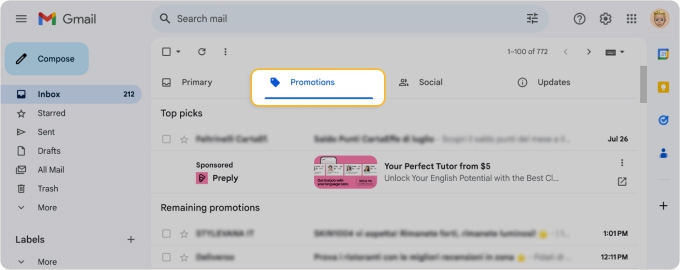
The Nuclear Option: Turning Off Categorization (Use with Caution!)
Okay, this is the most drastic measure. Turning off the entire tab categorization feature. Warning: this will put everything in your Primary inbox.
Click the gear icon in the top right corner of Gmail (the "Settings" menu). Select "See all settings."
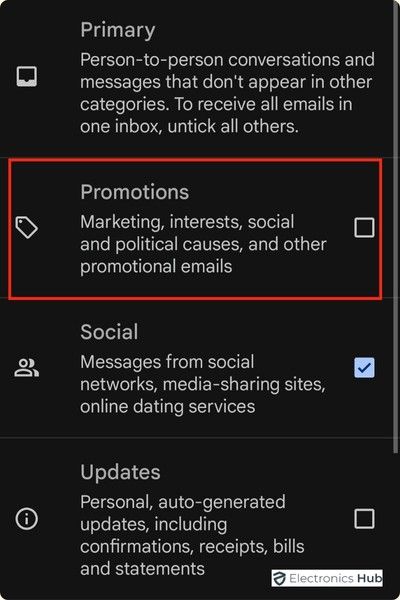
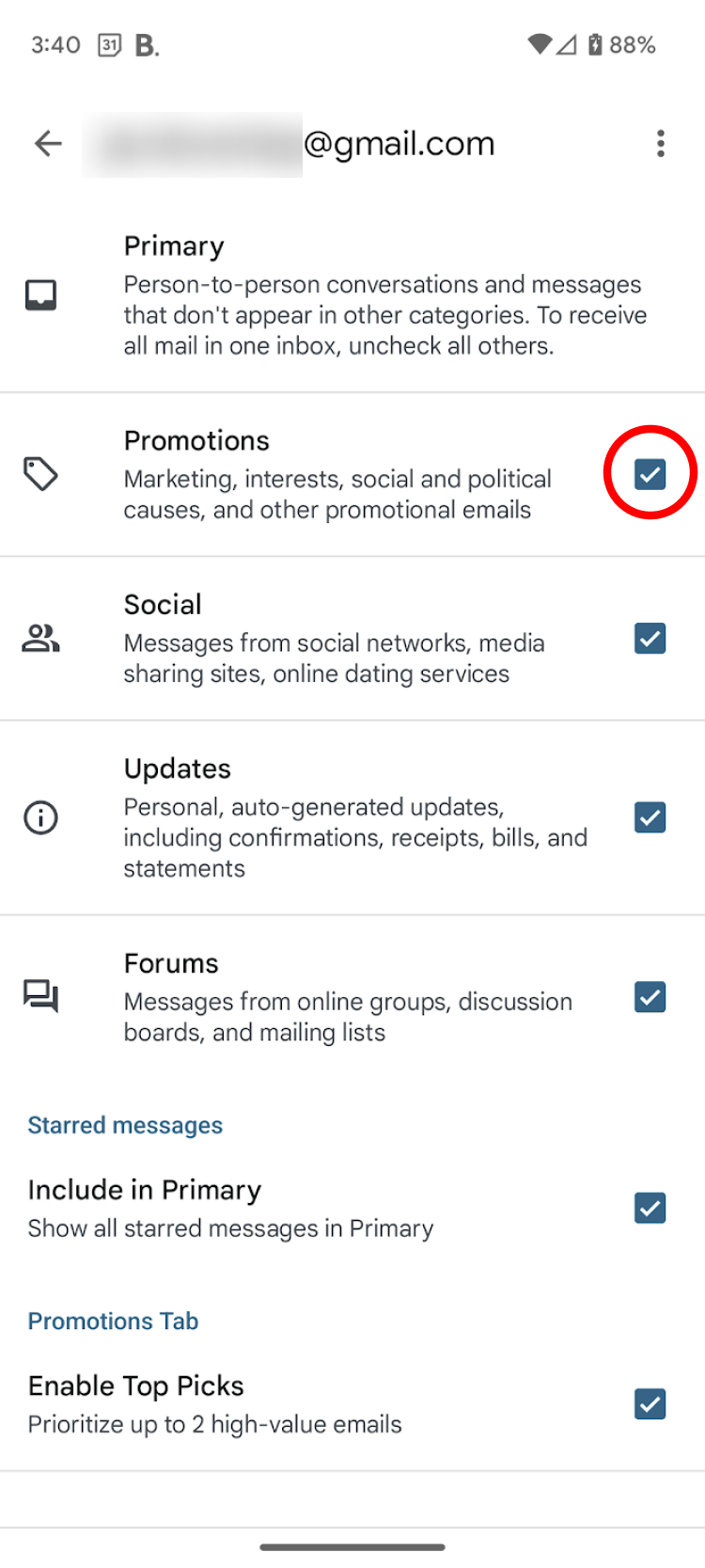
Click on the "Inbox" tab. Under "Categories," uncheck the boxes next to "Promotions," "Social," "Updates," and "Forums."
Scroll down and click "Save Changes." Prepare for inbox chaos (at least initially). Everything will now be mixed together.
This is like removing the walls between rooms in your house. Everything becomes one big, open space.
Use this option with caution! It might be too much for some. Experiment and see what works best for you.
Inbox Zero: A Myth or a Possible Dream?
Achieving "Inbox Zero" – the mythical state of having no emails in your inbox – might be a bit ambitious. But these techniques can definitely help you get closer.
It's all about finding the right balance. What works for one person might not work for another.

The goal isn't necessarily to eliminate all promotional emails (some of them are useful, after all!), but rather to control them. You want to be the one deciding what gets your attention, not the other way around.
Imagine your inbox as a garden. You want to cultivate the plants you care about and weed out the ones that are choking everything else.
More Tips and Tricks
Here are a few extra pointers to help you on your inbox-taming journey:
- Be proactive: Don't wait for your inbox to become a disaster. Dedicate a few minutes each day to managing your emails.
- Use the "Mark as spam" button: If you're getting unwanted emails that don't have an unsubscribe link, mark them as spam. This helps Gmail learn what you consider to be junk.
- Create labels and folders: Organize your emails into different categories so you can easily find them later.
- Consider a third-party email management tool: There are apps and services designed to help you manage your inbox more efficiently.
Don't be afraid to experiment! Try different strategies and see what works best for you. Your inbox is your digital space; make it your own.
The Unexpected Benefits of a Cleaner Inbox
You might be surprised at the positive impact a cleaner inbox can have on your life.
Reduced stress: Less clutter means less anxiety. A clean inbox can help you feel more calm and in control.
Increased productivity: You'll spend less time sifting through irrelevant emails and more time focusing on what matters.
More time for the things you love: When you're not constantly bombarded by notifications and distractions, you'll have more time to pursue your passions.
Think of it as a digital detox. You're freeing yourself from the constant bombardment of information and reclaiming your attention.
A Final Thought
Your inbox is a reflection of your digital life. By taking control of it, you're taking control of your time, your attention, and your overall well-being.
So, go forth and conquer that Promotions tab! You've got this!
Remember, it's a marathon, not a sprint. Small changes over time can make a big difference.
Now, go forth and create the inbox of your dreams. Or at least, one that doesn't make you want to scream every time you open it.
Good luck, and happy inbox-taming!
And remember, you are the master of your inbox kingdom, not the other way around.
May your primary inbox be ever free of unwanted advertisements.