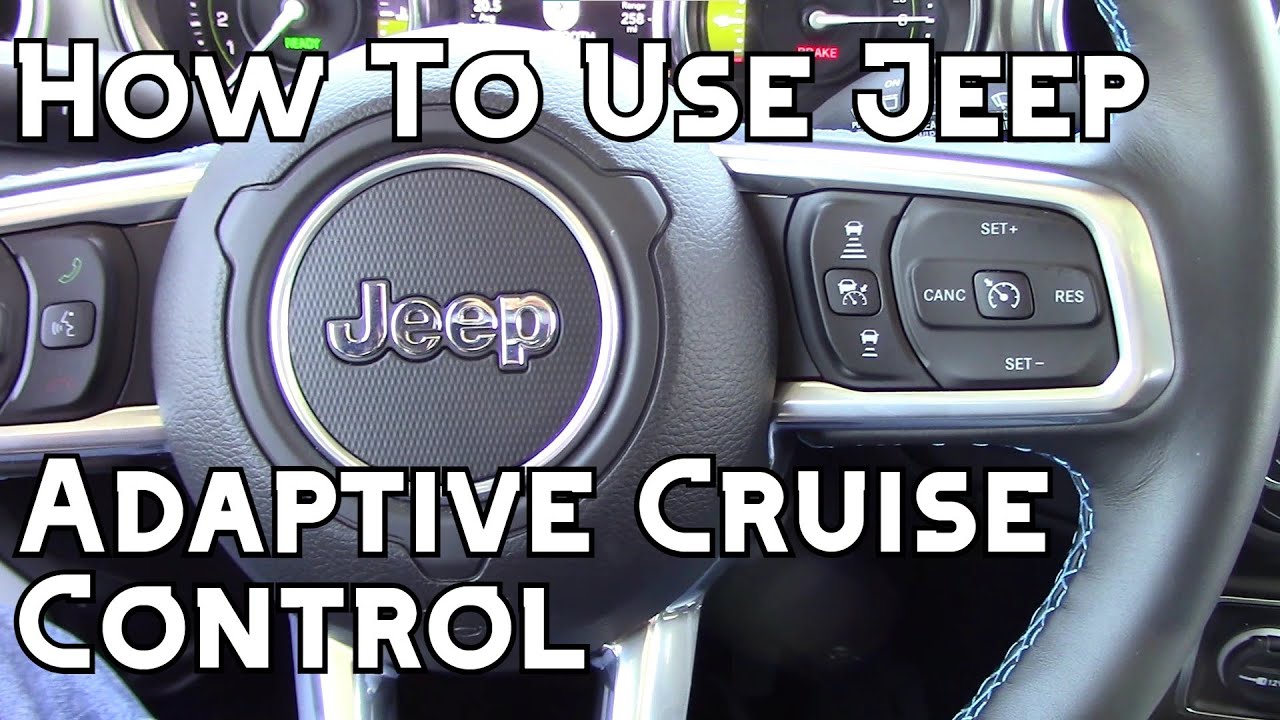
How To Set Adaptive Cruise Control

Okay, let's talk Adaptive Cruise Control (ACC). Think of it as cruise control's cooler, smarter, and slightly bossy older sibling. Regular cruise control is like setting a dial on your old record player – it just keeps spinning at the same speed, come what may. ACC? That's like having a tiny, vigilant chauffeur in your dashboard, constantly adjusting your speed based on what the car in front of you is doing. No more frantically tapping the brakes when traffic slows down – ACC has your back!
But how do you actually use this magical driving fairy godmother? Well, it's usually pretty straightforward, but let's break it down like you're explaining it to your grandma (who still thinks Bluetooth is a dental hygiene tool).
Finding the Button: A Treasure Hunt
First things first, you gotta find the ACC button. This is usually somewhere on your steering wheel, often near the regular cruise control buttons. It might look like a little speedometer icon with a car in front of it, or maybe just say "ACC." If you're lucky, your car's manual will actually be helpful, but honestly, just poking around usually works. It's like a modern-day automotive scavenger hunt!
Must Read
Pro tip: Don't try to find the button while simultaneously navigating rush hour traffic. Pull over, take a deep breath, and then start your search. Your fellow drivers (and your blood pressure) will thank you.
Engaging the Beast: Setting Your Speed
Once you've located the button, get up to the speed you want to cruise at. This is where the "adaptive" part comes in. Once you're at your desired speed, press the ACC button. You'll probably see a little light pop up on your dashboard, confirming that you've successfully summoned the adaptive powers. It's usually a green or white icon that looks like a speedometer, sometimes with a car.

Think of it this way: You're telling your car, "Hey, buddy, I want to go this fast, but don't be a jerk about it. Watch out for the other cars!"
Setting the Following Distance: Personal Space Matters
Now, here's the crucial part: the following distance. ACC allows you to set how much space you want to keep between you and the car in front of you. This is usually adjustable with buttons or toggles on the steering wheel, often marked with little cars and lines showing the distance. You'll typically have options like "Close," "Medium," or "Far."
My advice? Start with the "Far" setting. Trust me, you'll feel much more comfortable. "Close" can feel a little...aggressive, like you're tailgating. And nobody likes a tailgater (except maybe the car getting tailgated, if they're into that sort of thing).

Relax and...Well, Sort Of
Once you've set your speed and following distance, you can (mostly) relax. The ACC will maintain your set speed, slowing down or speeding up as needed to keep a safe distance from the car ahead. Remember, though, it's not autopilot! You still need to pay attention to the road, steer, and be ready to take over if necessary.
Think of it as having a really good co-pilot who sometimes needs your help landing the plane. They're doing most of the work, but you still need to be aware of what's going on.

Disengaging the Magic: When to Say Goodbye
When you need to disengage the ACC, there are a few ways to do it. You can tap the brakes, press the "Cancel" button (usually near the ACC buttons), or sometimes even just turn it off with the main cruise control button. The light on your dashboard will go off, and you're back in manual mode.
Important note: If the car in front of you slams on their brakes, don't rely solely on ACC to save the day. Be prepared to brake yourself, especially in emergency situations. ACC is great, but it's not a substitute for good driving habits.
In conclusion: Adaptive Cruise Control is a fantastic feature that can make long drives much less stressful. Just remember to find the button, set your speed and following distance, and always stay alert. Happy cruising!