How To Reset An Older Honeywell Thermostat
Ever walked into your home, looked at the thermostat, and thought, "What in the world is going on here?" Maybe the temperature display is acting a little wonky, or perhaps it's just not responding to your commands like it used to. Before you panic and call in a costly professional, let's talk about a super simple, often overlooked solution for older Honeywell thermostats: resetting it. It's like giving your trusty old gadget a fresh cup of coffee and a gentle nudge back to reality. It's surprisingly satisfying to solve a mini-mystery in your own home, and even better when it costs you absolutely nothing!
So, why is knowing how to reset your old Honeywell thermostat so useful? For beginners to home maintenance, it's an excellent first step into understanding your home's systems without getting overwhelmed. You’ll gain a basic troubleshooting skill that applies to many electronics. For families, a proper reset can ensure consistent heating or cooling, helping maintain comfort and peace, especially when little ones (or big ones!) are particular about their room temperature. Imagine avoiding a full day of discomfort just by flipping a switch! And for the budding hobbyist or DIYer, this is another feather in your cap, a small victory that builds confidence for bigger home projects down the line. It's about taking control of your home's environment.
You might wonder what kind of situations call for a reset. Often, it's after a power outage, which can sometimes scramble the thermostat's internal memory. Other times, it's simply when the display becomes erratic, showing incorrect temperatures or failing to register button presses. Perhaps you just inherited a home with an older Honeywell model and want to clear out any previous owner's settings. Some older models might be battery-powered, others hardwired. The good news? The reset principles are largely similar, focusing on briefly cutting power to allow the internal electronics to clear and restart fresh.
Must Read
Ready to give it a try? Here are some simple, practical tips for getting started. Always begin with safety!
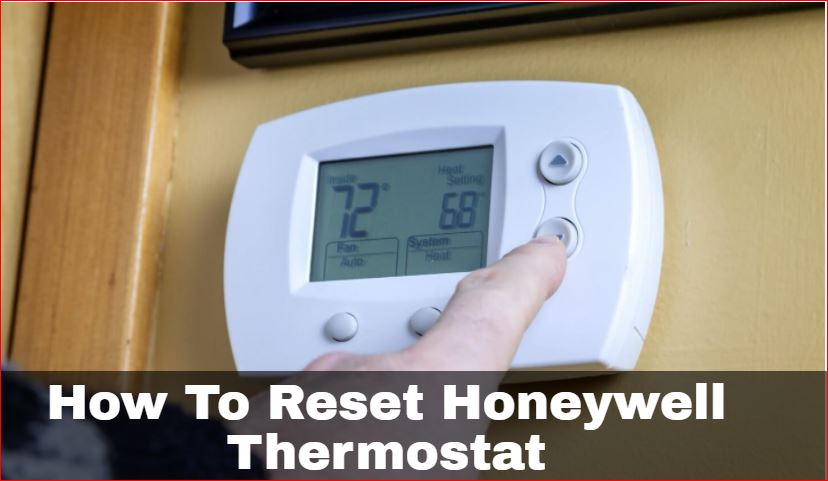
- For Battery-Powered Models:
- First, locate the battery compartment on your thermostat. It's usually on the side or front, often requiring a gentle pull or push to open.
- Carefully remove the old batteries.
- This is the crucial step: Wait for at least 30 seconds. This allows any residual power to drain from the thermostat's internal memory, performing a true reset.
- Insert fresh batteries, making sure to observe the correct polarity (the + and - signs).
- Close the compartment, and your thermostat should power back on, often displaying default settings or prompting you to set the time and date.
- For Hardwired Models (without user-replaceable batteries):
- You'll need to go to your home's main electrical panel (breaker box).
- Locate the circuit breaker that controls your furnace or air handler. It might be labeled "Furnace," "AC," or "HVAC." If you're unsure, you might need to turn off a few until the thermostat display goes blank.
- Flip the breaker to the "Off" position.
- Again, wait for 30 seconds to ensure a complete power cycle.
- Flip the breaker back to the "On" position.
- Head back to your thermostat, and it should be powered up, ready for you to input your desired settings.
Once reset, you'll likely need to re-enter your preferred temperature schedule and current time. Congratulations, you've just given your old Honeywell thermostat a new lease on life!
There’s a quiet satisfaction in troubleshooting and fixing something yourself, even something as small as resetting a thermostat. It’s about taking a moment to understand a piece of your home and making it work better for you. Enjoy the renewed comfort and control that comes with knowing you’ve mastered this simple, yet incredibly valuable, home trick!