How To Measure A Tv For Size
There's something universally comforting about a television. Whether you're collapsing onto the sofa after a long day for some mindless reality TV, gathering the family for a blockbuster movie night, or cheering on your favorite sports team as if you were pitch-side, the TV is often the beating heart of our home entertainment. It's where memories are made, laughter is shared, and sometimes, even a tear or two is shed over a particularly moving documentary. We love our screens because they transport us, inform us, and most importantly, allow us to simply unwind.
But when it comes to upgrading that cherished centerpiece, mounting it perfectly, or simply ensuring it fits into that snazzy new entertainment unit, there's one question that inevitably pops up: "How big is this thing, really?" Knowing how to correctly measure a TV isn't just a quirky parlor trick; it's an incredibly practical skill that saves you headaches, heartaches, and potentially, hefty return shipping fees. Imagine the sheer disappointment of a glorious new 65-inch beast arriving, only to discover your carefully planned wall mount or custom-built cabinet can only accommodate a 55-inch model. That's a party pooper, right there! It ensures optimal viewing distance, prevents wasted space, and guarantees your investment slots seamlessly into your home life.
This knowledge isn't just for new purchases, either. Perhaps you're moving to a new apartment with a different living room layout, and you need to know if your current TV will fit that awkward alcove. Maybe you're redesigning your living space and want to find the perfect TV stand to complement your existing screen. Or maybe you're just trying to brag to your friends about the size of your new "home cinema" setup. In all these scenarios, getting the measurement right is absolutely crucial for smooth sailing.
Must Read
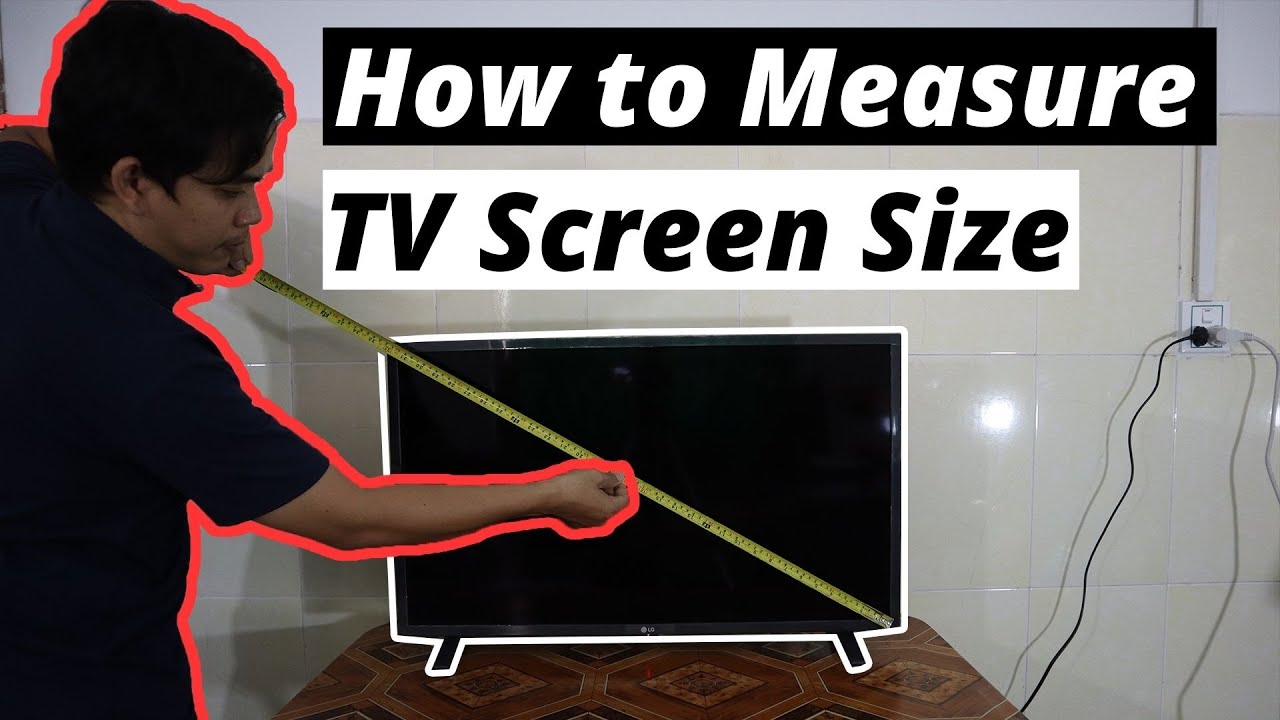
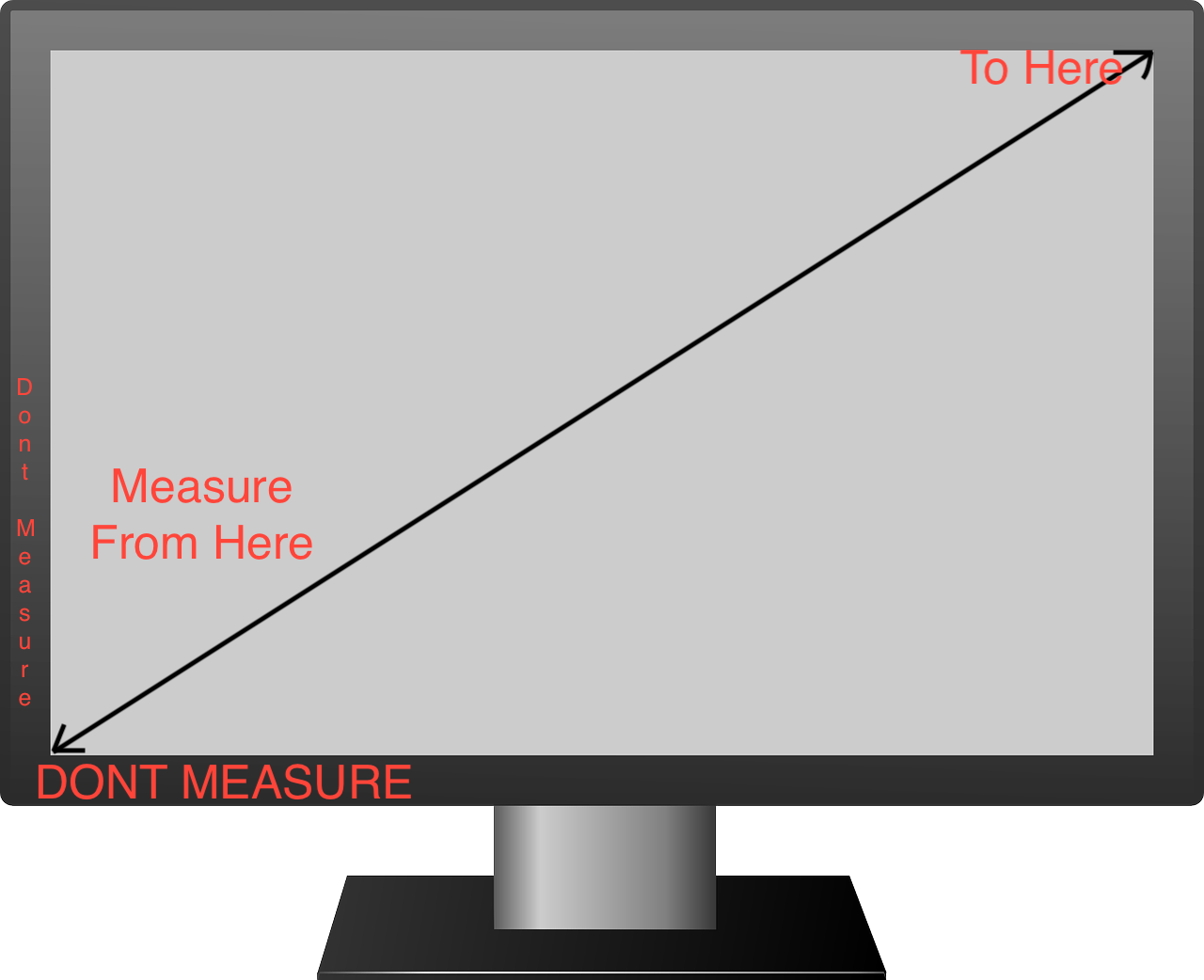
So, how do you conquer the TV measurement quest effectively? Forget stretching a measuring tape across the width and calling it a day – that's a common rookie mistake! The advertised size of a TV, whether it's 32, 55, or a monstrous 85 inches, always refers to its diagonal measurement. Think of it like a hypotenuse in a right-angled triangle, if you want to get mathematical, but really, it's simpler than that.
Here’s the lowdown for a stress-free measurement:
- First, and this is a big one: make sure the TV is off. No need to accidentally switch channels while you're busy with the tape.
- Grab your trusty tape measure.
- You're going to measure from the top-left corner of the actual screen (not the bezel or frame!) all the way down to the bottom-right corner of the actual screen. This is paramount – only measure the viewable display area. The black plastic or metal frame around the edge, known as the bezel, doesn't count towards the TV's advertised size.
- Read the number in inches. Voilà! That's the official size of your TV.
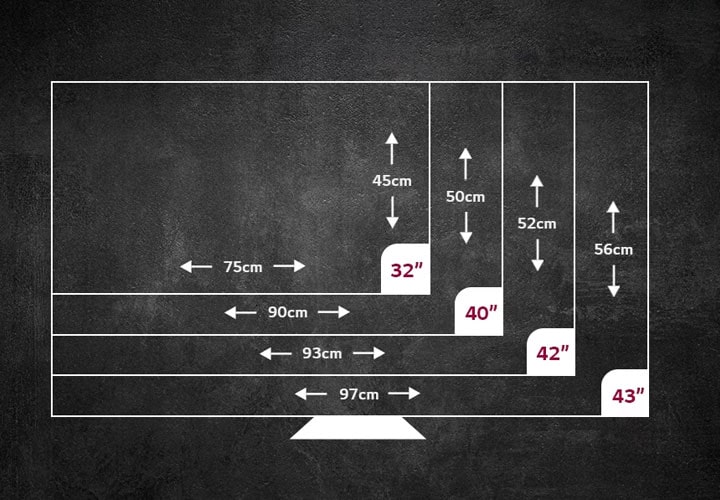
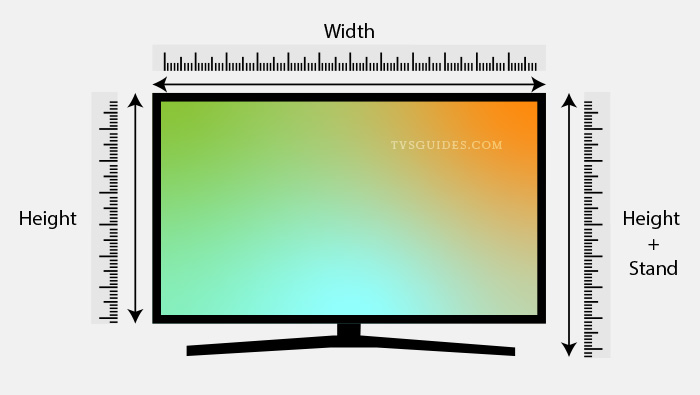
While the diagonal measurement gives you the advertised size, don't forget to also measure the TV's overall width and height (including the bezel!) if you're trying to fit it into a specific cabinet, on a stand, or within a tight wall space. Also, remember to factor in the depth if you're tight on shelf space or planning a flush wall mount. Jot these numbers down somewhere safe, like your phone or a sticky note. That way, the next time you're browsing for the perfect TV companion or dreaming of a bigger screen, you’ll be armed with all the essential info, ready to make a perfectly informed and enjoyable decision!