How To Make A Lever In Minecraft

Ever felt like a Minecraft mastermind, tinkering with redstone contraptions and automating your world? Well, you're in the right place! Today, we're diving into the simple yet powerful world of levers. Forget complex circuitry for now – we're mastering the basics, and trust me, even veteran players find clever uses for these little switches. Why? Because levers are the foundation of so many cool builds, from hidden doors to automated farms. Plus, who doesn't love the satisfying click of flipping a switch?
So, what exactly is a lever, and why should you bother crafting one? Simply put, a lever is a block that acts as a manual switch. You can interact with it to toggle its state – turning it on or off. When a lever is "on," it emits a redstone signal. This signal can then be used to power various redstone components like pistons, lamps, dispensers, and even entire redstone circuits! Think of it as the "on/off" button for your amazing creations.
The benefits are numerous! Imagine building a secret entrance to your underground base, activated by a hidden lever cleverly disguised behind a painting. Or perhaps you want to automate your wheat farm so you can harvest crops with the flick of a switch. Levers offer a direct and reliable way to control redstone power, making them invaluable for both simple and complex projects.
Must Read
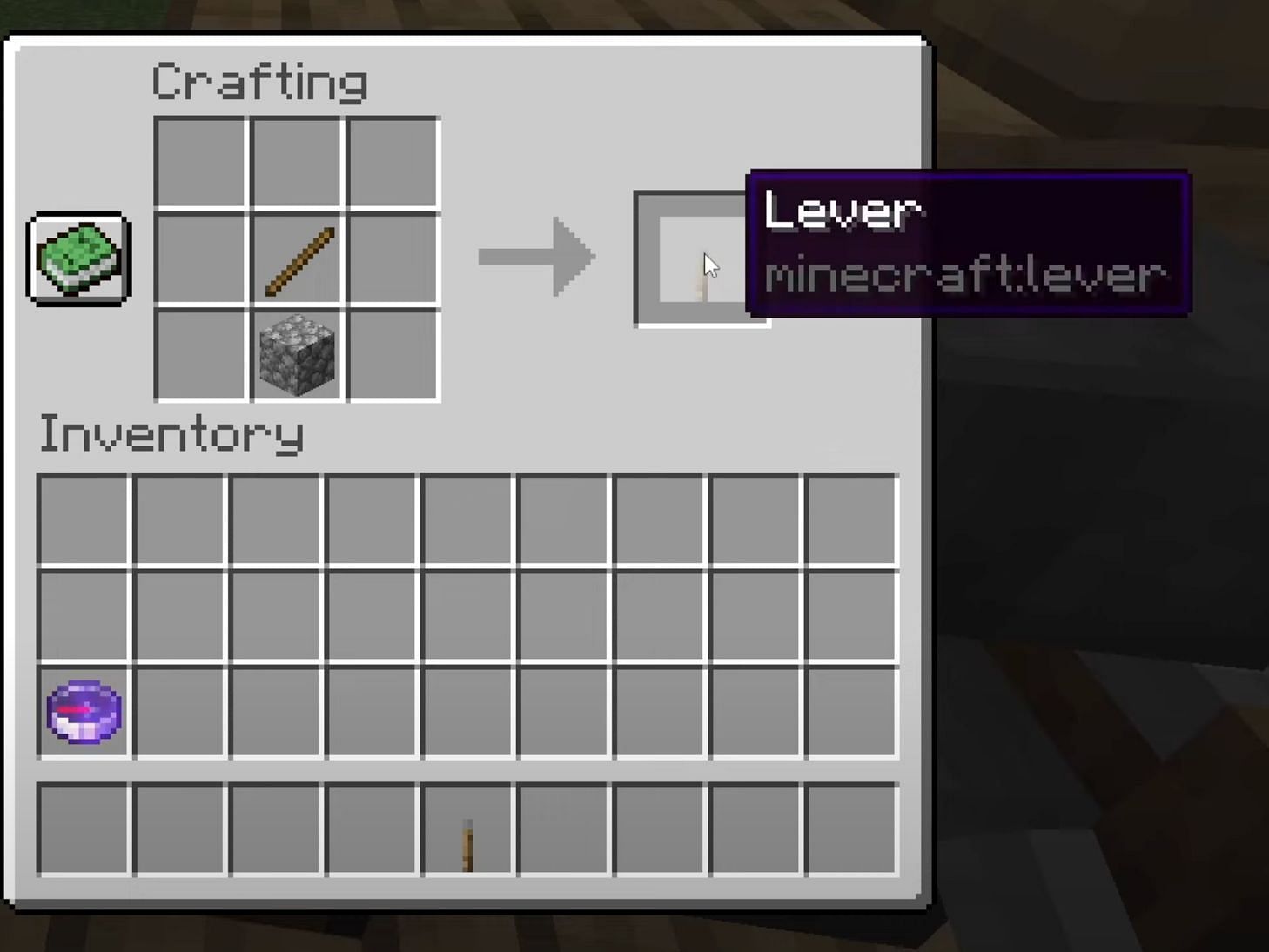
Alright, let's get down to brass tacks: how do you actually make a lever? The recipe is incredibly simple – you only need two ingredients:

- One cobblestone
- One stick
That's it! You'll find cobblestone readily available by mining stone blocks, and sticks are easily crafted from wood planks. Once you have these items, open your crafting table. The crafting recipe is straightforward: Place the cobblestone in the center slot of the crafting grid and the stick directly above it.
Congratulations! You've just crafted a lever! Now, place it on any solid block. You can then interact with it by right-clicking to switch it on or off. A redstone signal will be emitted from the block the lever is attached to when the lever is in the "on" position.

Pro Tip: Remember that levers power the block they are placed on, not the block directly in front of them. This is crucial to understand when designing your redstone circuits!
Now that you know how to craft and use a lever, the possibilities are endless. Experiment with different redstone components and discover the amazing things you can create. Build hidden doors, automate your farms, or even create elaborate traps for unsuspecting players. With a little creativity and a lever or two, you can transform your Minecraft world into a truly automated paradise. Happy crafting!