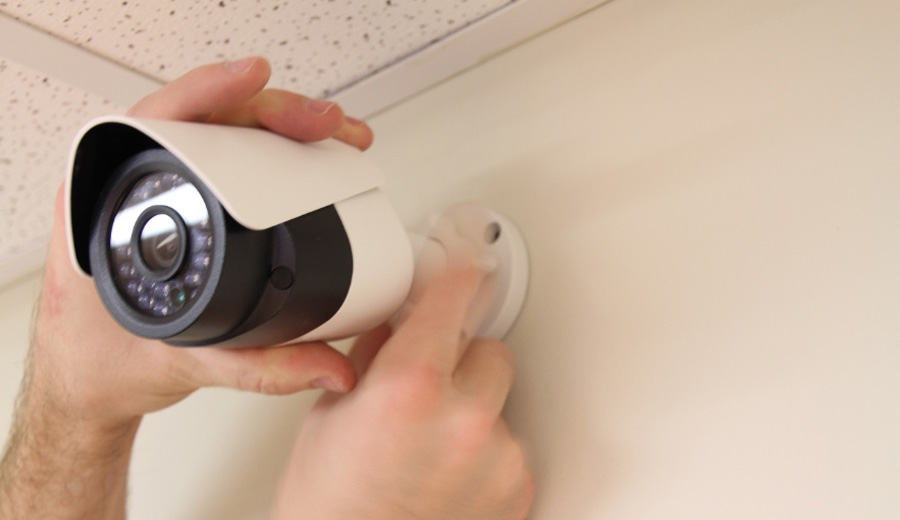
How To Install A Surveillance Camera

Alright, let's face it. At some point, we've all considered getting a surveillance camera. Maybe it’s those rogue package pirates making off with your latest online haul. Or perhaps you’re just dying to know which furry family member keeps knocking over the plant in the living room. (Spoiler alert: it’s usually the cat, looking completely innocent.) Whatever your reason, the idea of installing one can feel a bit... well, NASA-level complicated.
But trust me, it’s usually less "rocket science" and more "assembling IKEA furniture blindfolded" – totally doable, often hilarious, and ultimately satisfying. So, let’s peel back the layers of mystery, shall we? You've got this.
Picking Your Peeping Pal
First off, don't get analysis paralysis. You're not building a spy satellite. Think of it like picking out a new toaster. Do you want something fancy with all the bells and whistles, or just something that toasts your bread without setting off the smoke alarm? For a home camera, look for something with decent reviews, easy app integration, and a clear picture. You don't need to see the pores on your mail carrier's nose, just whether they delivered the right package! Wireless is usually the path of least resistance for home use, saving you from a spaghetti-like cabling nightmare.
Must Read
Location, Location, Location!
Now, the fun part: placement. This is where you get to unleash your inner secret agent. Think about what you want to see. Your front door? The backyard where the squirrels host their nightly rave? Up high is generally better – less chance of someone messing with it, and a wider field of view. It’s like being a hawk, but without the inconvenient feathers and raw meat diet.
Just make sure it's not looking directly into your neighbor's bedroom window. That’s a whole other kind of surveillance, and usually less about package theft and more about awkward explanations over the fence. Aim for a spot that gives you a good angle of entry points or high-traffic areas without being too obvious or intrusive.

The Power Struggle (and How to Win It)
Ah, the power cable. The eternal struggle. It's always either three feet too short or an absurd fifty feet too long, creating a spaghetti-like mess you’ll inevitably trip over. You'll probably need an extension cord. Don't feel bad; it's practically a rite of passage. I once tried to snake a cable through a wall cavity, only to discover it was full of ancient spiderwebs and a petrified piece of toast. True story. Just find an outlet, plug it in, and let's move on. If you went with a battery-powered one, well, you just skipped this round – congrats, you champion!
The Wi-Fi Dance
Next up, the Wi-Fi dance. This can sometimes feel like trying to explain quantum physics to a goldfish. Your camera needs to connect to your home network. Follow the app instructions religiously. Sometimes it's a QR code, sometimes it's a little jingle the camera plays. If it doesn't connect on the first try, don't panic. Move closer to the router. Try again. Restart your phone. Restart the camera. Restart the router. It's like a techno-spiritual cleansing, and usually, on the third or fourth try, it'll magically decide to play nice. Remember, patience is a virtue, especially with inanimate objects that refuse to cooperate.
![How to Install a CCTV Camera [CCTV Installation] | SMS Security](https://www.smssecurity.com.au/wp-content/uploads/2022/12/shutterstock_676076350.jpg)
Making it Permanent: The Mounting Mission
Once it's powered and connected, it's time to make it permanent. This means drilling. Don't worry, it's not as scary as it sounds. Mark your spots, get out your drill, and pretend you're on a home improvement show. "And now, for the dramatic reveal!" Remember, measure twice, drill once – unless you enjoy having extra holes that look like abstract art. Use the right screws for your surface (wood, brick, siding). And if you drop a screw, well, that's just the universe reminding you to stay humble.
The Grand Reveal: App Setup & Testing
Finally, the moment of truth! Open the app, and you should see your live feed. Test it out. Wave at the camera. Make funny faces. Watch your pet walk past. The first time you catch a squirrel attempting to raid your bird feeder, you'll feel like a triumphant tech wizard. Adjust the motion detection sensitivity – you don't want an alert every time a leaf blows past, unless you're that bored. Set up your notifications, maybe even talk through the two-way audio feature. Just be prepared for your delivery driver's surprised reaction.
So there you have it. Installing a surveillance camera isn't an Olympic sport, even if it feels like it sometimes. It's a series of small, sometimes amusing, steps that lead to a satisfying feeling of "I did that!" Plus, the peace of mind knowing who's at your door (or what your dog is really doing when you're out) is priceless. Now go forth, install your camera, and enjoy your new superpower of seeing almost everything!