
How Do You Turn Off A Beeping Fire Alarm
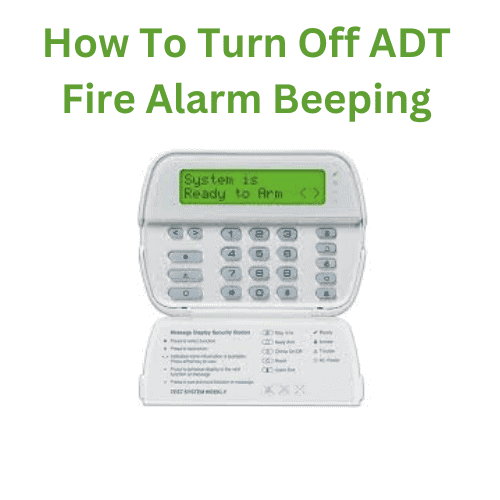
Picture this: It's 3 AM. You're deep in the glorious land of dreams, maybe you're flying, maybe you're eating an endless pizza. Then, BEEP! You jolt awake, heart pounding. "What was that?!" you whisper into the darkness. A few minutes later, just as you're drifting off again, BEEP! Oh no. Oh no, no, no. It's the fire alarm, and it's not a full-blown emergency, just that infernal, rhythmic chirp. You know the one, right? The sound that promises to haunt your every waking, and attempted sleeping, moment until you deal with it.
We've all been there, haven't we? That moment of pure, unadulterated frustration when a tiny electronic device holds your sanity hostage. And in that blurry, sleep-deprived state, the only question that matters is: "How do I make it STOP?!"
Let's dive into the fascinating, albeit annoying, world of beeping fire alarms. Because, believe it or not, there's more than one kind of beep, and thus, more than one solution. This isn't just about survival; it's about reclaiming your peace and quiet.
Must Read
The Annoying Chirp: "I Need Juice!"
First up, the classic chirp. This isn't a full-blown alarm. It's usually a single, short beep every 30 to 60 seconds. What's it telling you, in its insistent, passive-aggressive way? It's saying, "Hey, human! My battery is dying! Please, for the love of all that is holy, give me some new power!"
The Fix: New Batteries, Baby!

This is probably the most common issue, and thankfully, the easiest to remedy, provided you have a ladder and some fresh batteries. Here’s your battle plan:
- Locate the Culprit: This is key! If you have multiple alarms, usually only one is chirping. Walk around, listen carefully. It might take a minute, but you'll find the offending device.
- Get Your Gear: A sturdy step ladder (safety first, folks!), and the correct batteries. Most often, it's a 9-volt battery, but some newer alarms might use AA or AAA. Check your alarm's manual if you're unsure, or just open it up and see.
- Perform the Swap: Gently twist or unclip the alarm from its ceiling or wall mount. Open the battery compartment (usually a small sliding door or cover). Pop out the old battery. Before you put the new one in, take a quick peek at the expiration date on the new battery! Nobody wants to do this again next month.
- The "Magic Reset" (Optional but Recommended): After you've put in the fresh battery, many experts suggest pressing and holding the "Test" button for about 15-20 seconds. This can help drain any residual charge and fully reset the alarm's internal memory, preventing an immediate "low battery" warning even with new batteries.
- Reattach and Test: Clip it back into place. Press the "Test" button again briefly to ensure it works. You should hear a loud alarm, then silence. And hopefully, no more chirps!
Pro tip: Don't just take the battery out and forget about it! A non-functional smoke alarm is a hazard. You're a responsible adult (mostly), so replace those batteries!
The Full-Blown Scream: "Smoke Alert!"
Okay, this is the one that gets your adrenaline pumping. The continuous, ear-splitting siren. This means your alarm has detected smoke (or something it thinks is smoke). It could be anything from burnt toast to a full-on kitchen fire. Your first priority here is always: Is there a real fire? If yes, get out, stay out, and call 911. Seriously, don't mess around.
Assuming it's a False Alarm (Phew!):

So, you've just incinerated your breakfast bagel, and now your house sounds like a rock concert for robots. How do you silence the beast?
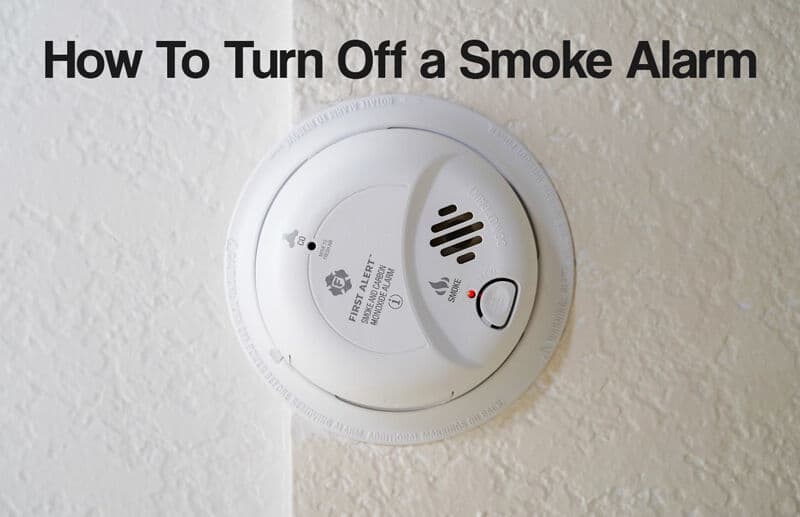
- The "Hush" or "Silence" Button: Look for a button right on the alarm unit itself. It's often labeled "Hush," "Silence," or simply has a speaker icon. Pressing this usually silences the alarm for several minutes, giving you time to clear the air. This is your
first and best bet. - Clear the Air: Open windows, turn on exhaust fans, and wave a towel vigorously (yes, really!) near the alarm to disperse the smoke or steam. This is crucial. If the smoke lingers, the alarm will just go off again once its "hush" period is over.
- Identify the Source (Especially with Hardwired Systems): If you have interconnected alarms (meaning if one goes off, they all go off), often pressing the silence button on the original alarm that detected the smoke will silence all of them. This can save you a lot of running around and frantic button-pushing.
- Temporary Disconnection (Use with Extreme Caution!): If it’s a battery-only alarm, and after confirming there's no actual fire, you could remove the battery. For hardwired alarms (those connected directly to your home's electrical system, usually with a battery backup), you'd have to twist it off its mount and disconnect the power plug, then remove the backup battery. This should be a last resort and only when you are 100% sure there is no fire. Leaving your home unprotected is a risk you don't want to take.
A Few Last Tidbits for Your Sanity
- Test Monthly: Seriously, just press the test button once a month. It takes two seconds.
- Replace All Batteries Annually: Even if they're not chirping, swap out all your smoke alarm batteries once a year. A good reminder is Daylight Saving Time – "spring forward, change your batteries!"
- Clean Them: Dust can sometimes trigger false alarms. Gently vacuum around your smoke alarms or wipe them with a damp cloth every so often.
So, there you have it. From the subtle chirp to the full-on shriek, you now have the know-how to tackle those insistent little guardians of your home. Remember, safety always comes first, but a close second is definitely a good night's sleep and not having your breakfast ruined by a noise complaint. Go forth and conquer those beeps!
