
How Do You Know If Your Battery Is Bad

Ever feel like your gadgets are playing a cruel joke on you? One minute they’re zipping along, full of life, and the next they’ve decided to take an unscheduled nap right when you need them most. Batteries, bless their little hearts, don't last forever, and sometimes they give us a whole symphony of dramatic signals when they're on their last leg.
Think of yourself as a super-sleuth, a battery detective! Your mission, should you choose to accept it, is to spot the tell-tale signs that your trusty power source is waving a tiny white flag. No need for fancy equipment, just your keen eyes, a little common sense, and maybe a dash of dramatic flair.
Your Phone or Tiny Gadget is Acting Up (The Mini-Meltdown)
The "Blink and You'll Miss It" Drain
Does your phone's battery life now resemble a sprinter in a marathon, great for the first five seconds, then utterly pooped? It might be showing 80% one minute, then poof! 20% faster than you can say "low battery warning." This isn't magic; it’s often a sign that the battery capacity has shrunk dramatically.
Must Read
Your once-mighty phone used to power through a whole workday, but now it’s begging for a charger before noon. It's like having a bottomless snack bag that suddenly only holds two potato chips. You know something’s amiss when you can practically watch the percentage tick down with every scroll.
The "Ghost in the Machine" Shutdowns
Is your device prone to unexpected power naps, even when it claims to have plenty of juice left? One minute you’re midway through an epic game or an important email, and the next, black screen. No warning, no polite goodbye, just a rude, instant power-off.
This isn't your phone being dramatic for attention; it's a genuine cry for help from a failing battery. It simply can't handle the power demands anymore and decides to spontaneously commit digital hari-kari. It’s like a petulant toddler who just decides "no more!"
The "Sluggish Snail" Performance
Has your lightning-fast device suddenly transformed into a digital sloth, lagging and freezing at every tap? Apps take ages to open, scrolling is jerky, and typing feels like an exercise in patience. This often happens because your phone's processor is deliberately slowing down to prevent the failing battery from overworking itself.
It’s like your phone is trying to do a very slow, painful tango because its energy reserves are dangerously low. The system thinks, "Better safe than sorry, let's just take it easy here." You might think your phone is just old, but it could be the battery holding it back.
The "Toasty Pocket Warmer" Syndrome
Does your phone feel unusually warm, even when it's just sitting there minding its own business? Or perhaps it gets positively scorching when you're charging it? Excessive heat is a big red flag that something internally is working too hard, or failing to work correctly.
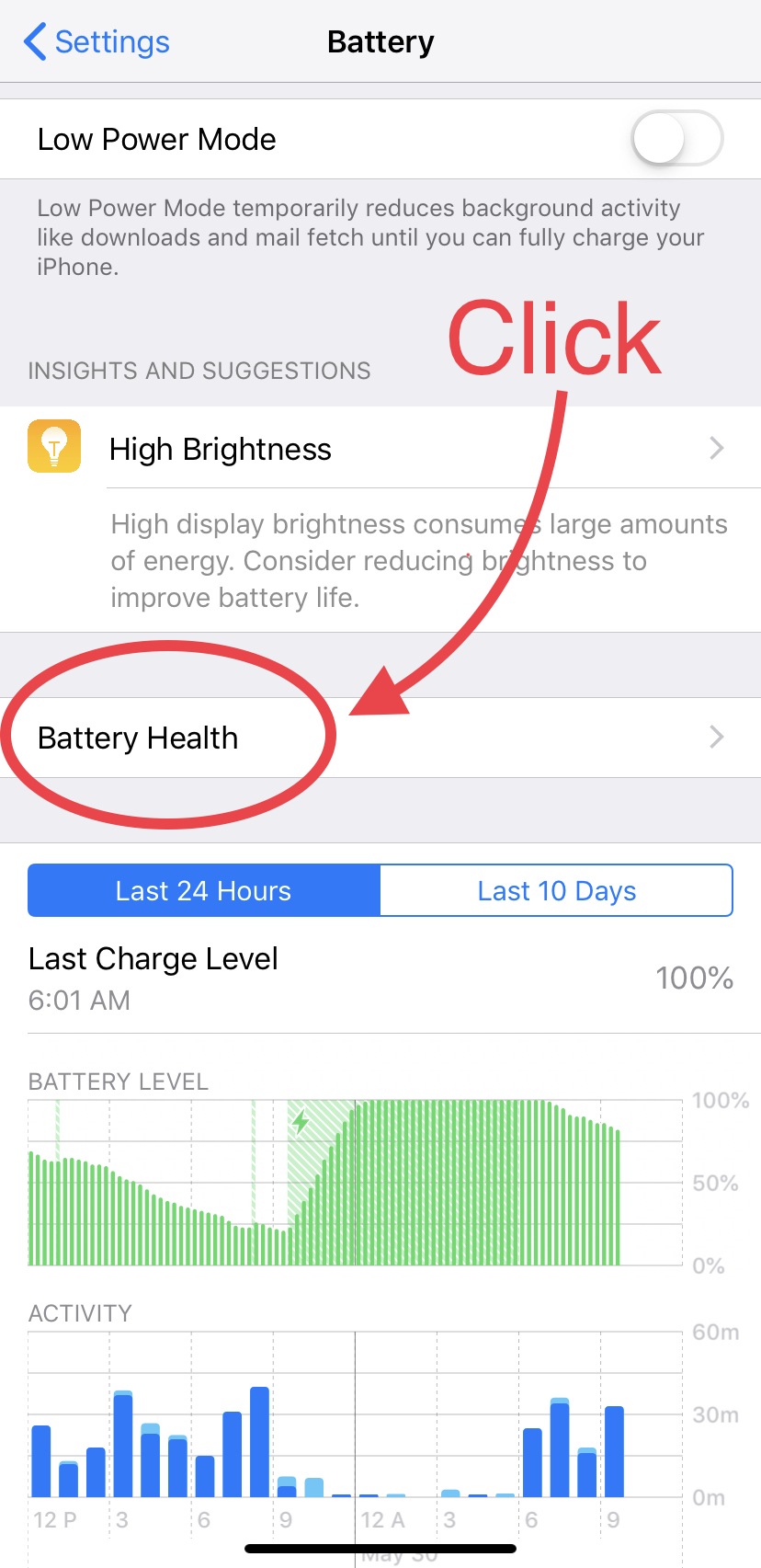
A truly hot phone isn't just uncomfortable; it's a sign that the battery is struggling to regulate its temperature. It’s essentially running a tiny internal fever, and that’s never a good sign for long-term health. Think of it as your phone breaking a sweat from sheer exertion, even when idle.
The "Pregnant Phone" Phenomenon
This one is a little more dramatic and definitely not to be ignored! If your phone or tablet starts to look a bit, well, puffy, especially around the back or under the screen, that's a swollen battery. It might even lift the screen slightly or make the case bulge.
"A swollen battery isn't just cosmetic; it's a tiny, pressurized balloon of chemicals waiting to be noticed. Get it checked out pronto!"
This isn't a growth spurt; it's a potentially hazardous sign that gasses are building up inside the battery. It’s definitely time for a professional battery replacement, and not something you want to ignore. Your phone shouldn't look like it's swallowed a small pebble.
Your Car Battery is Throwing a Tantrum (The Big Power Play)
The "Reluctant Wake-Up Call"
Does your car crank slowly, groaning and wheezing like a sleepy bear trying to roll out of bed? Instead of a brisk "VROOM," you get a hesitant "uurrr-uurrr-uurrr." This drawn-out starting process is a classic sign of a weak car battery struggling to deliver enough power to the starter motor.
It's like your car needs an extra cup of coffee (or ten!) just to get its day started. The engine eventually turns over, but it’s a sign that its trusty energy reservoir is losing its oomph. Don’t ignore this sleepy groan; it's an early warning.

The "Flickering Disco Ball" Headlights
Turn on your headlights before starting the car. Are they bright and steady, or do they look like they’re trying to impress at a dimly lit rave? If they appear dim or flicker noticeably when you try to start the engine, your battery might be on its way out.
This visual cue is your car practically whispering, "Hey, I'm barely holding it together here!" The power just isn’t flowing with the same confident strength it once did. It’s like the energy is running on empty, struggling to power even the basic functions.
The "Blinking Alarm" Dashboard Lights
Modern cars are basically mobile computers, and they're great at telling you when something's amiss. If you see a battery warning light (it looks like a little battery symbol, usually red or orange) illuminate on your dashboard, your car is practically shouting, "Houston, we have a battery problem!"
This isn’t just a friendly suggestion; it's a serious heads-up that your charging system, often including the battery itself, needs attention. Sometimes it's the alternator, but often a failing battery puts extra strain on everything. It’s your car’s way of saying, "Help me, Obi-Wan Kenobi!"
The "Sad Little Click"
You turn the key, full of hope, and all you get is a single, disheartening click. Or perhaps a rapid series of clicks, like a tiny percussion section that forgot its instruments. No engine roar, just that solitary, pathetic sound. This is a very common and unmistakable sign.
That click usually means the starter motor isn't getting enough juice to actually engage the engine. The battery can muster a tiny spark of life, but not enough to unleash the beast under the hood. It's the sound of defeat, the final whimper of a truly exhausted battery.
Your Laptop is Playing Hard to Get (The Desktop Pretender)
The "Chained Beast" Syndrome
Does your laptop seem to have developed an unshakeable attachment to its charging cable? If unplugging it feels like you're cutting off its life support, forcing it into an immediate, dramatic slumber, then your battery is probably a goner. It's practically a desktop PC at this point.

A healthy laptop battery should offer a decent amount of freedom before needing to be tethered again. If it drops from 100% to 0% in mere minutes off the charger, it’s clearly suffering from power-phobia. The battery's capacity has essentially withered away.
The "Unplugged Party Pooper"
Ever notice your laptop's performance takes a nosedive the moment you unplug it from the wall? Videos buffer, games stutter, and even simple web browsing feels like wading through treacle. This isn't just your laptop being temperamental; it's a common trick some operating systems pull.
To conserve a dying battery, your laptop might deliberately throttle its own performance to extend what little life is left. It's like it goes into a low-power, grumpy mode, sacrificing speed for a few extra precious minutes. It's saying, "I'm on a diet, don't ask me to run!"
The "Swollen Touchpad" or Case
Just like phones, laptop batteries can swell. This often manifests as a bulging keyboard, a touchpad that won't click properly, or the bottom case bulging outwards. If your laptop isn't sitting flat on a table anymore, or you feel a subtle rise, check it out immediately.
A swollen laptop battery is a serious safety concern and needs professional attention as soon as possible. Don't try to press it back down or ignore it. It’s your laptop's way of developing a very dangerous little beer belly.
General Wisdom for All Batteries (The Universal Truths)
The "Inconsistent Charging" Conundrum
Does your device charge to 100% super-fast, then die equally fast? Or maybe it stops charging halfway, stubbornly refusing to take more juice? Inconsistent charging behavior is often a red flag that the battery's internal chemistry is failing.
It’s like trying to fill a leaky bucket – you pour in the water, but it just doesn’t hold it effectively. The battery struggles to accept or retain a full charge, leading to wildly unpredictable power levels. It’s just not trustworthy anymore.
The "Doesn't Hold a Charge" Heartbreak
This is the ultimate sign, the final curtain call for a battery. You charge it up, unplug it, and within minutes, it’s back to zero. Or worse, it doesn’t even acknowledge the charger, staying stubbornly dead no matter what you do.
At this point, your battery has officially crossed the rainbow bridge into the land of no return. It’s no longer a power source; it's just dead weight, a relic of its former glory. It has given up the ghost entirely.
The "Old Age" Factor
Sometimes, it's just plain old age. Batteries have a finite number of charge cycles they can endure before their capacity naturally degrades. If your gadget is several years old and exhibiting these signs, it's probably just a natural end to its battery's journey.
Like a wise old grandparent who’s earned their rest, sometimes a battery simply reaches the end of its useful life. It’s not your fault, and it’s not the device’s fault; it's just the circle of electronic life. Everything eventually wears out.
So, there you have it, intrepid battery detective! Knowing these signs empowers you to diagnose problems early and make informed decisions. Don't let a failing battery cramp your style or leave you stranded.
Embrace the signs, understand the language of your devices, and remember that sometimes, a simple battery replacement is all it takes to bring your beloved gadgets back to their former energetic selves! You've got this!