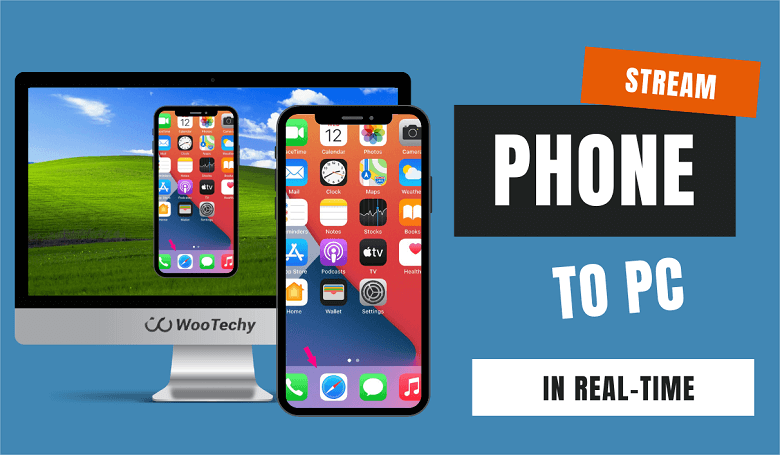
How Do I Stream On My Phone

Alright, gather 'round, friends, let's talk about streaming on your phone. You know, broadcasting your brilliance (or utter chaos) to the world from the palm of your hand. Forget about needing a fancy studio with a soundproofed room and a professional lighting rig (though, let's be honest, a ring light does wonders). We're talking mobile, baby! Think of it as your personal pocket-sized TV station, ready to go viral at a moment's notice. Except, hopefully, for the right reasons. Unless your thing is accidentally setting your toaster on fire. Hey, no judgment here. Actually, maybe a little.
First Things First: The Techy Bits (Don't Panic!)
Okay, deep breaths. I know, the word "techy" can be terrifying. It conjures images of blinking lights, complex algorithms, and that one friend who always talks about blockchain like it's the answer to world peace. But fear not! This is actually pretty straightforward. You basically need three things: a phone (duh!), a stable internet connection (double duh!), and a streaming app. Think of it like making toast. You need bread, a toaster, and, well, electricity. Except instead of toast, you're making...content! Digital toast! Metaphor achieved.
Let’s talk apps. There are a ton! Twitch is the king of live gaming (think eSports tournaments and people reacting to cat videos). YouTube Live is great for, well, everything else (vlogs, tutorials, mukbangs – the possibilities are endless, or at least as endless as YouTube's algorithm allows). And then there's Instagram Live and TikTok Live, which are perfect for quick, bite-sized streams where you show off your dance moves, your pet hamster's latest antics, or your surprisingly impressive ability to fold laundry. Choose your poison, my friends.
Must Read
Setting Up Shop (aka, Making it Look Like You Know What You’re Doing)
Once you've downloaded your app of choice (and created an account, obviously – unless you're some kind of anonymous streaming ninja, which, let's be real, you're probably not), it's time to get everything set up. This usually involves granting the app permission to access your camera and microphone. Don’t worry, they’re not really spying on you... probably. Just kidding (mostly). Read the fine print, people! Always read the fine print!
Now comes the fun part: customizing your stream! You get to choose a title, a description, and maybe even a thumbnail image. Think of the title as your stream's movie poster. "Bob Plays Fortnite and Yells at His Cat" is a lot more intriguing than just "Gaming Stream," right? (Unless your cat is particularly annoying, then maybe the latter is more accurate). The description is your elevator pitch. Tell people what they can expect to see, hear, and hopefully not regret. And the thumbnail? That's your chance to lure them in with a captivating image. Maybe a picture of you looking super serious, or a picture of a surprisingly photogenic piece of broccoli. Whatever floats your boat!
Action! (aka, Actually Streaming)
Alright, you're all set up, you've chosen your title, description, and thumbnail, and you've mentally prepared yourself for the possibility that exactly zero people will watch your stream. That's okay! We all start somewhere. Even PewDiePie probably started out streaming to his mom (hi, PewDiePie's mom!).
To start streaming, you usually just tap a button that says something like "Go Live" or "Start Streaming." It’s pretty self-explanatory. Then, bam! You're live! The world is your oyster! Or, you know, your phone is your oyster, and the world is your audience. Now, remember to actually talk! Silence is awkward, even in the digital world. Share your thoughts, tell a story, react to the game you're playing, or just make weird noises. The key is to engage your audience, even if your audience consists solely of your pet goldfish. They're surprisingly good listeners (or at least, they look like they are).
Pro Tips (From Someone Who's Definitely Not a Pro)
Okay, I'm no streaming guru, but I've picked up a few tricks along the way. First, make sure you have enough battery life. There's nothing worse than your stream dying in the middle of a crucial moment (unless that crucial moment is you accidentally setting your toaster on fire…again). Invest in a portable charger. Your future viewers will thank you.
Second, find a quiet place to stream. Nobody wants to hear your roommate arguing with their significant other in the background. Unless, of course, that is your content. Then, by all means, crank up the volume.
And finally, have fun! Streaming should be enjoyable, both for you and your audience. Don't take yourself too seriously. Embrace the weirdness. And remember, even if only one person watches your stream, that's still one more person than zero. So go out there, be yourself, and show the world what you've got! (Just try not to set anything on fire.)