
How Do I Set My Honeywell Thermostat To Manual Mode
Ah, the humble thermostat. Often an overlooked square of plastic on our walls, yet it holds the key to our immediate comfort. There's a particular satisfaction that comes from stepping into a perfectly cooled sanctuary on a sweltering day, or feeling the gentle warmth embrace you as winter chills bite. And for many of us, that unsung hero is a Honeywell thermostat, quietly humming along, managing our home's climate.
While programmed schedules are fantastic for routine, life, as we know, rarely sticks to the script. This is where mastering the art of setting your Honeywell thermostat to manual mode comes in. It's not just about tweaking a number; it's about reclaiming immediate control, a simple act of digital empowerment that directly impacts your well-being and even your wallet.
The core benefit of going manual is flexibility. It allows you to override your pre-set schedule instantly, adapting your home's temperature to your present needs. Think of the energy savings: stepping out unexpectedly? Drop the temperature to save cash. Coming home early? Bump it up for instant coziness. It’s also about sheer, unadulterated comfort – no more waiting for the next scheduled change when you simply feel a sudden chill or a wave of heat.
Must Read
So, when would you need this superpower? The examples are endless! Perhaps you’re hosting an impromptu get-together and need the house cooler for a crowd. Maybe you’ve decided to open all the windows for some fresh air and don’t want your AC fighting a losing battle. Working from home unexpectedly calls for daytime comfort without messing up your evening program. Or maybe you're just back from vacation early, and that "away" setting needs a quick override. And, let's be honest, sometimes you just want it a little warmer or cooler right now because, well, you’re the boss of your own comfort!
Ready to seize the reins? Here are some practical tips to enjoy your Honeywell thermostat more effectively in manual mode:
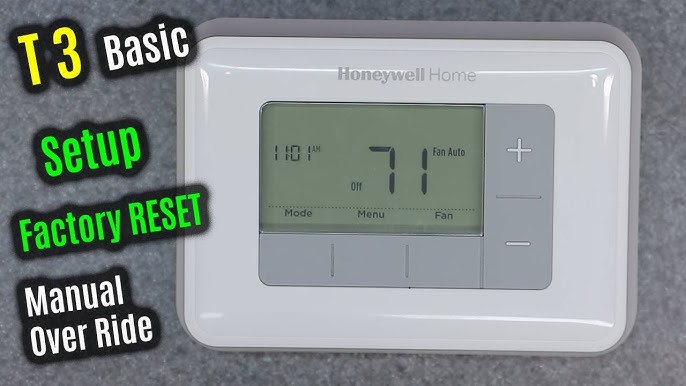
- Identify Your Mode Button: Most Honeywell models have a "System" or "Mode" button. Press it to cycle through options like Heat, Cool, Off, and sometimes Auto or Emergency Heat. Select the desired operation (e.g., Heat if you want to make it warmer, Cool if you want to make it cooler).
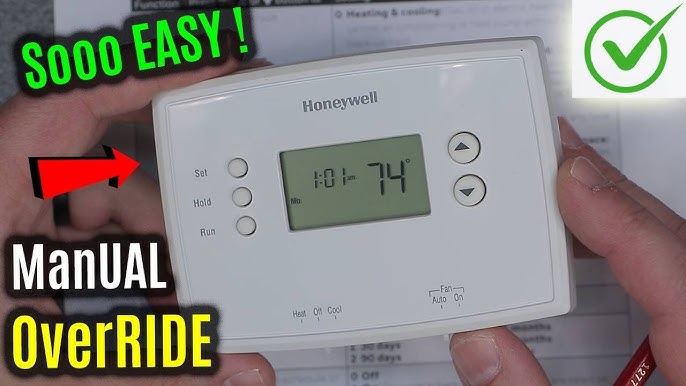
- The Magic Word: "Hold": This is your gateway to manual control. On many programmable Honeywell models, once you adjust the temperature using the up/down arrows, the thermostat will briefly show the new temperature. Then, you'll often see a button like "Hold" or "Permanent Hold." Pressing this button tells the thermostat to maintain that temperature indefinitely, overriding the schedule. Look for "Hold" or "Permanent Hold" to appear on the display – that's your confirmation!
- The Savvy Alternative: "Temporary Hold": Some advanced Honeywell thermostats offer a "Temporary Hold." Instead of a permanent override, this option holds your new temperature for a set period (e.g., 2-4 hours) before reverting to your schedule. This is fantastic for short-term adjustments, like a sunny afternoon causing a brief spike in indoor temperature. Just adjust the temp, and if you see an option for "Temporary Hold" or similar, use it!
- Know Your Model: Honeywell has many models. If you're struggling, quickly search for your specific model number's manual online (e.g., "Honeywell T6 Pro manual"). A quick skim will usually clarify the exact button sequence for your device.
- Don't Be Afraid to Experiment: These devices are designed to be user-friendly. A few presses won't break anything. You can always revert to "Run Schedule" or "Cancel Hold" if you make a mistake.
So next time life throws a curveball at your meticulously programmed climate control, remember: your Honeywell thermostat is ready to obey your immediate commands. Embrace the freedom of manual mode, and enjoy a home perfectly tailored to your life, right now.


