
Honeywell Thermostat Not Turning Ac On

Picture this: It’s a gorgeous, albeit toasty, afternoon. You walk in the door, ready to kick off your shoes and feel that sweet, sweet blast of cool air. You stride purposefully to your trusty Honeywell thermostat, tap the "Cool" button, watch the digital display… and then… nothing. Zilch. Nada. The quiet hum of the house remains, annoyingly, unchilled. Before you start drafting a strongly worded letter to the universe, take a deep breath. We've all been there, and often, the fix is simpler than you think.
Your Honeywell thermostat, a silent sentinel of comfort in countless homes across the globe, is usually a reliable friend. But like any tech, it can have its off days. The good news? Most "AC not turning on" dilemmas with a Honeywell are actually user-friendly nudges rather than full-blown emergencies. Let's channel our inner home-hacker and troubleshoot this comfort conundrum with a cool head and a touch of modern flair.
The Obvious (But Often Overlooked) Suspects
First things first, let’s rule out the digital equivalent of forgetting your keys are in your hand.
Must Read
1. Mode Check: Are We on "Cool"?
This might sound elementary, but in the blur of daily life, it's surprisingly common to find your thermostat set to "Heat," "Fan Only," or even "Off." Give the mode button a firm, yet gentle, press until you see "Cool" displayed prominently. It’s like checking if your car is in drive before pressing the gas – simple, but essential.
2. Temperature Setting: Lower Than Thou?
Your AC won't just blast cold air for fun. It needs a reason! Make sure your desired temperature is set at least a few degrees lower than the current room temperature. If it's 75°F in your living room and your thermostat is set to 78°F, your AC is quite rightly taking a siesta. Drop that setting to a crisp 72°F or 70°F and see if that awakens the beast.
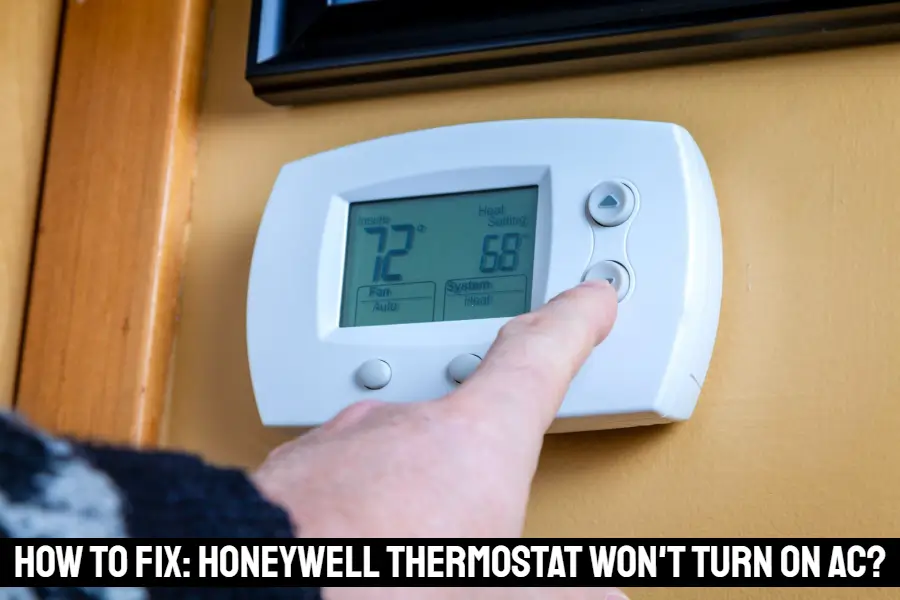
3. Fan Setting: Auto or On?
Many thermostats have a "Fan" setting that's separate from the "Cool" mode. For normal operation, you almost always want this set to "Auto." This means the fan will only run when the heating or cooling system is actively working. If it's set to "On," the fan might be running continuously, but without the compressor kicking in, you're just circulating warm air – and probably thinking your AC is on the fritz!
Beyond the Screen: Power Plays and Hidden Switches
If the display looks right but the AC remains stubbornly silent, it's time to dig a little deeper. Don't worry, no hard hats required, just a bit of curious exploration.
4. Batteries: The Lifeline of Your Display (Sometimes)
Ah, batteries! The unsung heroes of many a digital device. Even if your Honeywell thermostat is hardwired, many models use AA or AAA batteries to power the display and retain settings during power outages. If the screen is blank or flashing a "low battery" icon, replace those batteries immediately. A fresh set might just be the jolt your system needs to spring back to life. Think of it as a power nap for your thermostat.

5. The Circuit Breaker: A Tripped Protector
Your AC unit (both indoor and outdoor components) is on a dedicated circuit in your electrical panel. Sometimes, especially during a power surge or if the unit is struggling, the circuit breaker can "trip" to protect the system. Head to your electrical panel (usually in a basement, garage, or utility closet). Look for a breaker that's halfway between "On" and "Off," or completely "Off." Flip it firmly to the "Off" position, wait a few seconds, and then firmly back to "On." Give your system 5-10 minutes to reset. It’s like giving your tech a gentle reboot!
6. The Furnace/Air Handler Switch: The Overlooked Off Button
This is a surprisingly common culprit! Near your indoor furnace or air handler unit (often in a closet, attic, or basement), there's usually a standard light-switch-style toggle. This is a safety switch that cuts power to the unit. It's often accidentally flicked off by someone working near the unit, or even by a curious child. Ensure this switch is in the "On" position. If it's off, your AC literally can't get power.

When to Call in the Cavalry (aka the HVAC Pro)
You've checked the settings, replaced the batteries, reset the breaker, and confirmed all the switches are in their happy places. And still… silence. This is when it's perfectly okay, and indeed wise, to call in a professional HVAC technician. There's no shame in admitting defeat to a more complex issue. They can diagnose problems like:
- A faulty thermostat unit itself.
- Issues with the capacitor in your outdoor unit.
- Refrigerant leaks or low levels.
- Problems with the compressor.
- Wiring issues within the system.
Remember, dealing with electrical components and refrigerant can be dangerous if you're not trained. Safety first, always!
A Little Reflection on Modern Comfort
It's easy to take our home comforts for granted until they falter. This little hiccup with your Honeywell thermostat, while annoying, is a gentle reminder of the intricate systems that quietly hum in the background of our lives, keeping us cool in the summer and warm in the winter. Troubleshooting these minor issues ourselves gives a satisfying sense of accomplishment – that wonderful "aha!" moment when the cool air finally kicks in is truly a small victory. It teaches us patience, a bit about how our homes work, and perhaps, a deeper appreciation for the simple luxury of a perfectly air-conditioned space on a hot day. So, next time your AC takes a break, you’ll be ready to face the challenge with a newfound confidence and maybe, just maybe, a smile.
