
Honeywell Thermostat Not Showing Cool Option
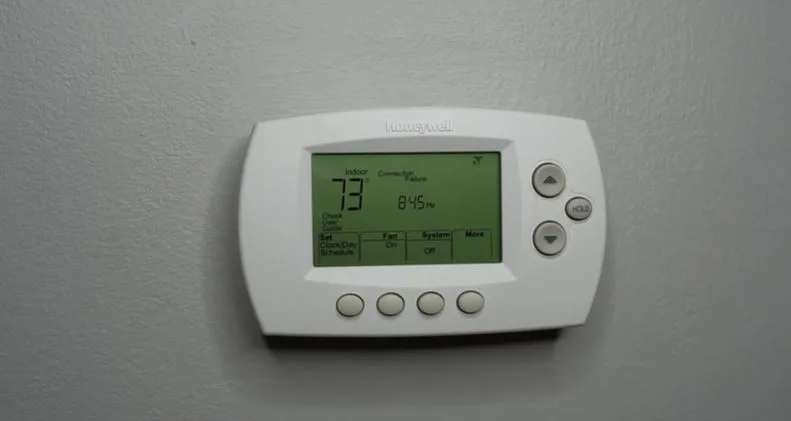
Picture this: the sun is blazing, your ice cream is melting just looking at it, and you head to your Honeywell thermostat, ready to crank the AC. But wait... where's the "Cool" option? GONE! Poof! It's a surprisingly common little mystery that many of us face, and solving it isn't just about beating the heat; it's about feeling like a true home hero. This isn't some complex engineering feat; it's often a simple tweak that empowers you to take control of your home comfort. Plus, who doesn't love avoiding a pricey service call for something you can fix yourself?
For the everyday homeowner or beginner, understanding why your thermostat might be playing hide-and-seek with the "Cool" option can save you stress and keep your home a comfortable oasis. You'll learn to speak your thermostat's language, avoiding unnecessary frustration when temperatures soar. Families especially benefit from a quick thermostat fix; nobody wants a grumpy household because the AC isn't cooperating! Keeping your living space consistently comfortable means happier kids, better sleep, and fewer arguments over who touched the thermostat last. Even for those who enjoy a bit of DIY problem-solving, figuring out this common issue is a rewarding mini-project that builds your confidence in managing your home's vital systems. It's not just about cooling; it's about understanding and self-reliance.
The vanishing "Cool" option isn't always the same story, which is what makes it intriguing! Sometimes, it's as straightforward as the thermostat being set to "Heat" or "Off" and just needing a quick tap to cycle through the mode options. Other times, it might be tied to how your HVAC system is configured – perhaps you have a heat pump that handles both heating and cooling, and the thermostat is sensing a particular condition. It could even be an installer setup setting that inadvertently hides options not applicable to your specific system, or maybe the thermostat mistakenly thinks it's still winter! Occasionally, a minor internal glitch or low battery can cause odd behavior. These variations mean there isn't one single "aha!" moment, but rather a short list of things to investigate.
Must Read
Ready to get started? First, and most simply, check your thermostat's mode setting. Look for a button that says "Mode," "System," or "Off/Heat/Cool." Give it a gentle press to cycle through the options. You might find "Cool" reappears! If not, a classic IT move often helps: try a power cycle. If your thermostat uses batteries, remove them for about 30 seconds, then put them back in. For hardwired units, you might need to flip the breaker to your HVAC system off for a minute and then back on. Next, delve a little deeper: some Honeywell thermostats have an installer setup menu. Accessing this usually involves holding down a specific button for several seconds (check your user manual for details). Here, you can verify that the system type is correctly set to allow for cooling. If you're still stuck, ensure your outdoor AC unit is actually powered on and functioning. If all else fails, a quick online search for your specific Honeywell model can provide precise troubleshooting.
So, there you have it! The missing "Cool" option doesn't have to be a summer nightmare. With a few simple checks and a sprinkle of curiosity, you can often bring that beloved cooling function right back to life. There's a real sense of accomplishment in solving these little household puzzles, keeping your home comfortable, and feeling more connected to the technology that serves your everyday needs. Stay cool, smart homeowner!
![Honeywell Thermostat Not Showing Cool Option [Solved] - Thermostat](https://thermostating.com/wp-content/uploads/2024/10/Federal-HVAC-Tax-Credits-Rebates.png)
![Honeywell Thermostat Not Showing Cool Option [Solved] - Thermostat](https://thermostating.com/wp-content/uploads/2024/10/Home-Energy-Planner-Logo-Circle-White.png)

![Honeywell Thermostat Not Showing Cool Option [Solved] - Thermostat](https://thermostating.com/wp-content/uploads/2025/03/Honeywell-Home-RTH2300-Programmable-Thermostat-2.jpg)