
Honeywell Home Pro Series Cool On Blinking

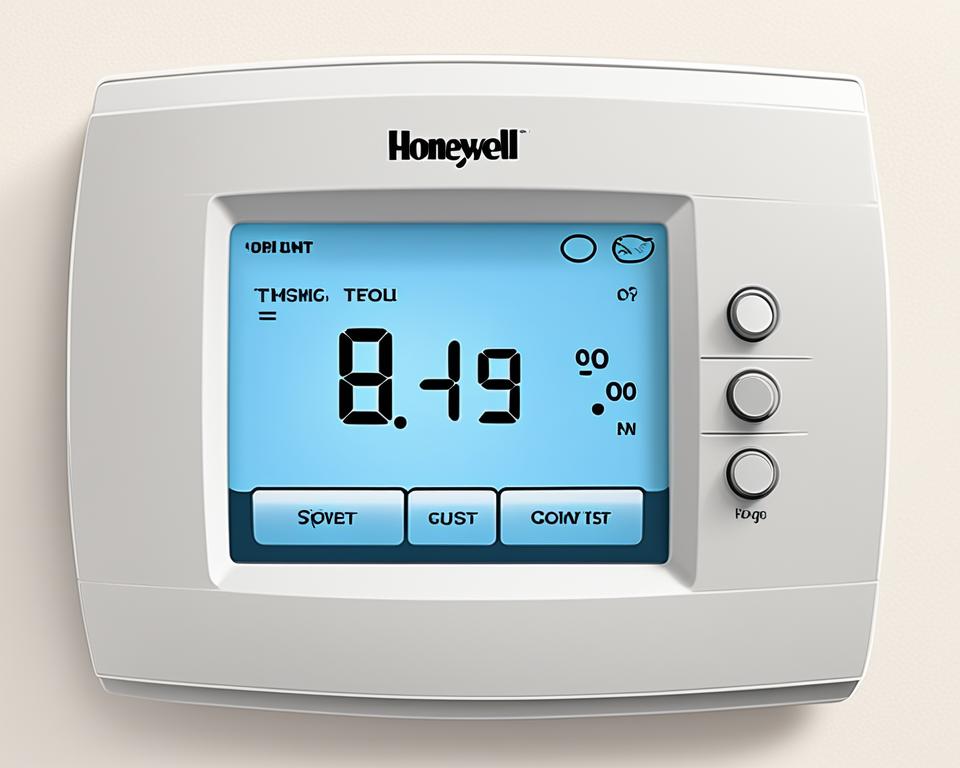
Alright, picture this: You’re finally home after a long day. Shoes off, comfy pants on, ready to plop onto the couch with your favorite streaming service. You glance at your Honeywell Home Pro Series thermostat, just making sure everything’s hunky-dory, and then… you see it. That little "Cool On" light is just sitting there, blinking. Not steadily glowing, but winking at you, almost playfully. And you think, "Uh oh. What now?"
Don't fret, my friend! That blinking "Cool On" isn't a secret code from aliens trying to hack your HVAC, nor is it your thermostat judging your snack choices. It’s actually your unsung hero, the Honeywell Home Pro Series thermostat, doing its job like a diligent little guardian angel for your air conditioning unit. And trust me, once you know what it means, you’ll probably want to give it a little pat on its digital head.
What's the Blinking All About, Anyway?
Think of that blinking light as your AC unit taking a tiny, well-deserved nap or a moment to collect its thoughts. It's mostly a sign that the system is in a "holding pattern," usually for one very important reason: short cycle protection. Imagine if you tried to turn your car on, then immediately off, then immediately on again. That would be pretty rough on the engine, right? Same goes for your mighty AC compressor.
Must Read
The compressor, the hardworking heart of your AC, needs a little breather in between cycles. If it were to constantly switch on and off without a pause, it would wear itself out much faster, leading to expensive repairs and a very unhappy wallet. So, your Honeywell thermostat steps in, like a wise elder saying, "Hold on there, champ. Let’s give the compressor a few minutes to rest before we get back to business." It's essentially preventing your AC from having a mini-meltdown.
Why Else Might It Be Winking At You?
While short cycle protection is the main reason, sometimes your blinking buddy might be trying to tell you a couple of other things. Think of these as little system checks:
-
A Quick Power Nap: Has there been a recent power flicker or outage? Just like your computer takes a moment to boot up after a power cut, your thermostat and AC might need a moment to recalibrate and ensure everything's ready to roll after a brief interruption. It's like your system saying, "Whoa, that was a jolt! Let me just shake it off."
-
Changing Its Mind: Did you just switch from "Heat" to "Cool" (or vice-versa) in a hurry? Your system needs a moment to transition. It's like asking a chef to suddenly switch from making a sizzling steak to a delicate soufflé without clearing the station – things need a moment to adjust! The thermostat is ensuring the change is smooth and gentle on your equipment.
Why Should You Even Care About a Blinking Light?
Beyond satisfying your curiosity, understanding this blinking light is actually pretty important for a few delightful reasons:

-
Saving Your AC's Life (and Your Money!): This is the big one! That blinking isn't an annoyance; it's a guardian. It's actively protecting the most expensive part of your AC system, the compressor, from premature wear and tear. By waiting a few minutes, your thermostat is extending the lifespan of your unit, preventing costly breakdowns, and saving you a bundle in repair bills down the line. Think of it as free preventative maintenance!
-
Efficiency at Its Best: An AC unit that's not short-cycling is an AC unit that's running more efficiently. This means it’s doing its job better, cooling your home more effectively, and potentially saving you a few bucks on your energy bill. It’s all about smooth operations for optimal performance.
-
Peace of Mind: Once you know what it means, that blinking light transforms from a source of mild panic into a comforting sign that your smart home tech is working exactly as it should be. No need to call a technician just yet, no need to troubleshoot frantically – just a few minutes of patience, and you're usually golden!

Honeywell Thermostat Cool On Blinking (Why It Occurs And How To Resolve
So, What's the Game Plan When It Blinks?
Mostly, your game plan is delightfully simple: Do nothing! Seriously. In the vast majority of cases, that blinking light will resolve itself within a few minutes (usually anywhere from 2 to 5 minutes, though sometimes up to 10). It's just giving your AC a timeout. Go grab a drink, check your social media, or tell a really long joke – by the time you're done, your AC will likely be humming along happily.
However, if your "Cool On" light seems to be blinking endlessly, or your home just isn't getting cool after a significant waiting period, here are a couple of quick, friendly checks:
-
Is Your Filter Feeling Cranky? A dirty air filter can restrict airflow, making your AC work harder and sometimes confusing the system. A quick check and swap (if needed) is always a good idea. Think of it like making sure your car isn't trying to run on fumes – basic care goes a long way!

Honeywell Thermostat Cool on Blinking: Easy Fixes Revealed -
Double-Check Your Settings: Is your thermostat definitely set to "Cool" and the desired temperature lower than the current room temperature? Sometimes we accidentally bump a setting. It's like checking if your coffee maker is plugged in before wondering why it's not brewing!
-
Listen Closely: Do you hear any strange noises from your outdoor unit? Any ice on the lines? While the blinking itself is often benign, unusual sounds or visible issues might signal something more. This is when your casual check might turn into a "let's call the pros" situation.
But for the most part, that blinking "Cool On" is simply your Honeywell Home Pro Series thermostat being the smart, protective device it's designed to be. It's looking out for your comfort, your wallet, and the longevity of your AC unit. So next time you see it winking, just smile back. Your thermostat is doing its job, making sure your home stays cool, calm, and collected, without any unexpected drama.