
Honeywell Ac Thermostat Not Turning On

Imagine this: it’s a sweltering Tuesday afternoon. The kind of heat that makes you consider living in a giant ice cube. You’ve just wrestled the kids through their afternoon activities (bless their energetic little souls!), finally sat down with a glass of iced tea, and are ready for that sweet, sweet blast of arctic air from your trusty AC. You walk over to your sleek Honeywell thermostat, tap the 'cool' button, crank it down to a refreshing 70 degrees, and... nothing.
Just silence. No comforting hum, no gentle breeze stirring the curtains. Crickets, metaphorically speaking, but also probably literally because it’s so quiet. Your iced tea suddenly feels less refreshing, more like a symbol of your rapidly evaporating sanity. Sound familiar? Yeah, I thought so. That moment of blissful anticipation turning into sheer panic is a rite of passage for homeowners everywhere.
Especially when your Honeywell AC thermostat decides to play dead. It's like, really? Now? When I most need you? If your Honeywell thermostat isn't turning on your AC, you’re in good company. And before you start Googling "how to survive summer without AC" or "best portable fans on Amazon," let's walk through some common culprits.
Must Read
First, The Obvious Stuff (Don't Judge!)
First things first, and please, please don't roll your eyes at me on this one, because it's genuinely the most common facepalm moment: the batteries. Yes, even your fancy smart thermostat often has backup batteries. Is the screen blank? Or perhaps just dim and unresponsive? Pop open that cover (usually it slides up or pulls off) and swap out those old AA or AAA batteries for some fresh ones. Sometimes, that's all it takes. Seriously. It’s the equivalent of rebooting your computer when it freezes – simple, but surprisingly effective. You'd be amazed how many times I've felt like a genius after simply replacing batteries.
Next up, let's head to the electrical nerve center of your home: the circuit breaker box. Your AC unit, both the indoor air handler and the outdoor condenser, runs on electricity. Sometimes, a surge or a minor fault can trip a breaker. Go find your breaker box (usually in the garage, basement, or a utility closet), and look for any switches that are in the "off" position, or more commonly, "tripped" – which is usually halfway between "on" and "off." Flip it completely "off" and then firmly "on" again. Do NOT just push it back if it's halfway; you need to reset it fully.
When the Simple Stuff Fails...
Speaking of your indoor unit (the air handler or furnace), a super common, yet often overlooked, issue is its access panel. Many units have a safety switch that prevents them from running if the access door isn't properly closed. It's a safety feature, designed to keep little fingers (or big, curious ones) out of the machinery. Give that door a good push to ensure it's seated perfectly. If it's even slightly ajar, your whole system might just decide to take a nap. This one gets me every time. "Why won't it turn on?!" Pushes door firmly. "Oh. Right."
Okay, getting a tiny bit more involved now. Your AC system has a few other safety switches. One common one is in the condensate pan. If this pan, which collects water drained from your AC, overflows (meaning your drain line is clogged!), a float switch will trip and shut down your system to prevent water damage. You might see water around your indoor unit. If you do, that's a clue! Clearing a clogged condensate line can sometimes be a DIY job (a wet-vac often does the trick), but if it's a constant problem, that might be a sign to call in the pros.

Is Your Thermostat Even Alive?
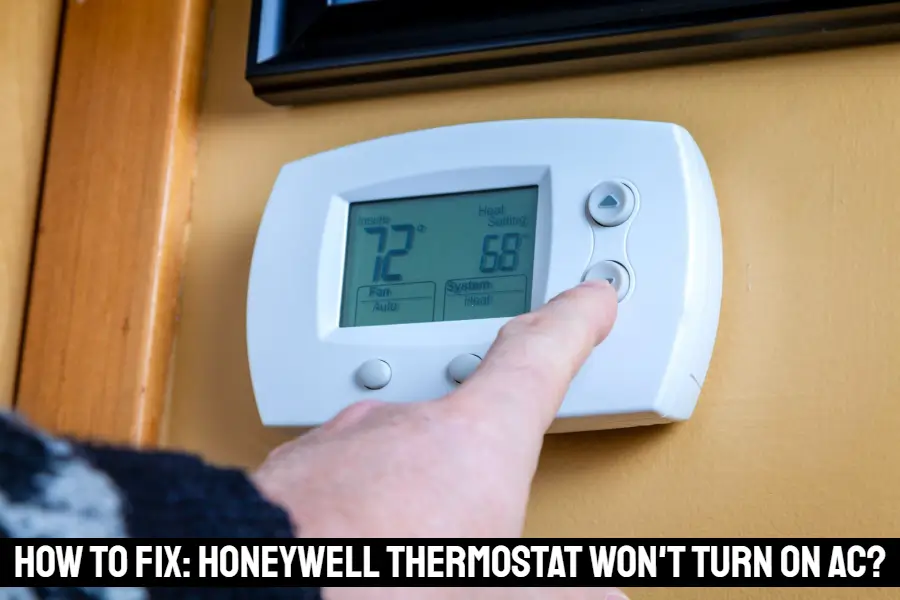
What if your thermostat screen is on, but it just doesn't seem to be sending the signal? First, try a simple reset. Many Honeywell models have a small reset button (sometimes in a tiny pinhole, requiring a paperclip), or you can usually find a factory reset option in the menu. Consult your thermostat's manual (or Google your specific model number) for exact instructions. Sometimes, the thermostat itself just needs a brain scrub. Also, check your settings – is it in "cool" mode? Is the fan set to "auto" or "on"? Small details, but easily overlooked in a moment of panic.
Wiring Woes (Proceed with Caution!)
Now, for the slightly more intimidating, but still possible, DIY fix: wiring. Before you touch any wires, turn off the power at your circuit breaker! Seriously, don't mess with electricity. With the power off, gently pull the thermostat from its base (it usually unclips or unscrews). Look at the wires connected to the terminals. Are any loose? Frayed? Did one come completely disconnected? A common culprit is the "R" wire (for power) or the "Y" wire (for cooling). Gently push them back into their terminals. If a wire looks badly damaged, that's definitely a "call a pro" moment. But often, it's just a slightly loose connection that happens over time.

The Grand Finale: Calling in the Cavalry
You've checked the batteries, flipped the breakers, hugged your furnace door, reset your thermostat, and even played electrician (safely, I hope!). If your Honeywell AC thermostat is still giving you the silent treatment, it's probably time to wave the white flag and call in the HVAC cavalry. There could be deeper issues: a failing capacitor in the outdoor unit, a refrigerant leak, a bad control board, or even a truly dead thermostat that needs replacing.
These are jobs best left to the experts who have the right tools and, more importantly, the expertise to diagnose and fix them safely. Don't risk electrocution or further damaging your expensive HVAC system just to avoid a service call. Sometimes, peace of mind (and actual cool air!) is worth every penny. Stay cool, my friends!
