
Does Your Search History Show On Wifi Bill
Imagine this: It's Sunday dinner, gravy boat making its rounds, and your uncle Barry (bless his tech-challenged heart) leans over and says, "So, I was looking at the internet bill this month, saw some interesting activity from your room, huh?" You nearly choke on your mashed potatoes. Your mind races: "Did he see that late-night deep dive into competitive ferret grooming? Or my embarrassing search for 'how to un-send a text'?" The sheer panic!
We've all had some variation of that moment, haven't we? That fleeting fear that our digital secrets are… well, not so secret after all. It brings us to a question that probably pops into most people's heads at some point, usually right after a questionable search or a marathon of cat videos: Does your search history actually show up on your Wi-Fi bill?
The Big Reveal (Spoiler Alert!):
Let's cut right to the chase, my friend, and probably save you a few heart palpitations. No. Absolutely not.
Must Read
Your Wi-Fi bill – that paper (or PDF) statement from your Internet Service Provider (ISP) – does not list out your Google searches, your YouTube watch history, or your late-night Wikipedia dives into the mating habits of obscure mollusks. Phew, right? You can breathe a sigh of relief.
What Your Wi-Fi Bill Actually Shows:
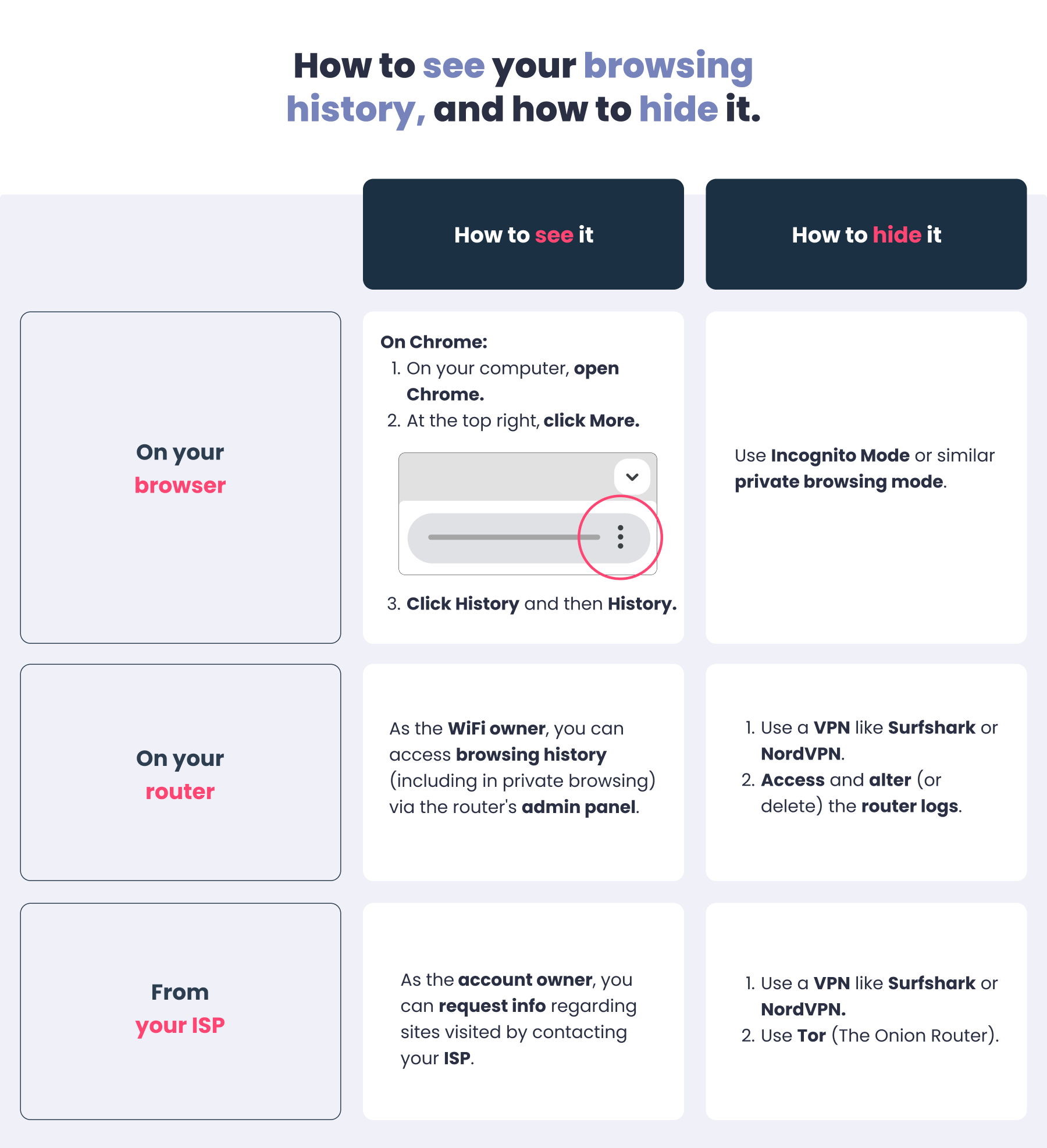
So, if not your private browsing escapades, what does that bill tell you (and your nosy Uncle Barry)? Primarily, it’s about data usage. Think of it like this: your ISP is the highway operator. They know how much data (cars) passed through their system to your house, and sometimes when.

They might tell you you used 500GB this month. They might even list the dates you connected and disconnected. But they absolutely do not care about the specific passengers or what they were discussing inside the cars.
Why Your ISP Can't See Your Searches (Mostly):
This is where technology swoops in like a privacy superhero. Most of your online activity today, especially searches, happens over HTTPS. See that little padlock icon in your browser's address bar? That means the connection between your device and the website you're visiting (like Google) is encrypted.

Your ISP can see that you connected to google.com. They know you sent some data to Google, and Google sent some data back to you. But because of HTTPS, that data is jumbled, scrambled, and utterly unreadable to anyone intercepting it – including your ISP. It’s like sending a sealed, coded letter. The post office knows you sent a letter to a certain address, but they have no idea what secrets it contains. Pretty neat, huh?
What Your ISP Can See (and it's less exciting than you think):
While they can't see the content of your searches, your ISP does have some visibility into your online life. They typically see:
- The websites (domains) you visit: They know you went to
netflix.com,facebook.com,amazon.com. This is often through DNS lookups – essentially, your computer asking your ISP, "Hey, where'sgoogle.com?" - Your IP address: This is how you're identified on the internet.
- Timestamp of connections: When you connected to certain services.
- Total bandwidth used: As mentioned, the big one for billing.
They essentially know which houses you visited on the internet street, and how long you stayed, but not what you did inside.
"But what about my browser history?"
That's a different beast entirely! Your browser history is stored on your device. Your computer, your phone, your tablet. It's local. It's for you (or anyone else with physical access to your device and your password, so maybe don't lend it out willy-nilly!). Your ISP doesn't have direct access to that.
A Quick Word on VPNs and Routers:
If you're really into privacy, you might use a VPN (Virtual Private Network). A VPN essentially reroutes your internet traffic through a different server, encrypting it further. When you use a VPN, your ISP only sees that you've connected to the VPN server. They don't see the websites you visit after that. It's like taking a secret tunnel to get onto the internet highway.

And what about your Wi-Fi router? While your router at home might keep some logs of devices connected and basic activity, that information stays on your router. It doesn't get sent to your ISP for your bill. So no, your router isn't snitching on you to the internet provider either!
The Bottom Line:
So, the next time Uncle Barry makes a sly comment, you can confidently (and perhaps a little smugly) assure him that his Wi-Fi bill contains no scandalous revelations about your online habits. Your search history, for the most part, remains your own, protected by layers of encryption and the sheer logistics of how the internet works.
It's a good reminder that while ISPs see some aspects of your online presence, the specific, granular details of your private searches are largely out of their billing purview. So go ahead, search for 'how to train a goldfish' or 'why do socks disappear in the laundry' with peace of mind. Your bill won't tell tales.